
Generate Azure networking diagrams from text
Describe your Azure network topology in plain English. Get a valid Draw.io diagram with hub-spoke VNets, Azure Firewall rules, NSG flows, and Private Link endpoints.
Diagrams.so's Azure networking diagram generator turns plain-text, voice, or image descriptions of your Azure network topology into native, editable Draw.io diagrams with VNet boundaries, subnet segmentation, NSG rules, and traffic flow arrows. Describe a setup like 'Hub VNet 10.0.0.0/16 with Azure Firewall Premium in AzureFirewallSubnet, spoke VNet 10.1.0.0/16 peered to hub with UDR forcing all egress through the firewall, Application Gateway with WAF v2 in snet-appgw, and ExpressRoute circuit to on-premises data center.' The AI draws VNet peering connections, labels subnets with CIDR ranges, annotates NSG rules with port and source filters, and marks Private Link endpoints. Architecture warnings flag VNets without NSGs (WARN-04) and public endpoints without WAF (WARN-02). Every element snaps to a 10px grid and uses an official Azure icon. Native .drawio output, exportable to PNG or SVG.
What Is an Azure Networking Diagram?
An Azure networking diagram maps the virtual network topology of your Azure environment: VNets, subnets, VNet peering, Azure Firewall, Network Security Groups, Application Security Groups, Azure Front Door, Application Gateway, ExpressRoute circuits, VPN Gateways, Private Link endpoints, and DNS configuration. It focuses on Layer 3/4 connectivity, traffic routing, and network security rather than application workloads. Building these diagrams manually is error-prone. You need to draw VNet boundaries with correct CIDR ranges, position subnets, attach NSG rules at the subnet or NIC level, show UDR route tables, and connect VNets through peering arrows with gateway transit annotations. Diagrams.so automates all of it. Describe your hub-spoke topology and the AI maps each VNet to a boundary container with address space labels. Subnets appear as nested regions with CIDR notation. Azure Firewall sits in AzureFirewallSubnet with rule collection annotations (network rules, application rules, DNAT rules). NSGs attach to subnets with summarized rule tables showing priority, direction, port, and action. The distinction between the two traffic filters matters on the diagram: a Network Security Group is a stateful five-tuple filter bound to a subnet or NIC, while an Application Security Group is a logical grouping of NICs — asg-web, asg-api — that NSG rules reference by name instead of by IP range, so the picture stays readable as VMs scale. Service tags such as Internet, VirtualNetwork, AzureLoadBalancer, and AzureFrontDoor.Backend appear as named sources in place of raw CIDR blocks. The AI handles Azure-specific constructs that generic tools miss. Azure Front Door with WAF policies appears at the global edge, terminating TLS and routing to regional origins. Application Gateway with WAF v2 sits within a VNet subnet as the Layer 7 reverse proxy that handles path-based routing and SSL offload, while an Azure Load Balancer (Standard) shows as the Layer 4 distribution tier in front of backend pools, and a NAT Gateway attaches to a subnet to consolidate outbound SNAT. Private Link endpoints show as connections from subnets to PaaS services with private DNS zone integration; the diagram distinguishes these private endpoints — a NIC holding a private IP inside your subnet — from service endpoints, which extend the VNet identity to the public PaaS endpoint over the Azure backbone. Hybrid connectivity renders both gateway types: a VPN Gateway in GatewaySubnet for encrypted site-to-site or point-to-site tunnels over the internet, and an ExpressRoute circuit connecting to the same GatewaySubnet with bandwidth and peering type labels for a private, dedicated link. UDR route tables annotate subnets with custom routes (0.0.0.0/0 next-hop Azure Firewall), and at scale the AI can render an Azure Virtual WAN hub in place of manually peered VNets. Because the output is native, editable .drawio XML rather than a flat image, architects can open it in Draw.io, adjust a CIDR range or move a subnet, and re-export to PNG or SVG for design reviews. RULE-02 uses official Azure icons. RULE-05 enforces left-to-right flow from internet through edge security to internal workloads. WARN-02 flags public endpoints without WAF. WARN-04 catches subnets without NSGs. WARN-01 detects single-region topologies. VLM visual validation catches overlapping subnet labels, and finished diagrams can be saved to your Diagrams.so gallery for reuse across projects.
Key components
- Hub-spoke VNet topology with VNet peering arrows showing bidirectional traffic and gateway transit annotations
- Azure Firewall Premium in AzureFirewallSubnet with rule collection labels: network rules (port/protocol), application rules (FQDN), DNAT rules
- NSG rules at subnet level with summarized tables showing priority, direction, source, destination, port, and allow/deny action
- Application Gateway with WAF v2 in dedicated subnet showing path-based routing rules, SSL termination, and backend pool targets
- Azure Front Door Premium at the global edge with WAF policy mode (prevention/detection), origin groups, and routing rules
- ExpressRoute circuit connected to GatewaySubnet with bandwidth label (1Gbps, 10Gbps), peering type (Private, Microsoft), and redundant connections
- Private Link endpoints as connections from workload subnets to PaaS services with Azure DNS Private Zone integration labels
- User Defined Routes (UDRs) annotating subnets with custom route entries (0.0.0.0/0 next-hop AzureFirewall, 10.0.0.0/8 next-hop VNetPeering)
How to generate with AI
- 1
Describe your Azure network topology
Write your network layout in plain English with specific CIDR ranges, security controls, and connectivity. For example: 'Hub VNet vnet-hub (10.0.0.0/16) in East US 2. AzureFirewallSubnet (10.0.0.0/26) with Azure Firewall Premium, TLS inspection enabled, network rule collection allowing spoke-to-spoke on 443 and 8080. GatewaySubnet (10.0.1.0/27) with ExpressRoute Gateway connected to on-premises via 2Gbps circuit. AzureBastionSubnet (10.0.2.0/26). Spoke 1: vnet-app (10.1.0.0/16) peered to hub. Subnets: snet-web (10.1.1.0/24) with NSG allowing 443 from Azure Front Door service tag, snet-api (10.1.2.0/24) with NSG allowing 8080 from snet-web, snet-data (10.1.3.0/24) with NSG allowing 1433 from snet-api only. UDR on all spoke subnets: 0.0.0.0/0 next-hop Azure Firewall. Private Link to Azure SQL in snet-data with DNS zone privatelink.database.windows.net.'
- 2
Select network diagram type and Azure provider
Choose 'Network' as the diagram type and 'Azure' as the cloud provider. Diagrams.so loads the official Azure icon set with VNet, subnet, NSG, Azure Firewall, Application Gateway, Front Door, ExpressRoute, and Private Link icons. Enable opinionated mode to enforce internet/on-premises on the left, edge security in the center, and internal workloads on the right per RULE-05.
- 3
Generate and review
Click generate. The AI produces .drawio XML with VNet boundaries, subnet divisions with CIDR labels, NSG rule summaries, Azure Firewall rule collections, VNet peering arrows, and Private Link connections. Architecture warnings flag subnets without NSGs (WARN-04), public-facing services without WAF (WARN-02), and single-region hub VNets (WARN-01). VLM visual validation catches overlapping CIDR labels. Download as .drawio or export to PNG/SVG for network design reviews.
Example prompt
Azure hub-spoke networking in East US 2 and West US 2 (active-passive). East US 2 hub: vnet-hub-eus2 (10.0.0.0/16). AzureFirewallSubnet (10.0.0.0/26) with Azure Firewall Premium, TLS inspection on, network rule collection rc-spoke-to-spoke allowing TCP 443, 8080, 1433 between 10.1.0.0/16 and 10.2.0.0/16. Application rule collection rc-internet allowing *.microsoft.com, *.github.com, *.docker.io. GatewaySubnet (10.0.1.0/27) with ExpressRoute Gateway, 2Gbps circuit to on-premises (192.168.0.0/16), private peering. AzureBastionSubnet (10.0.2.0/26) with Bastion Standard. Azure DNS Private Resolver in snet-dns-inbound (10.0.3.0/28) and snet-dns-outbound (10.0.3.16/28). Spoke 1: vnet-app-eus2 (10.1.0.0/16) peered to hub with useRemoteGateways=true. snet-appgw (10.1.0.0/24) with Application Gateway WAF v2, path rules /api to backend pool 10.1.2.x, /app to frontend pool 10.1.1.x. snet-web (10.1.1.0/24), NSG: inbound allow 443 from ApplicationGateway subnet only. snet-api (10.1.2.0/24), NSG: inbound allow 8080 from snet-web. snet-data (10.1.3.0/24), NSG: inbound allow 1433 from snet-api, deny all other. ASG asg-api-servers applied to API VMs in snet-api. UDR on snet-web, snet-api, snet-data: 0.0.0.0/0 next-hop 10.0.0.4 (Azure Firewall). Private Link: Azure SQL sqlserver-prod to snet-data with private DNS zone privatelink.database.windows.net. Private Link: Key Vault kv-prod to snet-api with private DNS zone privatelink.vaultcore.azure.net. Azure Front Door Premium with WAF policy in prevention mode, origin group pointing to Application Gateway public IP, custom domain app.contoso.com with managed TLS. West US 2 hub: vnet-hub-wus2 (10.10.0.0/16) with identical structure, Global VNet Peering between hubs for cross-region transit.
Example diagrams from the gallery
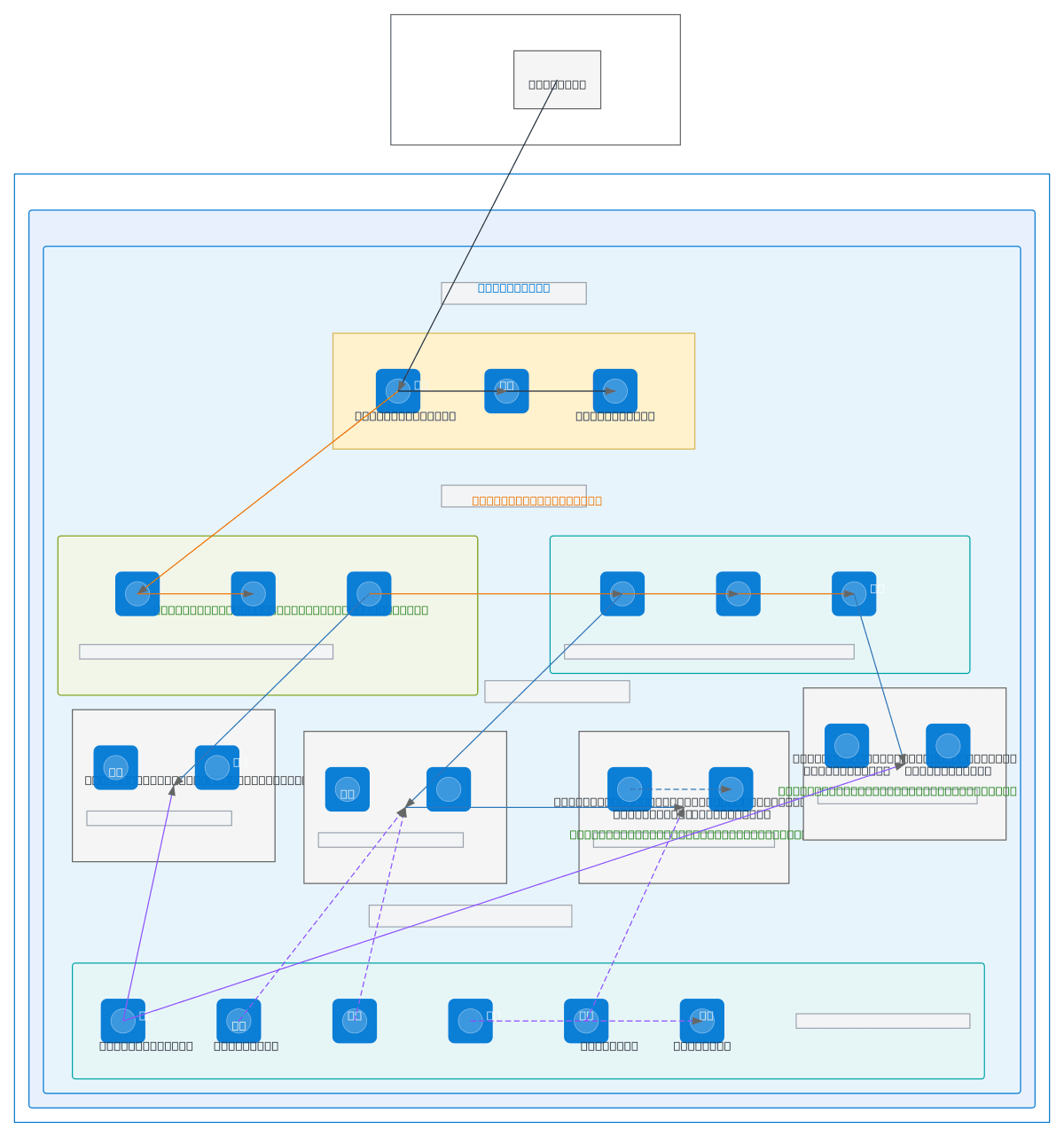
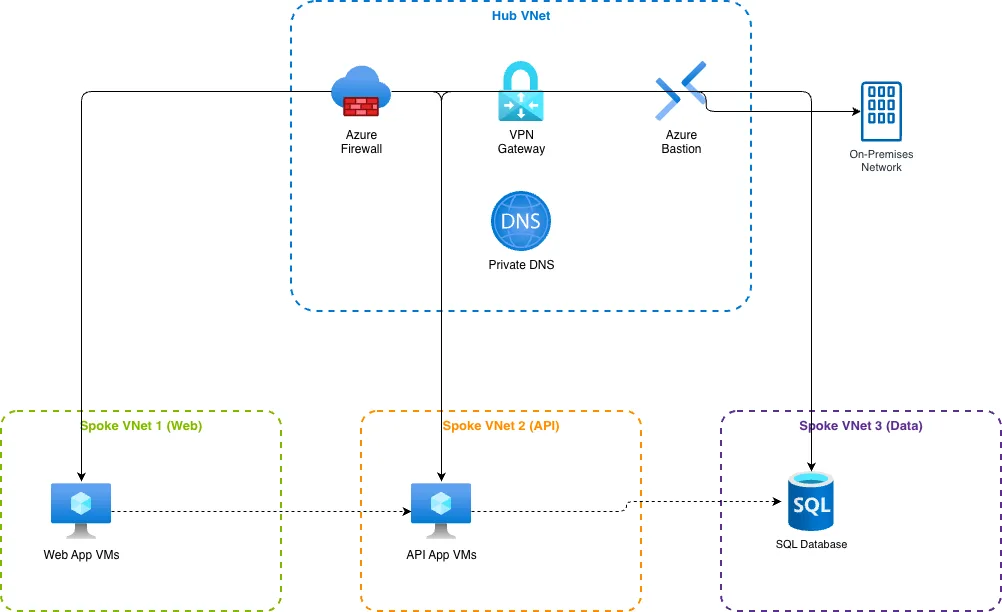
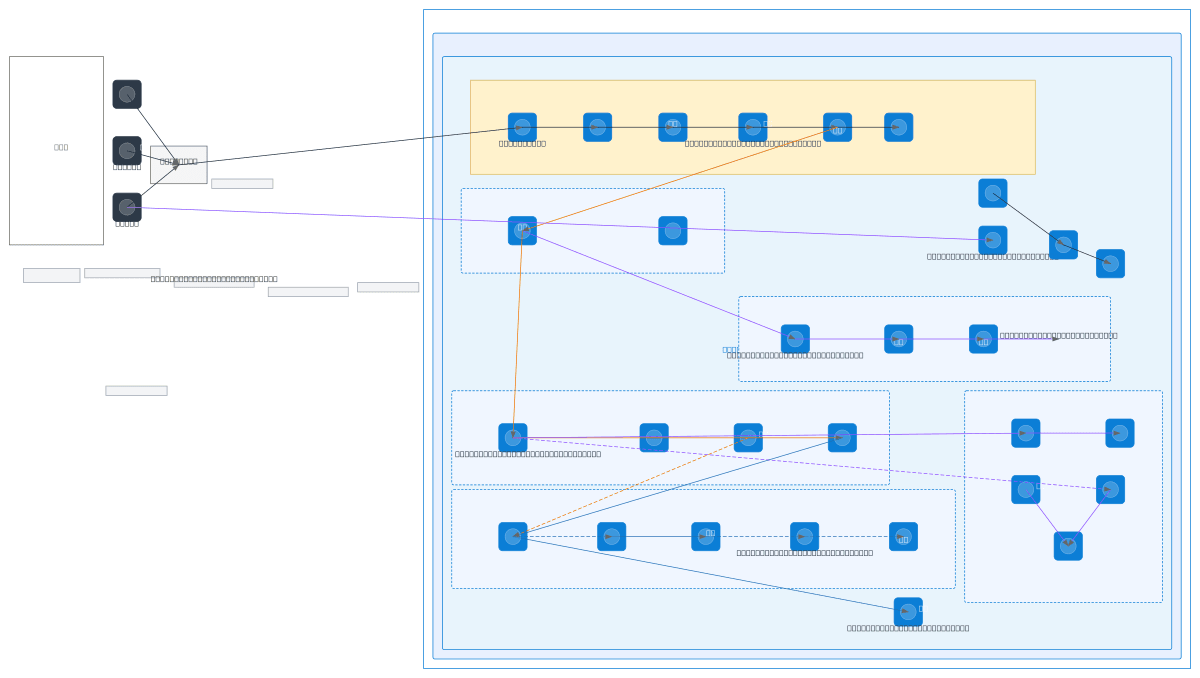
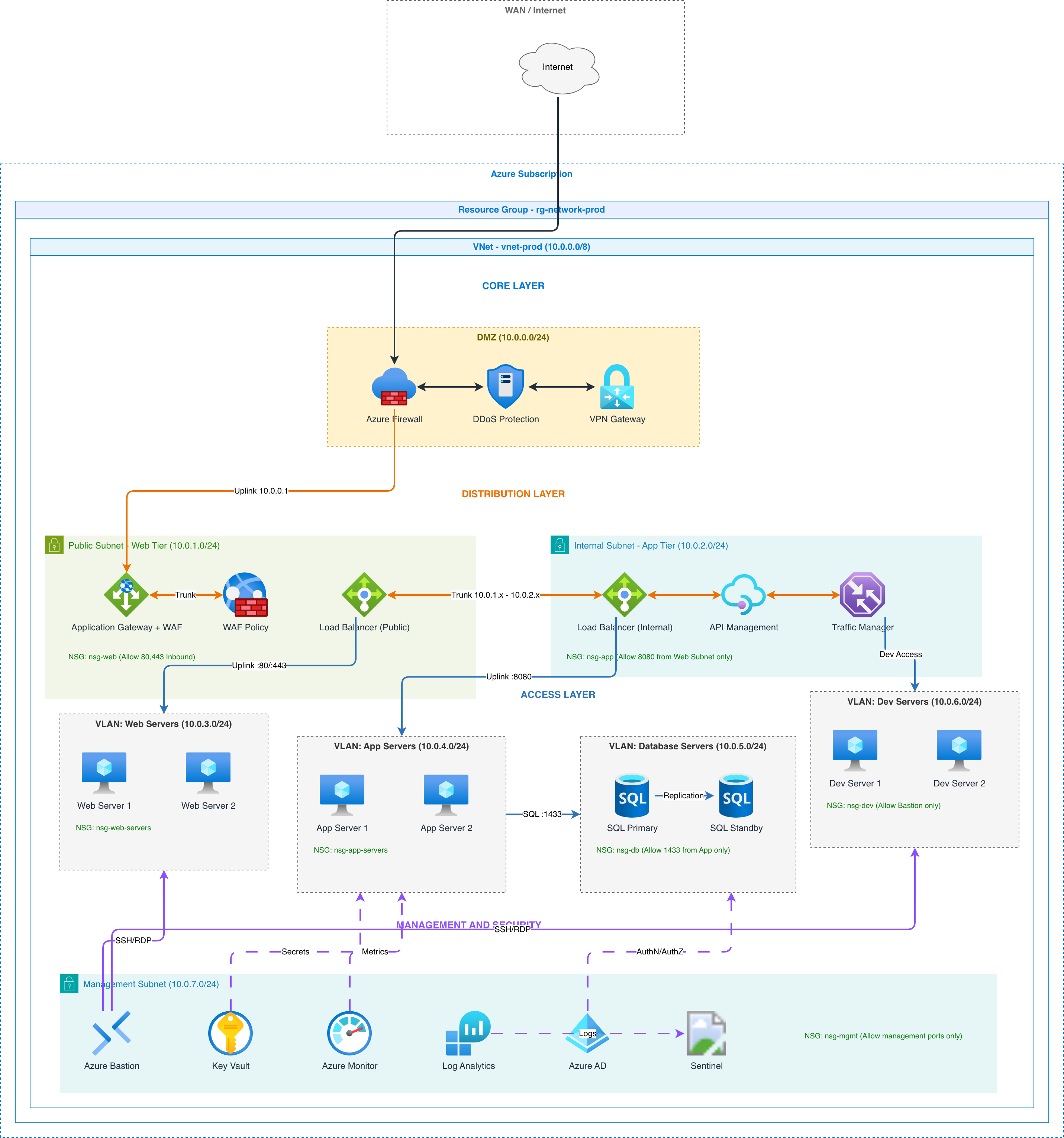
Azure VNet Peering vs AWS Transit Gateway vs GCP Shared VPC
Each cloud provider takes a different approach to connecting virtual networks. Azure uses VNet peering with optional gateway transit and Azure Virtual WAN. AWS uses Transit Gateway as a regional hub. GCP uses Shared VPC with host and service projects. These architectural differences determine how network diagrams are structured and what connectivity patterns appear.
| Feature | Azure VNet Peering | AWS Transit Gateway | GCP Shared VPC |
|---|---|---|---|
| Connectivity model | Point-to-point VNet peering with optional gateway transit; Azure Virtual WAN for hub-managed routing; Global VNet Peering across regions | Regional hub connecting VPCs, VPNs, and Direct Connect; route tables per attachment; inter-region via TGW peering | Host project shares subnets with service projects; no separate peering needed; VPC peering for cross-org connectivity |
| Centralized firewall | Azure Firewall Premium in hub VNet; UDRs on spoke subnets force 0.0.0.0/0 through firewall; TLS inspection and IDPS | AWS Network Firewall in inspection VPC; TGW route tables direct traffic through firewall VPC attachment; Suricata rules | Cloud Firewall policies at organization or folder level; hierarchical rules inherit downward; Cloud IDS for threat detection |
| DNS resolution | Azure DNS Private Zones linked to VNets; Azure DNS Private Resolver for conditional forwarding to on-premises; auto-registration | Route 53 Private Hosted Zones associated with VPCs; Route 53 Resolver inbound/outbound endpoints for hybrid DNS | Cloud DNS private zones scoped to VPC networks; DNS peering between VPCs; inbound server policies for on-premises resolution |
| Private PaaS access | Azure Private Link with private endpoints in VNet subnets; Private DNS Zones resolve PaaS FQDNs to private IPs | VPC Interface Endpoints (PrivateLink) with ENIs in subnets; Gateway Endpoints for S3 and DynamoDB; Route 53 alias records | Private Service Connect endpoints; Private Google Access for serverless; Service Networking for managed services peered to VPC |
| Edge security | Azure Front Door Premium (global) with WAF; Application Gateway WAF v2 (regional) in VNet subnet; DDoS Protection Standard | CloudFront (global) with AWS WAF; Application Load Balancer (regional) with WAF; AWS Shield Advanced for DDoS | Cloud CDN with Cloud Armor WAF (global); Regional External Application Load Balancer with Cloud Armor; Cloud Armor Adaptive Protection |
| Diagram layout | Hub VNet center with firewall; spoke VNets radiate outward with peering arrows; ExpressRoute on-premises on the left | TGW as central node; VPC attachments connect to TGW; Direct Connect on the left; VPCs arranged as spokes | Host project with shared subnets; service projects overlay onto shared subnets; interconnect on the left; flat subnet layout |
When to use this pattern
Use an Azure networking diagram when designing or documenting VNet topology, subnet segmentation, firewall rules, and connectivity for your Azure environment. It's the right choice for network design reviews, NSG rule audits, ExpressRoute circuit planning, and Azure Well-Architected Framework reliability assessments. Reach for one when you are migrating from a flat single-VNet layout to a hub-spoke topology and need agreement on the target state before touching Terraform or Bicep. It helps when planning address space, since overlapping CIDR ranges block VNet peering and a diagram surfaces the conflict early. Security and compliance teams use it to audit which subnets lack an NSG, which public endpoints sit behind a WAF, and where east-west traffic bypasses the central firewall. During incident response, an up-to-date topology diagram shows the blast radius of a compromised subnet and the UDR path traffic actually takes. It is also the fastest way to onboard a new engineer or brief a cloud review board on how a workload reaches on-premises. If you need to show application workloads running within the network rather than the network itself, use an Azure architecture diagram. If your focus is the management group and subscription governance layer above the network, use an Azure landing zone diagram. Azure networking diagrams pair well with AKS architecture diagrams when documenting cluster VNet integration. For hybrid connectivity, include the on-premises side with ExpressRoute or VPN to show the full path.
Frequently asked questions
What Azure networking components does the diagram generator support?
This Azure networking diagram generator supports VNets, subnets, VNet peering, Azure Firewall (Basic, Standard, Premium), NSGs, ASGs, Application Gateway with WAF v2, Azure Front Door, ExpressRoute, VPN Gateway, Private Link, Private DNS Zones, Azure DNS Private Resolver, and UDRs. Each component uses its official Azure icon from Diagrams.so's 30+ libraries.
How are NSG rules displayed on the diagram?
NSG rules appear as summarized tables attached to their subnet or NIC. Each entry shows priority, direction (inbound/outbound), source, destination, port, protocol, and action (allow/deny). The AI groups rules by subnet and highlights critical rules like deny-all-inbound. ASG references replace raw IP addresses when Application Security Groups are specified.
Can I diagram hub-spoke with Azure Firewall?
Yes. Describe your hub VNet with Azure Firewall and spoke VNets with their workloads. The AI draws VNet peering arrows with gateway transit labels, places the firewall in AzureFirewallSubnet, and annotates spoke subnets with UDR entries (0.0.0.0/0 next-hop Azure Firewall private IP). Rule collections display on the firewall node.
Does the diagram show Private Link endpoints?
Yes. Mention Private Link connections and the AI draws private endpoint icons in the specified subnet connected to the target PaaS service (Azure SQL, Storage, Key Vault). Azure DNS Private Zone integration shows as a label linking the privatelink.*.windows.net zone to the VNet for automatic FQDN resolution to the private IP.
What architecture warnings apply to Azure networking diagrams?
WARN-04 flags subnets without NSG rules attached, leaving traffic unfiltered. WARN-02 catches Application Gateway or App Service endpoints exposed to the internet without Azure Front Door WAF. WARN-01 detects single-region hub VNets without a failover hub in a secondary region. Warnings are non-blocking annotations on the diagram.
Related diagram generators
Generate Azure Architecture Diagrams from Text with AI
Describe your Azure infrastructure in plain English. Get a valid Draw.io diagram with official Azure icons, VNet boundaries, resource groups, and NSG rules.
Generate Azure landing zone diagrams from text
Describe your Azure management group hierarchy, hub-spoke network topology, and policy assignments in plain English. Get a valid Draw.io diagram with official Azure icons.
Generate Network Diagrams from Text with AI
Describe your network topology in plain English. Get a valid Draw.io diagram with routers, switches, firewalls, VLAN segmentation, and labeled subnet ranges.
Generate Security Architecture Diagrams from Text with AI
Describe your trust boundaries, encryption layers, and access controls in plain English. Get a valid Draw.io security diagram with defense-in-depth zones.