
MCP servers for architecture diagrams, compared
What a diagram MCP server does, what separates the options, and how to install one.
An MCP server for diagrams gives an AI agent a tool it can call to draw and change architecture diagrams. The Model Context Protocol is the wire format Claude Desktop, Claude Code and Cursor use to reach outside themselves, so a diagram server turns "make me a diagram" into something the agent invokes the same way it invokes a file read. The options differ on four things that matter more than the marketing does: whether the output stays editable, how many tools the server exposes, where the compute runs, and what a call costs.
Why an agent needs this at all
Your agent can rename a function across forty files without blinking. Ask it how a request travels from the load balancer to the database and it guesses, because that picture lives in a diagram somebody drew six months ago and has not opened since. The gap is not reasoning. It is that the system's shape was never written down anywhere the agent can reach. An MCP server closes it by making the diagram something the agent produces and revises rather than something it infers.
The four things that decide it
Output format comes first. A picture the agent cannot edit is a dead end, because the next question, "add the read replica", starts from scratch. Native .drawio or SVG survives the second turn. Tool coverage is second. One generate tool is a demo. Real work needs edit, export, version history and a way to ask what is wrong with the design. Count the tools before you install. Third, where the compute happens. Local stdio servers run on your machine and talk to an API. Remote servers run somewhere else. Local means nothing leaves except the prompt you send. Remote means no install step. Fourth, what a call costs. Some servers wrap a free renderer, some wrap a paid API. Neither is wrong, but finding out mid-session is annoying.
What 23 tools actually buys you
The count matters less than the shape. The Diagrams.so server exposes 23 tools in three groups. Making and changing: generate from a prompt, edit an existing diagram in place, fix a specific flagged problem, import an existing .drawio file, re-run the layout. Reading: fetch a diagram, list versions, revert to one, pull the warnings, export. Reads do not cost credits. Finding: search a public gallery of architecture diagrams and fork one as a starting point. The reason for the split is that agents loop. An agent that can only generate will regenerate the whole diagram every time you ask for a change, and the fifth version will have lost something from the second.
Architecture warnings, which is the part people miss
Every generated diagram gets checked against design problems worth catching early: a database in one availability zone, something publicly exposed that should not be, no path for backups. The agent can read those warnings and call the fix tool on one of them without redrawing everything else. That turns the diagram into something that argues back. It is the closest thing to a review that a machine-generated architecture gets.
Installing it
The server runs locally over stdio and talks to the Diagrams.so API. You need Node 18 or newer. Either paste an API key from Settings, under AI Provider, or run the login command once and let the device flow mint one for you.
Claude Code
npx @diagrams-so/mcp@latest login
claude mcp add diagrams-so -- npx -y @diagrams-so/mcp@latest

# CI or no browser? Use a key instead of login:
# claude mcp add diagrams-so \
#   --env DIAGRAMS_API_KEY=dgz_live_your_key \
#   -- npx -y @diagrams-so/mcp@latest
What it costs to run
Generate, edit, fix and re-layout cost credits. Reads, exports, version history and gallery search do not, so an agent that reads a lot and writes occasionally is cheap to run. The API draws on the same credit balance as the web app, on every plan including Free. There is no separate developer tier and no metered overage: when the balance is empty, calls return 402 rather than continuing and billing. Test keys starting dgz_test_ draw on that same balance. A test key is not a free sandbox, so treat a leaked one exactly like a leaked live key.
How to diagram with an AI agent, start to finish
The workflow that works is a conversation, not a command. Start by giving the agent the ground truth you have: paste the docker-compose, point it at the Terraform directory, or just describe the system the way you would to a new teammate. Then ask for the diagram. The agent calls generate, and you get a first draft with real provider icons and a computed layout, usually eighty percent right. The remaining twenty percent is where the agent surface beats a canvas: say what is wrong in words. "The worker talks to Redis, not Postgres." "Split the VPC into public and private subnets." Each correction is an edit call that changes the existing diagram instead of regenerating it, so the layout and your earlier fixes survive. Before you ship it, ask the agent to run the warnings check. Single-AZ databases, publicly exposed services and missing backup paths get flagged with the reasoning attached, which turns the review into a checklist instead of a stare. Then export. The .drawio file goes into the repo next to the code it describes, and the next change starts from the file rather than from memory. The whole loop runs inside Claude Code, Claude Desktop or Cursor without opening a drawing tool once.
The options today
The honest read on this table: if you want a sequence diagram in a markdown file, a Mermaid server is the right answer and it is free. The case for a heavier server starts when the diagram is a cloud architecture, needs the right icons, and has to be edited by a person afterwards.
| What to check | Diagrams.so MCP | Mermaid-based servers | Graphviz and PlantUML wrappers | Screenshot and canvas tools |
|---|---|---|---|---|
| Output | .drawio, SVG | Mermaid text, SVG | SVG, PNG | PNG |
| Editable afterwards | Yes, in draw.io | Yes, as text | Yes, as text | No |
| Cloud icon sets | AWS, Azure, GCP, OCI, Kubernetes, 30+ packs | None built in | None built in | None |
| Layout | Automatic, and re-runnable | Whatever the renderer does | Strong on Graphviz | Manual |
| Design review | Architecture warnings, with a fix tool | No | No | No |
| Tools exposed | 23 | Typically 1 to 3 | Typically 1 to 2 | 1 |
| Runs | Local stdio | Local stdio | Local stdio | Varies |
| Cost | Credits per generate or edit, reads are free | Free | Free | Varies |
Real-world examples


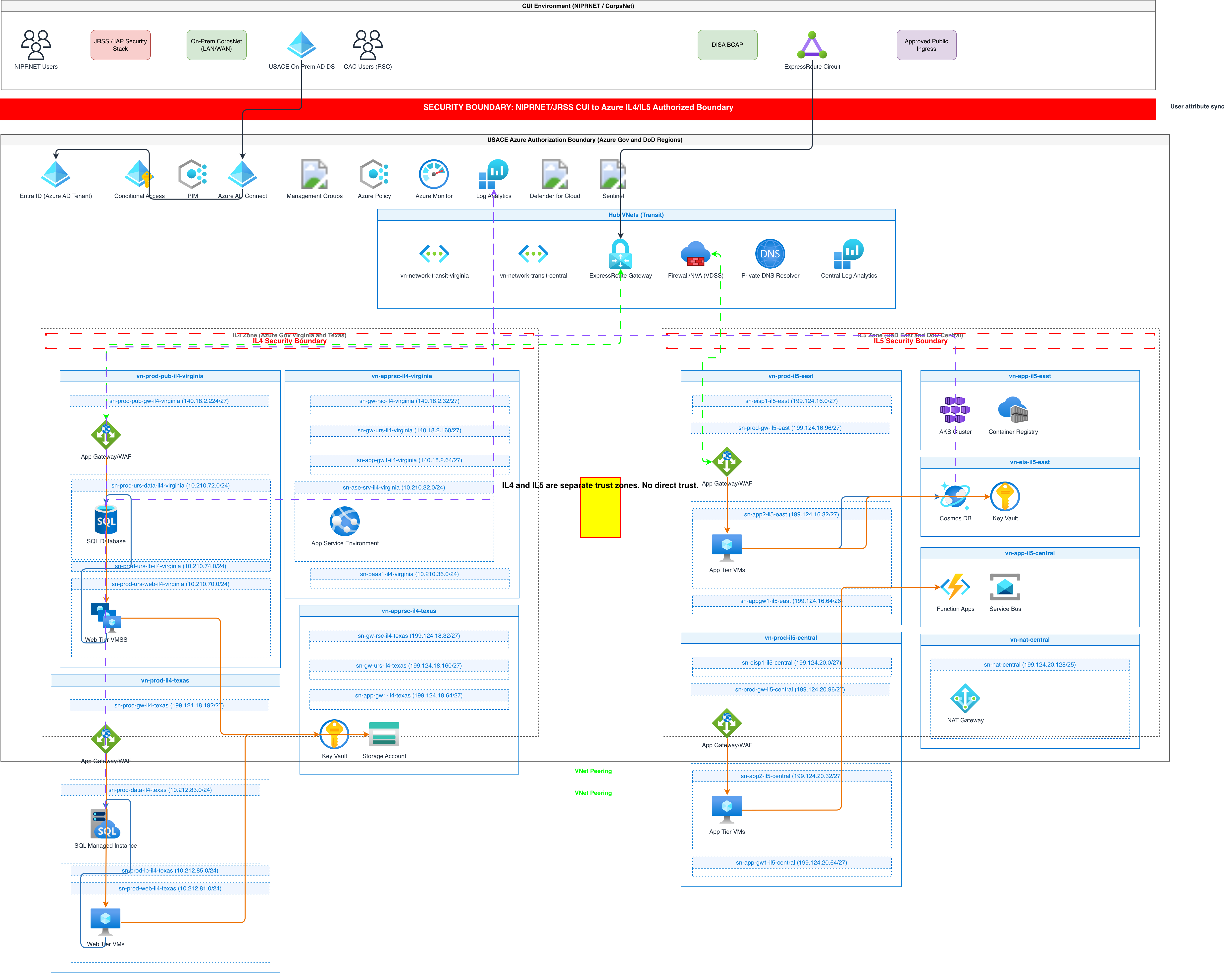
Generate these diagrams with AI
Generate AWS architecture diagrams from text
Describe your AWS infrastructure in plain English. Get a valid Draw.io diagram with official AWS icons, VPC boundaries, and Multi-AZ placement.
Build Architecture Diagrams from Text Descriptions
Describe your cloud infrastructure or system design. Get a Draw.io architecture diagram with official vendor icons, VPC boundaries, and architecture warnings.
Turn Plain Text into Draw.io Diagrams
Write what you want in English. Skip Mermaid syntax, PlantUML code, and manual drawing. Get a grid-aligned, icon-accurate .drawio file in seconds.
Related guides
Frequently asked questions
Does it need Claude?
No. Any MCP client works. Claude Desktop, Claude Code and Cursor are the three we test against on every release. Anything else should work and is untested.
Does my code get uploaded?
Only the text you send. The server passes your prompt to the API and returns a diagram. It does not read your filesystem on its own. If your agent pastes a Terraform file into the prompt, that file goes with it, so the usual care applies.
What does a call cost?
Generate, edit, fix and re-layout cost credits. Reads, exports, version history and gallery search do not. The balance is the same one the web app uses, on every plan including Free, and test keys draw on it too.
Is there a hosted or remote endpoint?
No. The server is local stdio only. It runs on your machine and calls the API over HTTPS.
Can I run it against my own model?
Bring-your-own-key is a web app feature on Pro and Power. It is not wired through the public API, so API and MCP calls always run on our models.
Is there a Python or TypeScript SDK instead?
Yes. Python and TypeScript, both wrapping the same REST surface, for when you would rather write the calls than have an agent drive them.
How do I diagram with an AI agent?
Install a diagram MCP server, give the agent your infrastructure code or a plain-English description, and ask for the diagram. Correct it in words ("move the queue behind the gateway") and the agent edits the existing diagram rather than starting over. With the Diagrams.so server the result is a .drawio file you can commit, and the built-in warnings pass reviews the design as it is drawn.
Generating diagrams from an agent or a pipeline? The quickstart mints a key and gets a first diagram back in a few minutes, on whatever plan you are already on.