
The MCP servers worth installing in 2026, by job
Registries list thousands of servers. A working setup needs six to ten. Here is how to pick them, and a shortlist that earns its context window.
The best MCP servers in 2026 are the ones that give an agent a capability it measurably lacks, at a tool-schema cost the context window can afford. Most working setups converge on a small reference set: filesystem access, GitHub, a browser (Playwright), a database client, team chat, error tracking, and one or two domain servers for the actual work, such as design files or architecture diagrams. Every server you add spends context on its tool definitions and widens what the agent can touch, so the bar is not "is this useful" but "does this earn its slot". Judge each candidate on four things: what the output is (editable artifacts beat screenshots), where the compute runs, how authentication works, and what a call costs.
How to judge an MCP server before installing it
Four questions sort the field faster than any ranking. What does a call return? Artifacts the agent can keep working on (a file, structured JSON, editable XML) beat rendered images and prose blobs, because the next instruction almost always modifies the last result. Where does the compute run? A local stdio server can read your disk and never phones home; a hosted server means your prompts and data transit someone's infrastructure. Neither is wrong, but you should know which one you installed. How does it authenticate? The patterns in the wild are an API key in an env var, a device login you do once in a terminal, and OAuth connectors you approve in the client. Anything that wants a password pasted into a config file is a smell. What does a call cost, in money and in context? Every server adds its tool schemas to the agent's context before any work happens. A server with eighty vague tools taxes every conversation. Lean, well-named toolsets are a quality signal that correlates with everything else being done well.
The reference set most working setups start with
These are boring on purpose. They cover the loop most agent work actually runs: read code, change it, verify it, tell someone. Filesystem, the reference server from the Model Context Protocol project, gives scoped read and write on local directories and is usually the first install. GitHub's official server handles repos, issues and pull requests, which turns "open a PR for this" into one tool call. Playwright drives a real browser, which is how an agent verifies the thing it just built instead of asserting it works. A database server (Postgres has solid options) lets the agent answer data questions with queries instead of guesses. Slack's server posts where the team already reads. Sentry's brings production errors into the conversation that is fixing them. Context7 fetches current library documentation, closing off a whole class of confidently outdated answers. Figma's server reads design files, closing the gap between a mock and the component an agent writes. None of these are exotic. That is the point: in 2026 the differentiating servers are the domain ones you add on top.
Diagram and visual servers, compared honestly
Diagramming is one of the jobs agents are genuinely bad at without a tool: an agent can refactor across forty files but cannot show you how a request travels from the load balancer to the database. Several MCP servers fill the gap, and they differ on the axis that matters: what you hold when the call ends. Syntax renderers (Mermaid and PlantUML servers, and multi-format wrappers around Kroki) take diagram code the agent writes and return an image. They are lightweight and free, and they fit when the agent is fluent in the syntax and a picture is enough. The ceiling: the output is a rendering, and layout control is whatever the grammar allows. Canvas bridges (the draw.io and Excalidraw servers) let an agent drive an open editor session, adding shapes to a canvas you are looking at. Good for live pairing on a whiteboard; less good for pipelines, since they want an editor running. Diagrams.so's server takes plain English ("three-tier app on AWS with a read replica"), does the layout itself with real provider icons, and returns native .drawio XML, so the diagram stays editable after the agent is done, in draw.io, VS Code or Confluence. It exposes 23 tools covering generate, edit, fix, re-layout, export and version history, plus architecture warnings that flag single-AZ databases and publicly exposed services as the diagram is made. It is the one on this page we build, so weigh this paragraph accordingly, and note the honest trade: generation runs on a hosted API and costs credits, where a local Mermaid render costs nothing.
Install the diagram server (Node 18+), then connect once
claude mcp add diagrams-so -- npx -y @diagrams-so/mcp@latest
npx @diagrams-so/mcp@latest login   # emails you a one-time sign-in code
Local stdio or hosted remote: the 2026 shift
Most servers on this page run locally over stdio: the client starts a process, the process talks to whatever API it wraps. Local means your filesystem servers never leave the machine, and it means the npx-and-config ritual. The direction of travel this year is remote connectors: servers reachable over HTTP that you attach by URL and approve with OAuth, no local install at all. Claude's connector directory works this way. Expect the servers you care about to grow remote endpoints, and prefer them where the data is already remote anyway; keep local stdio for anything that touches your disk.
A sane starting configuration
Six servers cover most engineering agent work: Filesystem scoped to the repos you actually touch, GitHub, Playwright, one database server, and two domain picks for your work. For infrastructure and platform teams the two are usually documentation lookup and diagramming, because those are the two places agents otherwise hallucinate: what the current API looks like, and what the system actually looks like. Add beyond that only when a concrete task demands it, and audit occasionally: every configured server is schema weight in each conversation and one more thing with credentials.
Diagram MCP servers: what a call returns
The differences that decide which diagram server fits, stated without the marketing.
| Question | Syntax renderers (Mermaid/PlantUML/Kroki) | Canvas bridges (draw.io, Excalidraw) | Diagrams.so |
|---|---|---|---|
| Input | Diagram code the agent writes | Tool calls against an open editor | Plain English, or pasted Terraform/compose |
| Output | Rendered image | Shapes on a live canvas | Native .drawio XML, editable afterwards |
| Layout | What the grammar's renderer produces | Wherever the agent places things | Computed, with provider icons |
| Runs | Locally, free | Locally beside an editor | Hosted API, costs credits |
| Fits when | The agent writes the syntax and an image is enough | Live whiteboarding with a person watching | The description exists in prose and the diagram must stay editable |
Real-world examples


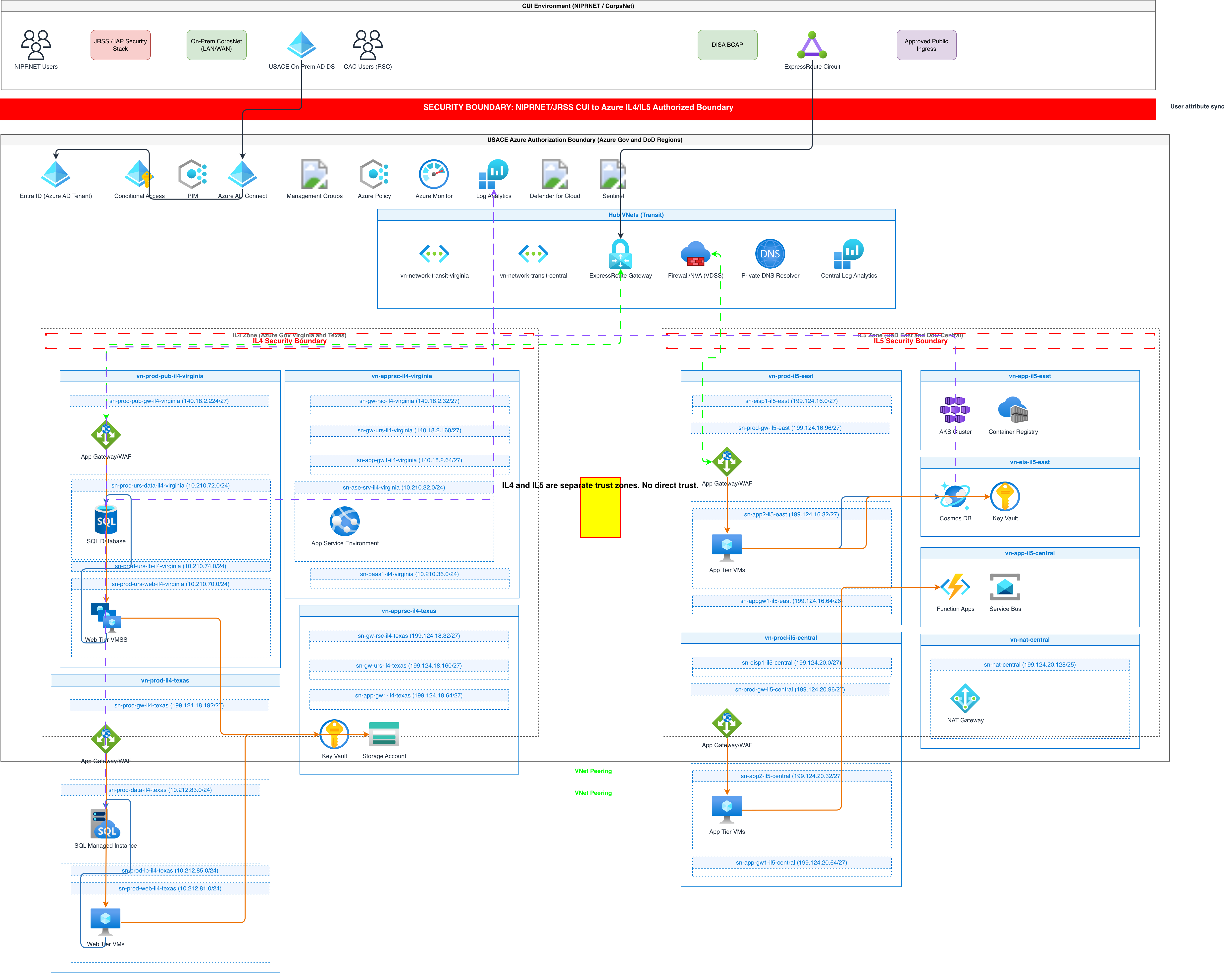
Generate these diagrams with AI
Generate Diagrams with AI, Not Drag-and-Drop
Write what your system does. The AI picks the notation, selects vendor icons, enforces grid alignment, and outputs valid mxGraphModel XML you can open in Draw.io.
Build Architecture Diagrams from Text Descriptions
Describe your cloud infrastructure or system design. Get a Draw.io architecture diagram with official vendor icons, VPC boundaries, and architecture warnings.
Generate AWS architecture diagrams from text
Describe your AWS infrastructure in plain English. Get a valid Draw.io diagram with official AWS icons, VPC boundaries, and Multi-AZ placement.
Related guides
Frequently asked questions
What is an MCP server, in one paragraph?
The Model Context Protocol is the open standard AI clients like Claude Desktop, Claude Code and Cursor use to reach tools outside themselves. An MCP server is a small program that exposes a set of tools (read this file, query this database, draw this diagram) that the agent can call mid-conversation, the same way it calls its built-ins.
How many MCP servers exist?
Thousands are listed across the registries (the official MCP registry, Glama, and the client directories), and the count grows weekly. That is exactly why a shortlist matters: the constraint is not supply, it is your context window and your credential surface.
Are MCP servers safe to install?
Treat them like packages: an MCP server runs with whatever access you give it, and a malicious or sloppy one can exfiltrate what it can read. Prefer official servers from the vendor whose product they wrap, read what a server requests before approving it, scope filesystem access narrowly, and be wary of servers whose tool descriptions try to instruct the agent rather than describe the tool.
Do I need different servers for Claude Code, Claude Desktop and Cursor?
No. The protocol is the same, which is the whole point. The install command differs per client (claude mcp add versus a JSON config entry), but the same server works across all of them.
Why is a diagram server on the shortlist at all?
Because architecture is the thing agents consistently get wrong from memory. Code they can read; the deployed shape of a system they guess at. A diagram tool turns that guess into an artifact a human can correct, which is the fastest way to catch the misunderstanding before it ships.
The MCP quickstart connects Claude Code, Claude Desktop or Cursor and returns a first diagram in a few minutes.