
AWS Architecture Best Practices
A practical guide to designing AWS infrastructure that follows the Well-Architected Framework. Covers the six pillars, proven patterns, security hardening, and multi-region disaster recovery strategies.
The six Well-Architected Framework pillars applied to real AWS accounts
AWS architecture best practices start with the Well-Architected Framework, which AWS published in 2015 and has updated continuously since. The framework organizes architectural quality into six pillars, each with specific AWS services and configurations that satisfy its requirements. Operational Excellence means your infrastructure is automated, observable, and continuously improving. In practice: deploy with CloudFormation or CDK, not the console. Use AWS Config rules to detect drift. Set up CloudWatch Alarms on the four golden signals: p99 latency, request rate, error count, and CPU/memory saturation. Create Systems Manager runbooks for common operational tasks like rotating database credentials or draining an ECS instance. Security means defense in depth. VPCs with public and private subnets. Security groups as stateful firewalls on every resource. IAM roles with least-privilege policies attached to services, never long-lived access keys. KMS customer-managed keys for data at rest. ACM certificates for data in transit. GuardDuty for threat detection. CloudTrail for audit logging across all regions. Reliability means the system recovers from failures without manual intervention. Multi-AZ RDS deployments with automatic failover. ECS services with health checks that replace unhealthy tasks. Route 53 health checks that failover DNS in under 60 seconds. Performance Efficiency means right-sized resources. Use Compute Optimizer to identify oversized EC2 instances. Graviton (ARM) instances offer 20% better price-performance than x86 for most workloads. ElastiCache for read-heavy access patterns. CloudFront for static content. Cost Optimization means paying only for what you need. Savings Plans for predictable compute. Spot instances for fault-tolerant batch processing. S3 Intelligent-Tiering for data with unpredictable access patterns. Cost Explorer tags for team-level allocation.
Three proven AWS patterns: three-tier, serverless, and data lake
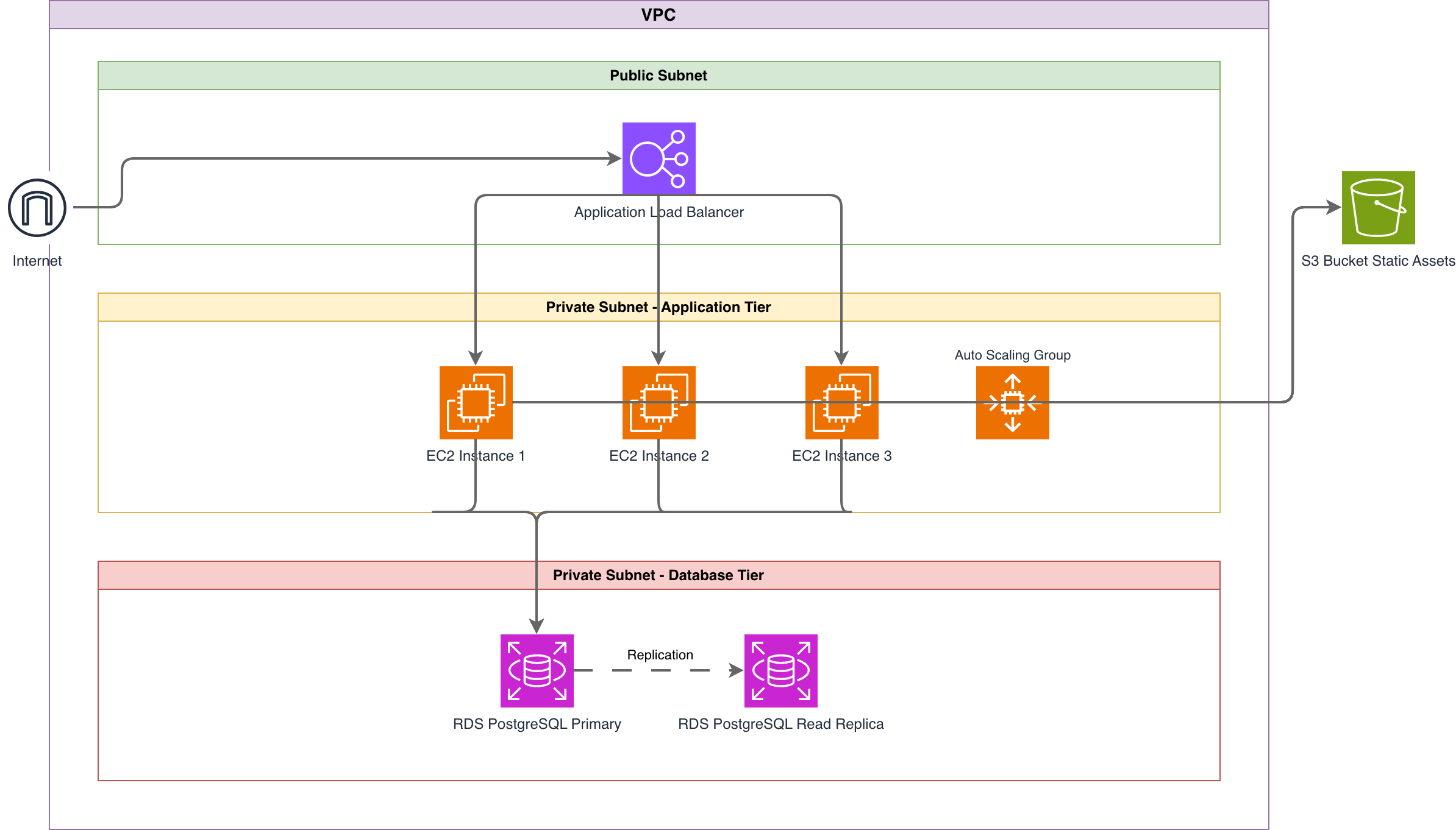
The three-tier pattern on AWS deploys an Application Load Balancer (ALB) in public subnets, ECS Fargate tasks or EC2 instances in private subnets, and RDS in isolated data subnets. The ALB handles TLS termination with an ACM certificate, distributes traffic across availability zones, and runs health checks against your application's /health endpoint. ECS Fargate eliminates the need to manage EC2 instances for the application tier. RDS Multi-AZ provides automatic database failover with a synchronous standby replica in a different AZ. This pattern handles most web applications serving up to 50,000 concurrent users without architectural changes. The serverless pattern replaces managed servers with fully managed services. API Gateway receives HTTP requests, authenticates them with Cognito or a Lambda authorizer, and routes them to Lambda functions. Lambda executes your business logic with automatic scaling from zero to thousands of concurrent invocations. DynamoDB stores data with single-digit millisecond read latency. S3 and CloudFront serve the frontend as a static single-page application. This pattern works well for variable-traffic workloads. Vercel's infrastructure for hobby projects follows a similar model. The trade-off is cold start latency (100ms to 2 seconds depending on runtime and package size) and the 15-minute Lambda execution limit. The data lake pattern centralizes raw data in S3 for analytics. Kinesis Data Firehose streams event data from applications into S3 in Parquet format, partitioned by date. The AWS Glue Data Catalog maintains table definitions and schema evolution. Athena runs SQL queries directly against S3 data without loading it into a database. For complex transformations, Glue ETL jobs run Apache Spark clusters that scale based on data volume. QuickSight connects to Athena for business intelligence dashboards. This pattern decouples data ingestion from data consumption, letting analytics teams query data without affecting production databases.
Anti-patterns that cause outages, breaches, and cost overruns
Single-AZ deployments are the most common anti-pattern in AWS accounts. Deploying an RDS instance, an ECS cluster, and a load balancer all in a single availability zone means one AZ outage takes down your entire application. The US-EAST-1 AZ outage in December 2021 demonstrated this when single-AZ deployments across thousands of AWS accounts failed simultaneously. Fix: use Multi-AZ for RDS, spread ECS tasks across at least two AZs, and configure your ALB across all AZs in the region. Public RDS instances are a security incident waiting to happen. An RDS instance with 'Publicly Accessible' set to yes and a weak security group rule exposes your database to the internet. Shodan regularly indexes publicly accessible PostgreSQL and MySQL instances on AWS. Fix: place RDS in a private subnet with no internet gateway route. Access it only through application services in the same VPC or via a bastion host with MFA. No WAF on public-facing endpoints leaves your application vulnerable to automated attacks. Without AWS WAF, your ALB directly receives every SQL injection attempt, XSS payload, and credential-stuffing attack. WAF managed rule groups from AWS block the OWASP Top 10 vulnerabilities for $5/month per web ACL. Fix: attach a WAF web ACL to every public ALB and API Gateway with at minimum the AWS Managed Rules Core Rule Set and SQL Injection Rule Set. Hardcoded credentials in environment variables or code are a breach vector. Engineers embed AWS access keys in Dockerfiles, Lambda environment variables, or application config files. These keys get committed to Git, logged in CloudWatch, or exposed through SSRF vulnerabilities. Fix: use IAM roles for EC2 and ECS tasks. Use Secrets Manager for database passwords with automatic rotation. Never create IAM users with long-lived access keys for application use. Oversized instances waste money silently. A c5.4xlarge running at 5% CPU utilization costs $490/month when a t3.medium at $30/month handles the same load. AWS Compute Optimizer analyzes 14 days of CloudWatch metrics and recommends right-sized instances.
Security hardening: VPC design, IAM, encryption, and audit logging
VPC design is the foundation of AWS security. Create three subnet tiers: public (for ALBs and NAT Gateways), private (for application compute), and isolated (for databases). Public subnets have a route to the Internet Gateway. Private subnets route internet-bound traffic through a NAT Gateway. Isolated subnets have no internet route at all. This ensures database instances cannot initiate outbound connections, which limits the impact of a compromised database. Use VPC Flow Logs to capture network traffic metadata for forensic analysis. Security groups should follow the principle of least privilege. An application security group allows inbound traffic only from the ALB security group on port 8080. The database security group allows inbound traffic only from the application security group on port 5432. Never use 0.0.0.0/0 in a security group inbound rule unless it's a public-facing load balancer on ports 80 and 443. IAM policies should be resource-specific. Instead of 's3:*' on resource '*', write 's3:GetObject' on 'arn:aws:s3:::my-bucket/*'. Use IAM Access Analyzer to identify overly permissive policies. Enable SCP (Service Control Policies) at the organization level to prevent any account from disabling CloudTrail or creating public S3 buckets. Encryption at rest should use KMS customer-managed keys (CMK) rather than AWS-managed keys. CMKs allow key rotation, key policies that restrict which IAM roles can use the key, and CloudTrail logging of every encryption and decryption operation. Enable default encryption on S3 buckets (AES-256 or SSE-KMS), EBS volumes, and RDS instances. Audit logging requires CloudTrail enabled in every region, not just the regions you use. Attackers spin up resources in unused regions to mine cryptocurrency. Ship CloudTrail logs to a centralized S3 bucket in a dedicated security account with object lock to prevent tampering.
Multi-region and disaster recovery strategies on AWS
AWS defines four DR strategies with increasing cost and decreasing recovery time. Backup and Restore is the cheapest: store backups in S3 with cross-region replication. RTO is hours because you must provision new infrastructure and restore from backups. RPO depends on backup frequency. This works for non-critical internal tools. Pilot Light keeps a minimal version of your application running in a secondary region. The database replica runs continuously (RDS cross-region read replica or Aurora Global Database), but compute resources are not provisioned. During failover, you launch ECS tasks or EC2 instances from pre-built AMIs, update DNS, and start serving traffic. RTO is 10-30 minutes. RPO is seconds for Aurora Global Database (typical replication lag under 1 second). Warm Standby runs a scaled-down version of your full application in the secondary region. ALBs, ECS services, and databases all run but at minimum capacity. During failover, you scale up the secondary region and shift DNS. Route 53 weighted routing can gradually shift traffic. RTO is minutes. This is the sweet spot for most production applications with SLA requirements. Active-Active runs the full application at full scale in multiple regions simultaneously. Every request can be served by any region. This requires data replication in both directions, which introduces conflict resolution complexity. DynamoDB Global Tables handle this natively with last-writer-wins conflict resolution. Aurora Global Database supports write forwarding from secondary regions. For PostgreSQL on RDS, you need application-level logic to direct writes to the primary region. RTO is near-zero because both regions are already serving traffic. Route 53 latency-based routing directs users to the nearest healthy region. This is expensive (double the infrastructure cost) and complex (distributed consensus for stateful operations). Reserve it for systems where minutes of downtime cost more than the infrastructure to prevent it.
Diagramming AWS architectures with the right level of detail
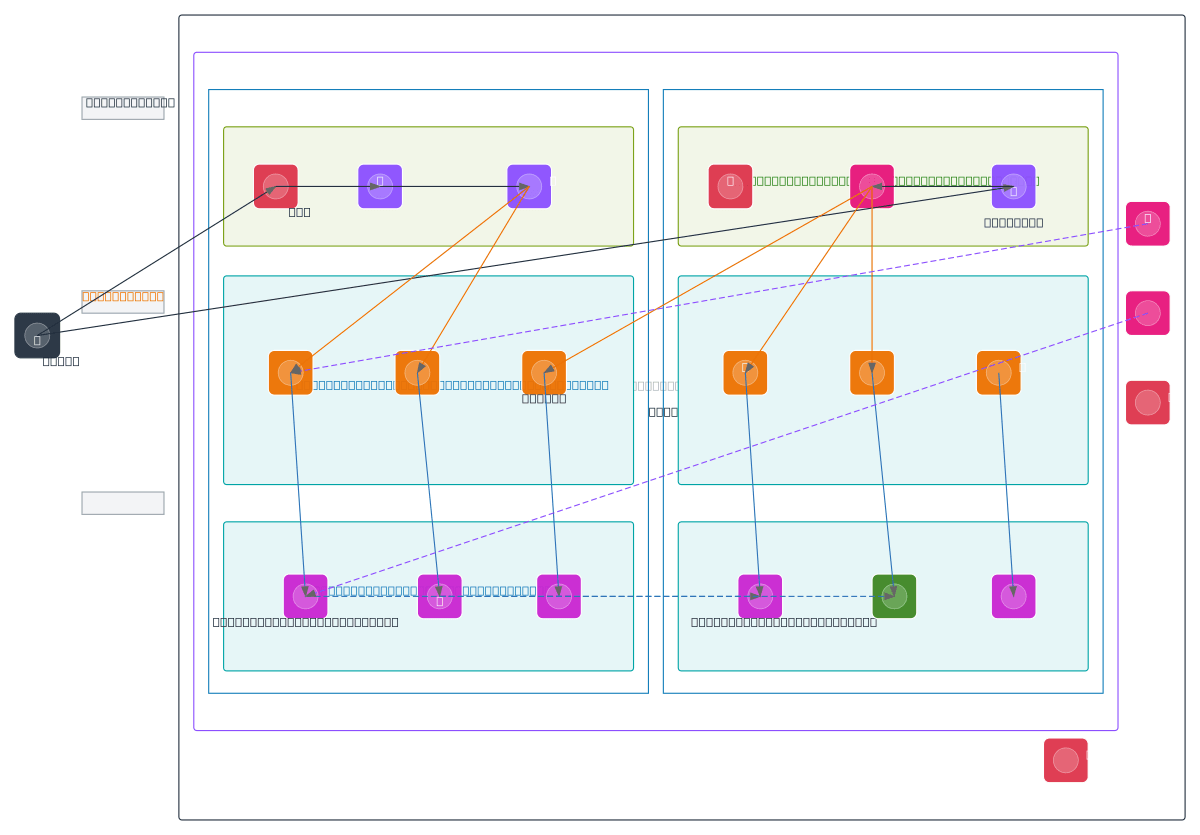
AWS architecture diagrams must use the official AWS icon set. AWS publishes updated icons annually through their Architecture Icons page, covering every service across compute, storage, database, networking, security, analytics, and machine learning categories. Using the correct icon for each service eliminates ambiguity. An orange Lambda icon is instantly recognizable to any AWS engineer. A generic 'function' box is not. Group services inside VPC boundaries drawn as dashed rectangles. Inside the VPC, draw public and private subnet groups spanning at least two availability zones. Place the ALB in the public subnets, ECS tasks or Lambda functions in the private subnets, and RDS instances in isolated data subnets. This layout reflects real network topology and makes security review straightforward. A reviewer can verify that databases have no internet route by checking that the isolated subnet group has no connection to an internet gateway. Label every connection with protocol, port, and direction. 'HTTPS :443' from CloudFront to ALB. 'HTTP :8080' from ALB to ECS target group. 'TCP :5432' from ECS tasks to RDS. 'HTTPS :443' from Lambda to SQS endpoint. Include data flow direction. Show the traffic path from the internet through CloudFront, WAF, ALB, application tier, and database. Mark where TLS terminates. Indicate where IAM authentication replaces network-level access control (like Lambda invoking DynamoDB via the AWS SDK with IAM roles, which doesn't use a network port). Diagrams.so generates AWS architecture diagrams from text descriptions with the official AWS icon set. Describe your infrastructure, select AWS as the cloud provider, and get a .drawio file with correct service icons, VPC boundaries, subnet groupings, and labeled connections. The output includes architecture warnings for common issues like single-AZ deployments and public databases.
Real-world examples

Generate these diagrams with AI
Generate AWS architecture diagrams from text
Describe your AWS infrastructure in plain English. Get a valid Draw.io diagram with official AWS icons, VPC boundaries, and Multi-AZ placement.
Generate Cloud Architecture Diagrams from Text
Describe your cloud infrastructure in plain English. Get a valid Draw.io diagram with region boundaries, availability zones, managed services, and DR paths.
Generate Security Architecture Diagrams from Text with AI
Describe your trust boundaries, encryption layers, and access controls in plain English. Get a valid Draw.io security diagram with defense-in-depth zones.
Related guides
Frequently asked questions
What is the three-tier architecture pattern on AWS?
The three-tier pattern places an Application Load Balancer in public subnets, application compute like ECS Fargate tasks in private subnets, and an RDS database in isolated data subnets. The ALB terminates TLS with an ACM certificate and spreads traffic across availability zones, while RDS Multi-AZ provides automatic failover. It handles most web applications up to roughly 50,000 concurrent users.
How do I secure an RDS database on AWS?
Never set an RDS instance to publicly accessible; place it in a private subnet with no internet gateway route and reach it only through application services in the same VPC or a bastion host with MFA. Restrict the database security group to the application security group on port 5432, and encrypt data at rest using KMS customer-managed keys.
What's the difference between pilot light and warm standby disaster recovery?
Pilot Light keeps only the database replica running continuously in a secondary region while compute stays unprovisioned; failover launches instances from pre-built AMIs, giving an RTO of 10 to 30 minutes. Warm Standby runs a scaled-down but complete copy, including load balancers, services, and databases, at minimum capacity, so failover just scales up and shifts DNS, reducing RTO to minutes.
Why is deploying in a single availability zone risky on AWS?
A single-AZ deployment means one availability-zone outage takes down your entire application, as the December 2021 US-EAST-1 event demonstrated across thousands of accounts. Use Multi-AZ for RDS, spread ECS tasks across at least two zones, and configure the ALB across all zones in the region. This is the most common reliability anti-pattern in AWS accounts.
How do I create an AWS architecture diagram with the official icons?
AWS diagrams should use the official AWS icon set, group resources inside VPC boundaries, and place the ALB, application tier, and database across labeled subnets and availability zones. With Diagrams.so, describe it in plain English and get an editable .drawio diagram with the correct icons in seconds, including VPC boundaries, subnet groupings, and labeled connections.