
Generate GCP AI/ML Platform Diagrams from Text
Describe your Google Cloud AI/ML pipeline in plain English. Get a valid Draw.io diagram with Vertex AI, BigQuery ML, Feature Store, Model Registry, and serving endpoints.
This GCP AI ML platform diagram generator converts plain-text ML pipeline descriptions into Draw.io diagrams with official Google Cloud icons for Vertex AI, AutoML, BigQuery ML, Feature Store, Model Registry, Vertex AI Pipelines, Cloud TPUs, and model serving endpoints. Describe a pipeline: training data in BigQuery, feature engineering via Vertex AI Feature Store with point-in-time lookups, custom model training on Vertex AI Training with Cloud TPU v5e pods, model evaluation against a baseline in Model Registry, and deployment to a Vertex AI endpoint with traffic splitting between the champion model and a challenger. The AI maps each component to its canonical GCP icon, draws pipeline stage arrows with artifact annotations, and groups resources by ML lifecycle phase. Grid alignment follows RULE-04. Architecture warnings flag single-region serving endpoints (WARN-01) and models without monitoring (WARN-05). Output is native .drawio XML.
What Is a GCP AI/ML Platform Diagram?
A GCP AI/ML platform diagram maps the machine learning lifecycle on Google Cloud: data preparation, feature engineering, training, evaluation, registry, deployment, and monitoring. Google Cloud centers this on Vertex AI, connecting BigQuery for data, Feature Store for low-latency feature serving, Vertex AI Training for custom jobs on GPUs or Cloud TPU v5e accelerators, Vertex AI Pipelines (Kubeflow-based) for orchestration, Model Registry for versioning, and Endpoints for online prediction. Drawing these manually means placing icons for each service, routing artifact arrows between stages, and labeling compute resources and model metrics. An AI GCP AI/ML platform diagram generator handles this from a text prompt. Describe 'BigQuery dataset training_data with 50M rows. Vertex AI Feature Store for user and product features with point-in-time correctness. Custom training on n1-standard-8 with 4x NVIDIA T4 GPUs using PyTorch 2.1 distributed training. Vertex AI Pipelines DAG: data validation, feature extraction, training, evaluation against baseline F1 0.92, conditional registration in Model Registry. Deployment to endpoint with 70% traffic to champion v3, 30% to challenger v4. Model Monitoring detects training-serving skew.' Diagrams.so selects official GCP icons from its 30+ libraries. RULE-06 groups components by ML lifecycle phase: data, features, training, serving. RULE-05 enforces left-to-right flow from raw data to prediction endpoints. VLM visual validation catches overlapping pipeline stage labels. WARN-01 flags single-region endpoints. WARN-05 identifies vague names like 'ML model' instead of specific model type and version references. The .drawio output version-controls alongside your pipeline YAML definitions.
Key components
- BigQuery datasets with training data row counts, partition schemes, and BigQuery ML model type annotations (linear, boosted tree, DNN)
- Vertex AI Feature Store with entity types, feature group labels, online serving latency annotations, and point-in-time join indicators
- Vertex AI Training jobs with machine type, accelerator (GPU/TPU) count, framework version, and distributed training strategy labels
- Vertex AI Pipelines DAG with Kubeflow components for data validation, training, evaluation, and conditional deployment steps
- Model Registry entries with version numbers, evaluation metrics (F1, AUC, RMSE), and promotion status labels (champion, challenger, archived)
- Vertex AI Endpoints with traffic split percentages between model versions, autoscaling node counts, and latency SLO annotations
- Cloud TPU v5e pod slices with topology labels (2x2, 4x4) and training job framework annotations (JAX, PyTorch/XLA)
- TensorBoard instances linked to training experiments with metric dashboard references and hyperparameter sweep results
How to generate with AI
- 1
Describe your ML pipeline
Write your GCP AI/ML architecture in plain English. Specify data sources, feature engineering, training infrastructure, and serving setup. For example: 'BigQuery dataset user_behavior with 100M rows of clickstream data. Vertex AI Feature Store serves user_embedding and product_category features with sub-10ms online lookups. Custom training on Vertex AI with n1-standard-16 and 2x NVIDIA A100 GPUs running PyTorch 2.1. Vertex AI Pipelines orchestrates weekly retraining: data validation with TFX, training, evaluation against F1 baseline 0.94, conditional registration in Model Registry. Deploy to Vertex AI endpoint in us-central1 with min 2 nodes and autoscale to 10.'
- 2
Select GCP and architecture type
Set cloud provider to GCP and diagram type to Architecture. Diagrams.so loads official Google Cloud AI/ML icons covering Vertex AI, BigQuery, Cloud Storage, Cloud TPU, and supporting services like Pub/Sub and Cloud Functions for pipeline triggers. Enable opinionated mode to enforce left-to-right ML lifecycle flow from data through training to serving, with automatic grouping by pipeline phase.
- 3
Generate and validate
Click generate. The AI produces a .drawio XML with ML lifecycle phases, pipeline stage arrows with artifact labels, training infrastructure annotations, and serving endpoint configurations. Architecture warnings flag single-region endpoints (WARN-01), models without monitoring (WARN-05), and public prediction endpoints without IAM authentication (WARN-02). VLM visual validation checks for overlapping pipeline component labels. Download as .drawio, PNG, or SVG.
Example prompt
GCP AI/ML platform for a recommendation system: Data sources: BigQuery dataset user_events (500M rows, partitioned by event_date, clustered on user_id) and BigQuery dataset product_catalog (2M products). Feature engineering: Vertex AI Feature Store with entity types user (features: user_embedding_128d, purchase_history_30d, session_count_7d) and product (features: product_embedding_128d, category, avg_rating). Point-in-time joins for training data generation via Vertex AI Feature Store batch serving to Cloud Storage as TFRecords. Training: Vertex AI custom training job on n1-standard-32 with 8x NVIDIA A100 80GB GPUs running PyTorch 2.1 two-tower retrieval model with distributed data parallel. Hyperparameter tuning via Vertex AI Vizier with 50 trials optimizing recall@20. TensorBoard tracks loss, recall, and embedding quality metrics. Vertex AI Pipelines DAG (weekly schedule): data freshness check, feature extraction, TFRecords generation, training, evaluation against champion model recall@20 baseline 0.78, conditional registration in Model Registry if recall@20 exceeds 0.80. Serving: Vertex AI endpoint in us-central1 with traffic split 80% champion v7 on n1-standard-4 (2 min, 20 max nodes) and 20% challenger v8 on same spec. Model Monitoring: training-serving skew detection on all features, prediction drift monitoring with 0.1 threshold, alert to Pub/Sub topic ml-alerts consumed by Cloud Functions sending Slack notifications. BigQuery ML logistic regression model for real-time click prediction on BigQuery materialized views.
Example diagrams from the gallery

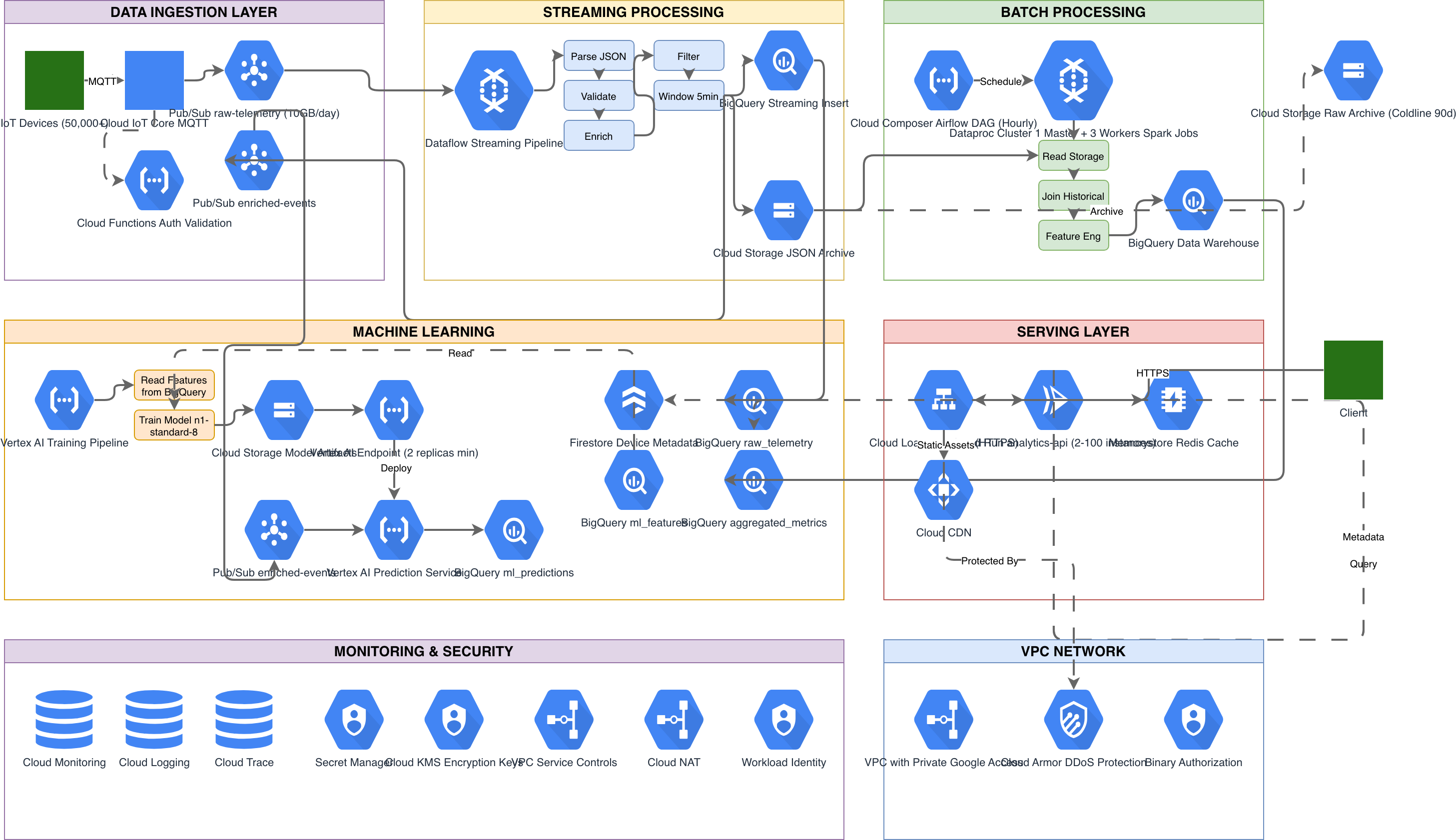
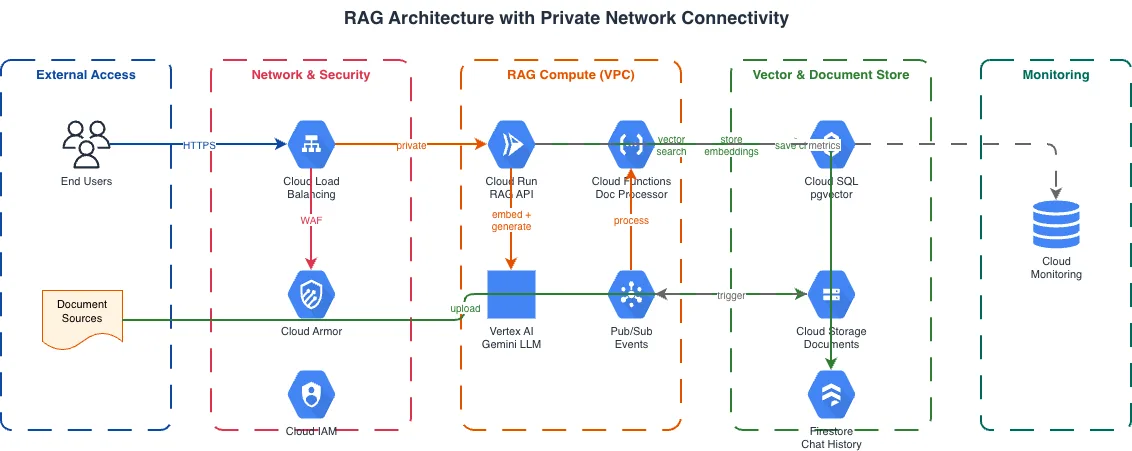
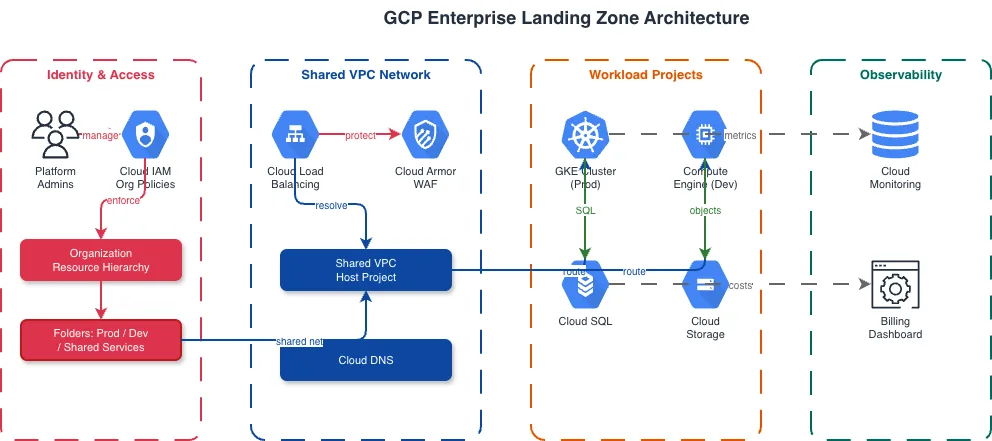
GCP Vertex AI vs AWS SageMaker vs Azure ML
All three cloud providers offer unified ML platforms, but they differ in architecture, training infrastructure options, and integration with their respective data ecosystems. Vertex AI is tightly integrated with BigQuery and Cloud TPUs. SageMaker provides purpose-built instances and SageMaker Studio notebooks. Azure ML connects to Synapse and Azure Databricks.
| Feature | GCP Vertex AI | AWS SageMaker | Azure ML |
|---|---|---|---|
| Training infrastructure | Custom jobs on N-series VMs with NVIDIA GPUs (T4, A100, H100) or Cloud TPU v5e pods; pre-built training containers for PyTorch, TensorFlow, JAX | Training instances (ml.p4d, ml.p5, ml.trn1 with Trainium chips); pre-built framework containers; distributed training via SageMaker distributed library | Compute clusters with NVIDIA GPUs (NC, ND series); Azure's ND H100 v5 VMs; integration with Azure Databricks for Spark-based feature engineering |
| Feature store | Vertex AI Feature Store with online (Bigtable-backed) and offline (BigQuery) serving; point-in-time correctness; feature monitoring built in | SageMaker Feature Store with online (DynamoDB-backed) and offline (S3 Parquet) stores; feature groups with record identifiers and event time | Managed Feature Store (preview) with materialization to online and offline stores; integrates with Azure Synapse for feature computation |
| Pipeline orchestration | Vertex AI Pipelines built on Kubeflow Pipelines v2 with Google Cloud pipeline components; YAML or Python SDK definitions | SageMaker Pipelines with step types (Processing, Training, Transform, Condition, Callback); JSON pipeline definition | Azure ML Pipelines with component-based design; CLI v2 YAML or Python SDK; integration with Azure DevOps for CI/CD triggers |
| Model registry and deployment | Model Registry with version aliases (champion, challenger); deploy to Vertex AI endpoints with traffic splitting and autoscaling per model | Model Registry with approval workflows and model packages; deploy to real-time endpoints, serverless inference, or async inference | Model catalog with registration and versioning; deploy to managed online endpoints (Kubernetes or managed compute) with blue-green traffic routing |
| Data integration | Native BigQuery integration for training data and BigQuery ML for in-warehouse models; Dataflow for feature pipelines; Cloud Storage for artifacts | S3 for training data and model artifacts; Athena for ad-hoc queries; Glue for ETL; Redshift ML for in-warehouse predictions | Azure Data Lake and Blob Storage for training data; Synapse Analytics for feature computation; Azure Databricks for distributed feature engineering |
| Monitoring and observability | Model Monitoring for training-serving skew and prediction drift; TensorBoard for experiment tracking; Cloud Logging for prediction request logs | Model Monitor for data quality, model quality, bias, and feature attribution drift; SageMaker Experiments for tracking; CloudWatch for metrics | Data drift detection on endpoints; Application Insights for prediction latency and error tracking; MLflow integration for experiment comparison |
When to use this pattern
Use a GCP AI/ML platform diagram when you're designing or documenting a machine learning pipeline on Google Cloud that spans data preparation through model serving. It's the right choice for ML platform team architecture reviews, stakeholder presentations explaining how training data flows to production predictions, and onboarding data scientists to the infrastructure supporting their experiments. If your ML workload runs exclusively in BigQuery using BigQuery ML models, a simpler data analytics diagram may suffice. For pipelines that span multiple clouds or use self-managed tools like MLflow on GKE, combine a GKE diagram with ML-specific annotations. Don't overload the ML platform diagram with data engineering detail; use a GCP data analytics diagram for the upstream pipeline.
Frequently asked questions
What GCP AI/ML services does the diagram generator support?
This GCP AI ML platform diagram generator supports Vertex AI Training, Vertex AI Pipelines, Vertex AI Endpoints, Feature Store, Model Registry, AutoML, BigQuery ML, Cloud TPUs, TensorBoard, Vertex AI Vizier, Model Monitoring, and Vertex AI Workbench. Each renders with its official GCP icon from the 30+ available libraries.
Can I show Vertex AI Pipelines DAG stages in the diagram?
Yes. Describe your pipeline stages: 'Vertex AI Pipelines DAG with data validation, feature extraction, model training, evaluation, and conditional deployment.' The AI renders each Kubeflow component as a box with stage name and artifact annotations. Conditional branches show evaluation thresholds and promotion logic between stages.
How does the AI represent model traffic splitting on endpoints?
Mention the traffic split in your prompt: 'Vertex AI endpoint with 80% to champion model v3 and 20% to challenger v4.' The AI draws both model version boxes behind the endpoint icon with labeled traffic percentage arrows. This makes canary deployments and A/B testing configurations visible alongside the serving infrastructure.
What architecture warnings apply to AI/ML platform diagrams?
WARN-01 flags single-region serving endpoints without failover. WARN-02 catches prediction endpoints exposed without IAM authentication or VPC Service Controls. WARN-05 detects vague component names like 'ML model' instead of specific model names with version numbers. Warnings appear as non-blocking annotations.
Can I include BigQuery ML models alongside Vertex AI models?
Yes. Describe both in your prompt: 'BigQuery ML logistic regression for click prediction, Vertex AI custom PyTorch model for recommendations.' The AI places BigQuery ML models inside the BigQuery dataset boundary and Vertex AI models within the ML platform grouping. Data flow arrows show how each model type accesses its training data.
Related diagram generators
Generate GCP Architecture Diagrams from Text
Describe your Google Cloud infrastructure in plain English. Get a valid Draw.io diagram with official GCP icons, project boundaries, and VPC networking.
Generate GCP Data Analytics Diagrams from Text
Describe your Google Cloud data pipeline in plain English. Get a valid Draw.io diagram with BigQuery, Dataflow, Pub/Sub, and Looker components using official GCP icons.
Generate Cloud Architecture Diagrams from Text
Describe your cloud infrastructure in plain English. Get a valid Draw.io diagram with region boundaries, availability zones, managed services, and DR paths.
Generate Data Flow Diagrams from Text with AI
Describe how data moves through your system. Get a valid Draw.io DFD with Yourdon-DeMarco notation, decomposition levels, and named data flows.