
Generate AWS Serverless Architecture Diagrams from Text with AI
Describe your Lambda functions, API Gateway endpoints, Step Functions workflows, and event-driven triggers in plain English. Get a valid Draw.io diagram with official AWS icons.
This AWS serverless architecture diagram generator converts plain-text descriptions of event-driven applications into Draw.io diagrams with correct service connections, trigger relationships, and execution flow paths. Describe a setup like 'API Gateway HTTP API with JWT authorizer backed by Cognito. Three Lambda functions: create-order writes to DynamoDB orders table and publishes to SNS order-created topic. SNS fans out to SQS queues for inventory-service and notification-service Lambda consumers. Step Functions orchestrates order fulfillment with retry logic on payment failures.' The AI maps each service to its official icon, draws event trigger arrows with payload annotations, and groups related functions by domain. Architecture warnings flag Lambda functions without X-Ray tracing (WARN-05) and DynamoDB tables without point-in-time recovery (WARN-03). Every element snaps to a 10px grid. Output is native .drawio XML.
What Is an AWS Serverless Architecture Diagram?
An AWS serverless architecture diagram maps event-driven applications where you don't manage servers. It shows how API Gateway receives requests, Lambda functions execute business logic, DynamoDB or Aurora Serverless stores data, Step Functions orchestrates multi-step workflows, and EventBridge routes events between decoupled services. The diagram captures trigger relationships (S3 event notifications firing Lambda, SQS queues buffering messages, EventBridge rules matching patterns) and execution flow (API request through Lambda to DynamoDB and back). Drawing serverless architectures manually is deceptively hard. The components are small but the connections are dense. A single API Gateway endpoint might invoke a Lambda function that writes to DynamoDB Streams, which triggers another Lambda that publishes to SNS, which fans out to three SQS queues consumed by three more Lambda functions. That's eight services with seven connections for one API call. Diagrams.so handles this density by applying RULE-05 for left-to-right layout: synchronous request-response flows read left to right, asynchronous event flows branch downward. RULE-02 enforces official AWS icons for API Gateway (HTTP API vs REST API get distinct representations), Lambda, DynamoDB, Step Functions, EventBridge, SQS, SNS, Cognito, S3, and X-Ray. RULE-06 groups functions by business domain. Opinionated mode separates the synchronous API layer from the asynchronous event processing layer, preventing the spaghetti diagrams that serverless architectures tend to produce. Architecture warning WARN-03 catches DynamoDB tables without point-in-time recovery or on-demand backups. WARN-05 flags Lambda functions missing dead-letter queues or X-Ray tracing configuration. VLM visual validation detects overlapping trigger arrows on fan-out patterns.
Key components
- API Gateway (HTTP API or REST API) with route definitions, method integrations, Cognito or Lambda authorizer, and throttling annotations
- Lambda functions with runtime labels (Node.js 20, Python 3.12), memory/timeout configuration, and IAM execution role indicators
- Step Functions state machines with visual workflow steps showing Task, Choice, Parallel, Wait, and Error handling states
- DynamoDB tables with partition key, sort key, and GSI annotations; DynamoDB Streams trigger arrows to consumer Lambda functions
- EventBridge event bus with rule patterns and target bindings showing the event matching criteria that route events to consumers
- SQS queues with visibility timeout and dead-letter queue (DLQ) configuration; SNS topics with subscription filter policies to downstream targets
- Cognito user pools for authentication with hosted UI, app client configurations, and JWT token flow annotations on API Gateway
- X-Ray tracing spans shown as dotted lines connecting services in the request path for observability visualization
How to generate with AI
- 1
Describe your serverless architecture
Write your event-driven application in plain English. Be specific about triggers, data stores, and event routing. For example: 'REST API on API Gateway with Cognito user pool authorizer. POST /orders invokes create-order Lambda (Python 3.12, 512MB, 30s timeout) which validates input, writes to DynamoDB orders table (PK: order_id, SK: created_at), and publishes OrderCreated event to EventBridge custom bus. EventBridge rule matches OrderCreated and targets: (1) SQS payment-queue consumed by process-payment Lambda, (2) SQS notification-queue consumed by send-notification Lambda. Step Functions workflow triggered by successful payment: reserve-inventory task, charge-payment task with retry (3 attempts, exponential backoff), update-order-status task. On failure, compensation step refunds payment and releases inventory. All Lambda functions have X-Ray active tracing and DLQs on SQS triggers.'
- 2
Select architecture type and AWS provider
Choose 'Architecture' as the diagram type and 'AWS' as the cloud provider. Diagrams.so loads the official AWS icon set with distinct icons for API Gateway, Lambda, Step Functions, DynamoDB, EventBridge, SQS, SNS, Cognito, S3, and X-Ray. Enable opinionated mode to separate synchronous request paths (top) from asynchronous event processing (bottom) and enforce left-to-right execution flow.
- 3
Generate and review
Click generate. The AI produces .drawio XML with API Gateway at the entry point, Lambda functions as processing nodes, DynamoDB tables as data stores, and event flow arrows labeled with event types and payloads. Step Functions state machines render as grouped workflow containers. Architecture warnings flag missing DLQs (WARN-05), DynamoDB tables without point-in-time recovery (WARN-03), and public API endpoints without WAF (WARN-02). VLM visual validation catches overlapping fan-out arrows. Download as .drawio or export to PNG/SVG.
Example prompt
AWS serverless e-commerce backend. API Gateway REST API with Cognito user pool authorizer (MFA enabled, hosted UI). Endpoints: POST /orders invokes create-order Lambda (Python 3.12, 1024MB, 30s), GET /orders/{id} invokes get-order Lambda, POST /products invokes create-product Lambda. create-order Lambda: validates request against JSON schema, writes to DynamoDB orders table (PK: user_id, SK: order_id, GSI: order_id-index for direct lookup), publishes OrderCreated event to EventBridge custom event bus 'ecommerce-events' with detail-type 'OrderCreated'. EventBridge rules: Rule 1 matches OrderCreated, targets SQS payment-processing-queue (14-day retention, 30s visibility timeout, DLQ after 3 failures). Rule 2 matches OrderCreated, targets SQS email-notification-queue (DLQ after 5 failures). payment-processor Lambda consumes payment-processing-queue, calls Stripe API via Secrets Manager stored key, on success publishes PaymentCompleted to EventBridge, on failure publishes PaymentFailed. Step Functions order-fulfillment workflow triggered by PaymentCompleted: parallel state with reserve-inventory (Lambda + DynamoDB inventory table with conditional write) and generate-invoice (Lambda + S3 invoice bucket). After parallel completion, update-order-status Lambda writes status to orders table. Catch block on entire workflow: compensate Lambda reverses inventory reservation and marks order as failed. send-notification Lambda consumes email-notification-queue, sends order confirmation via SES with template from S3. All Lambdas: X-Ray active tracing, PowerTools structured logging to CloudWatch Logs with 30-day retention, IAM execution roles following least privilege. CloudWatch Alarms: Lambda error rate > 1% triggers SNS ops-alerts topic, DynamoDB throttled requests > 0 triggers same topic. SAM template deploys the entire stack with sam deploy --guided.
Example diagrams from the gallery

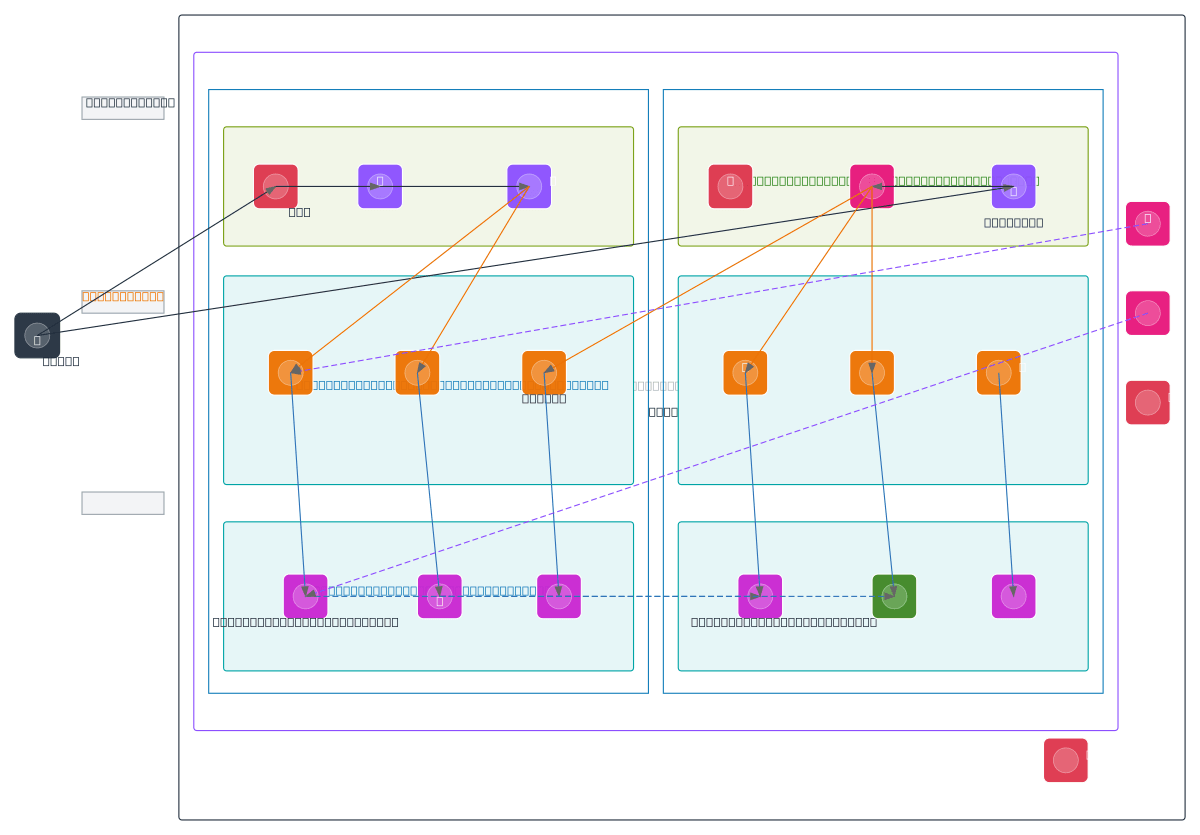
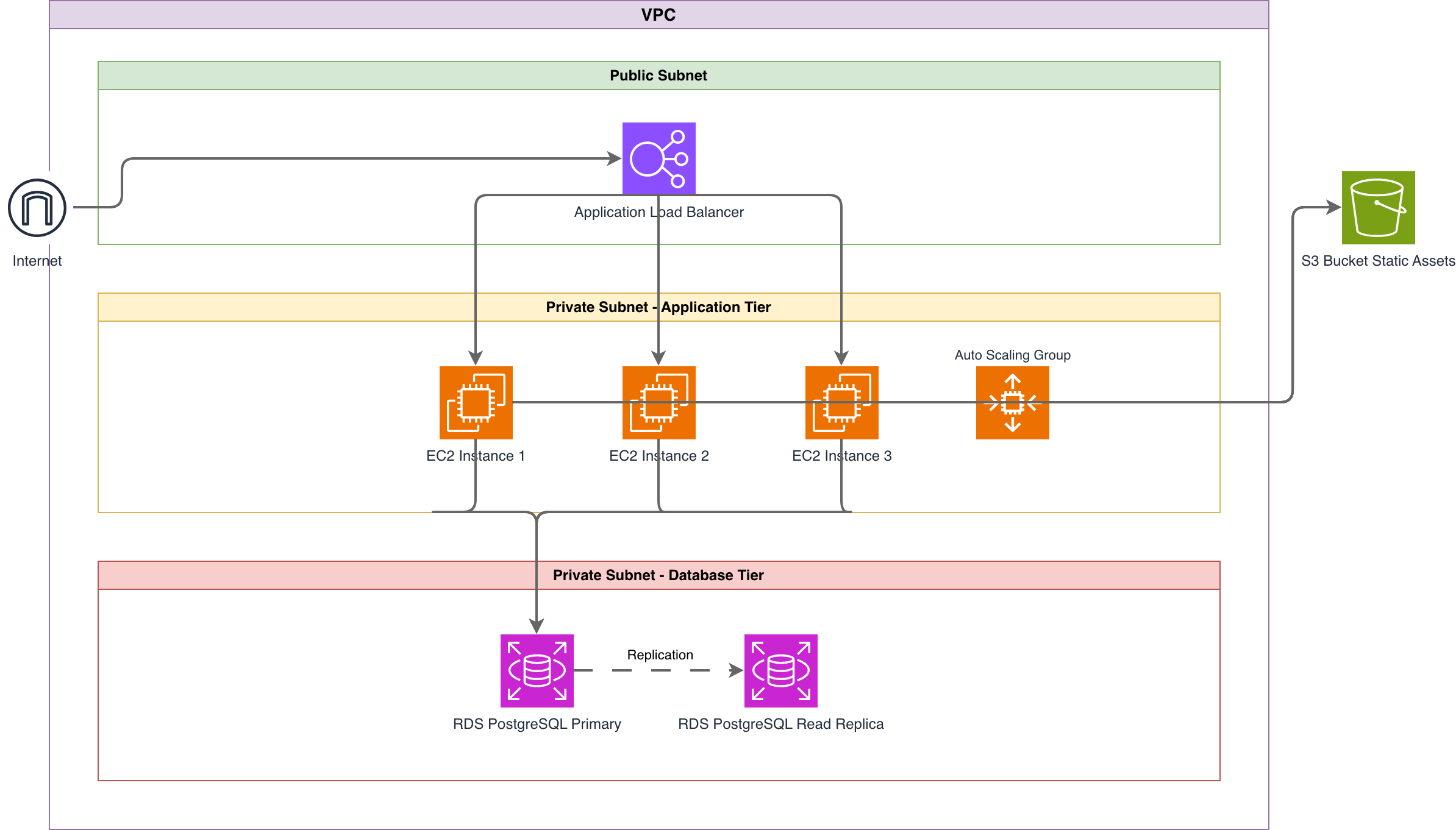
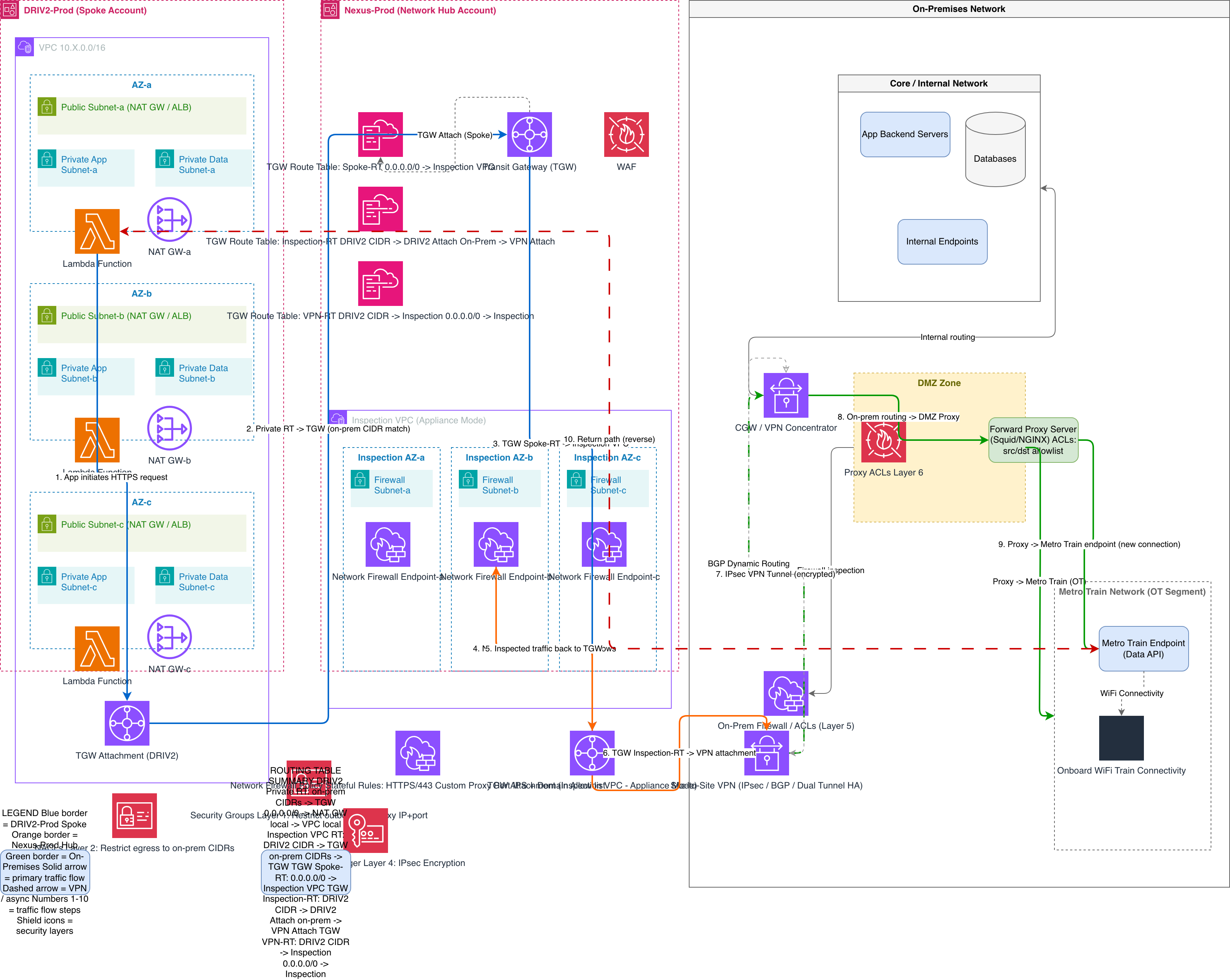
AWS Lambda vs AWS Fargate vs AWS App Runner — Serverless Compute Compared
AWS offers three serverless compute options with different abstraction levels, scaling models, and pricing structures. Lambda is event-driven and scales per invocation. Fargate runs containers with per-second billing. App Runner abstracts container deployment entirely. The right choice depends on workload characteristics, execution duration, and operational overhead tolerance.
| Feature | AWS Lambda | AWS Fargate | AWS App Runner |
|---|---|---|---|
| Execution model | Function invoked per event (HTTP request, S3 upload, SQS message); scales to thousands of concurrent executions; 15-minute max duration; cold starts 100ms-2s depending on runtime and package size | Long-running container tasks in ECS or EKS; scales by adding/removing tasks based on CPU/memory metrics or request count; no execution time limit; no cold start once running | Container or source code deployed with zero configuration; auto-scales based on concurrent requests; instances stay warm between requests; minimum 1 instance always running |
| Pricing model | Pay per invocation ($0.20/million requests) plus duration (GB-second pricing); free tier of 1M requests/month; zero cost at zero traffic | Pay per vCPU-second and GB-second while tasks are running; no per-request charge; minimum cost equals one running task | Pay per vCPU-second and GB-second for active instances; paused instances cost $0.007/GB-hour; automatic pause on zero traffic (optional) |
| Networking | Optional VPC attachment with ENI for private resource access; VPC-attached Lambda adds cold start latency; Hyperplane ENIs shared across invocations | Full VPC integration with ENI per task; security groups and subnet placement identical to EC2; works with ALB, NLB, and service discovery | VPC connector for outbound access to private resources; inbound traffic via App Runner managed endpoint; no ALB or NLB required |
| State management | Stateless by design; DynamoDB, ElastiCache, or S3 for state; Step Functions for workflow state; no local filesystem persistence between invocations | Container local storage with ephemeral 20GB volume; EFS mounts for shared persistent storage; sidecar containers for logging and monitoring | Container local storage; no native EFS support; external state stores (DynamoDB, RDS) required for persistence |
| Diagram representation | Function icons connected by event trigger arrows from sources (API Gateway, S3, SQS, EventBridge); fan-out patterns branch from event buses; Step Functions shown as workflow containers | Container task icons inside ECS cluster boundaries; ALB with target group arrows; auto-scaling indicators with min/max task count annotations | Single service icon with auto-scaling annotation; inbound arrow from App Runner endpoint; outbound VPC connector arrow to private resources |
| Best suited for | Event-driven processing, API backends with variable traffic, file processing triggers, scheduled tasks, sub-15-minute jobs, microservices with low steady-state traffic | Long-running services, container workloads migrated from EC2, applications needing full networking control, tasks requiring more than 10GB memory | Web applications and APIs with minimal ops, teams without container orchestration expertise, quick deployments from GitHub with auto-build |
When to use this pattern
Use an AWS serverless architecture diagram when designing or documenting event-driven applications built on Lambda, API Gateway, Step Functions, and managed services. It's the right choice for API backend design reviews, event-driven microservice decomposition sessions, and Step Functions workflow planning. The diagram shows developers and architects how requests flow through API Gateway to Lambda, how events propagate through EventBridge and SQS, and where Step Functions orchestrate multi-step processes. If your application runs on Fargate or ECS, an AWS architecture diagram is a better fit. If you need to show the network topology underneath the compute layer, use an AWS networking diagram. Serverless diagrams work best when the architecture is event-driven with clear trigger relationships rather than request-response-only patterns.
Frequently asked questions
What does the AWS serverless architecture diagram generator include?
This AWS serverless architecture diagram generator produces API Gateway endpoints, Lambda functions with trigger connections, Step Functions state machines, DynamoDB tables, EventBridge event buses with rules, SQS/SNS messaging patterns, Cognito authentication flows, and X-Ray tracing paths. It uses official AWS icons from Diagrams.so's 30+ icon libraries.
How are event triggers shown in the diagram?
Event triggers render as labeled arrows from the event source to the Lambda function or target. S3 event notifications, SQS queue consumption, EventBridge rule matches, DynamoDB Streams, and API Gateway invocations each get distinct arrow styles. The label includes the event type or pattern, like 's3:ObjectCreated' or 'detail-type: OrderCreated'.
Can I show Step Functions state machines in the diagram?
Yes. Describe your state machine steps, choice branches, parallel states, and error handling. The AI renders the workflow as a grouped container with Task, Choice, Parallel, Wait, and Fail states connected by transition arrows. Retry configurations and Catch blocks appear as annotations on the states they protect.
Does the diagram show dead-letter queue configurations?
Yes. When you mention DLQ configuration on SQS queues or Lambda event source mappings, the AI draws a separate DLQ icon with a failure-path arrow from the source queue. The DLQ gets labeled with the maxReceiveCount threshold. WARN-05 flags Lambda functions or SQS consumers missing DLQ configuration entirely.
What architecture warnings apply to serverless diagrams?
WARN-02 catches API Gateway endpoints exposed to the internet without WAF or Cognito authorizers. WARN-03 flags DynamoDB tables missing point-in-time recovery or backup configuration. WARN-05 detects Lambda functions without dead-letter queues or X-Ray tracing. WARN-04 identifies functions with overly permissive IAM execution roles. All warnings are non-blocking.
Related diagram generators
Generate Serverless Architecture Diagrams from Text with AI
Describe your serverless components and event triggers in plain English. Get a valid Draw.io diagram with Lambda functions, API Gateway, and managed services.
Generate AWS architecture diagrams from text
Describe your AWS infrastructure in plain English. Get a valid Draw.io diagram with official AWS icons, VPC boundaries, and Multi-AZ placement.
Generate Event-Driven Architecture Diagrams from Text with AI
Describe your event producers, brokers, and consumers in plain English. Get a valid Draw.io diagram with Kafka topics, saga patterns, and DLQ flows.
Generate GCP Serverless Architecture Diagrams from Text
Describe your Google Cloud serverless application in plain English. Get a valid Draw.io diagram with Cloud Run, Cloud Functions, Eventarc triggers, and managed service connections.