
AWS Well-Architected Framework: Pillars, Tool, and Review Process
A practical guide to the AWS Well-Architected Framework. Covers all six pillars with specific AWS service mappings, the Well-Architected Tool review workflow, and how to diagram framework-aligned infrastructure.
What the AWS Well-Architected Framework is and how AWS structures it
The AWS Well-Architected Framework is a structured methodology for evaluating cloud architectures against six pillars of quality: Operational Excellence, Security, Reliability, Performance Efficiency, Cost Optimization, and Sustainability. AWS published the first version in 2015 with five pillars and added Sustainability in 2021. The framework isn't a checklist. It's a question-driven review process. Each pillar contains design principles and a set of questions (currently 58 across all pillars) that force you to evaluate whether your architecture meets specific quality thresholds. The framework operates at three levels. The foundational layer is the six pillars themselves, each with a whitepaper defining best practices and anti-patterns. The lens layer adds domain-specific questions. AWS publishes official lenses for Serverless, SaaS, Machine Learning, Data Analytics, IoT, Financial Services, and others. Custom lenses let organizations add their own review criteria. A serverless lens asks questions about cold start mitigation and event-driven design that the base framework doesn't cover. An ML lens adds questions about model versioning and training data governance. The tool layer is the AWS Well-Architected Tool, a service in the AWS console that guides teams through the review process. You create a workload, answer questions for each pillar, and the tool generates an improvement plan with prioritized recommendations. Each question maps to specific AWS services and configurations that satisfy the requirement. The framework differs from compliance standards like SOC 2 or ISO 27001. Those verify controls exist. The Well-Architected Framework evaluates whether your architectural decisions are sound. You can pass a SOC 2 audit with a single-AZ deployment. The Well-Architected review would flag that as a reliability risk and recommend Multi-AZ.
The six pillars with specific AWS service mappings
Operational Excellence focuses on running and monitoring systems to deliver business value and continuously improving processes. In AWS, this means infrastructure as code through CloudFormation or CDK (never clicking through the console for production), observability through CloudWatch metrics with custom namespaces, CloudWatch Logs Insights queries for log analysis, and X-Ray for distributed tracing. Systems Manager provides runbooks for operational procedures: patching via Patch Manager, configuration tracking via Inventory, and secure remote access via Session Manager instead of SSH bastion hosts. Deploy through CI/CD pipelines that run CodePipeline with CodeBuild stages, not manual deployments. Security means protecting information, systems, and assets through risk assessment and mitigation. IAM policies should follow least privilege: scope permissions to specific resources and actions, never use wildcard permissions in production. KMS customer-managed keys encrypt data at rest. ACM certificates encrypt data in transit. GuardDuty monitors for malicious activity across CloudTrail, VPC Flow Logs, and DNS queries. Security Hub aggregates findings from GuardDuty, Inspector, Macie, and IAM Access Analyzer into a single dashboard. Detective investigates security findings with graph analysis. Reliability means workloads perform their intended function correctly and consistently. Multi-AZ deployments for RDS, ElastiCache, and ECS tasks eliminate single-AZ failures. Route 53 health checks with failover routing redirect traffic when primary endpoints fail. Auto Scaling groups replace unhealthy instances automatically. S3 cross-region replication protects against region-level failures. Backups through AWS Backup with defined RPO schedules and tested restore procedures. Performance Efficiency means using computing resources efficiently to meet system requirements and maintaining that efficiency as demand changes. Graviton3 (ARM) instances deliver up to 25% better price-performance than comparable x86 instances for most workloads. ElastiCache reduces database load for read-heavy patterns. CloudFront caches content at 400+ edge locations. RDS Proxy pools database connections for Lambda functions that would otherwise exhaust connection limits. Cost Optimization means delivering business value at the lowest price point. Savings Plans commit to consistent compute usage for 1 or 3 years at up to 72% discount. S3 Intelligent-Tiering moves objects between access tiers based on usage patterns. Spot instances run fault-tolerant batch jobs at up to 90% discount. Cost Explorer with tag-based allocation attributes spending to teams. Sustainability means reducing environmental impact of cloud workloads. Graviton processors are up to 60% more energy-efficient than comparable x86 instances. Right-sizing eliminates wasted compute. S3 Intelligent-Tiering moves infrequently accessed data to lower-power storage classes.
The Well-Architected Tool: how it works, lens selection, and improvement plans
The AWS Well-Architected Tool is a free service in the AWS console that operationalizes the framework review process. You start by defining a workload: give it a name, select the AWS region, specify the environment (production or pre-production), and tag it for tracking. Then you choose which lenses to apply. The base AWS Well-Architected lens is always available. Add the Serverless lens if your workload runs on Lambda and API Gateway. Add the SaaS lens if you're building multi-tenant software. Add the Data Analytics lens if you're running Glue, Redshift, or Athena pipelines. Each lens adds questions specific to that domain. The review process walks through questions pillar by pillar. Each question describes a best practice and asks whether you've implemented it. For example, the Reliability pillar asks: 'How do you design your workload service architecture?' The expected answers reference service-oriented architecture, distributed systems, and fault isolation boundaries. You rate each question as 'None,' 'Some,' or 'All' risk addressed. The tool doesn't verify your answers against your actual infrastructure. It relies on honest self-assessment. After completing a review, the tool generates a dashboard showing high-risk issues (HRIs) and medium-risk issues (MRIs) per pillar. HRIs represent best practices where you selected 'None' addressed. These become your improvement plan. The tool prioritizes improvements by pillar and links to specific AWS documentation for remediation. You can generate a PDF report for stakeholders showing the current state, risk distribution across pillars, and the improvement roadmap. Milestone tracking lets you record reviews over time and demonstrate progress. Run the review quarterly or before major releases. Share the workload with team members for collaborative review. Custom lenses extend the tool for organization-specific requirements. Define custom questions, link them to internal runbooks, and include them in every workload review. This turns the Well-Architected Tool into an internal architecture governance platform rather than a one-time assessment.
How AWS Well-Architected differs from Azure and GCP frameworks
AWS, Azure, and GCP each publish architectural frameworks, but the structure, scope, and tooling differ in meaningful ways. AWS uses six pillars. Azure's Well-Architected Framework also has five pillars (Reliability, Security, Cost Optimization, Operational Excellence, and Performance Efficiency) plus a sustainability guide treated separately. GCP's Architecture Framework organizes guidance into categories (System Design, Operational Excellence, Security, Reliability, Cost Optimization, Performance Optimization) but doesn't formalize them as scored pillars with a review tool. The lens system is unique to AWS. No equivalent exists in Azure or GCP. AWS lenses add domain-specific questions for Serverless, SaaS, Machine Learning, Data Analytics, IoT, Financial Services, Gaming, Hybrid Networking, and more. Organizations can author custom lenses. Azure offers assessments for specific workloads (AKS, Azure SQL, SAP) but these are standalone tools, not composable modules within a single review framework. GCP's Architecture Framework is a documentation resource without a built-in review tool. The AWS Well-Architected Tool is a service with persistent state, milestone tracking, and report generation. Azure Advisor provides recommendation-based assessments automatically from telemetry. It's reactive (analyzing what you've deployed) rather than proactive (reviewing what you plan to deploy). GCP doesn't offer a comparable review tool in the console. AWS Solution Architects can run facilitated Well-Architected reviews for customers at no cost, producing remediation plans with AWS-funded credits for high-risk findings. Azure and GCP partner programs offer similar reviews but the framework integration is less standardized. One honest comparison: Azure Advisor's automated telemetry-based analysis catches real configuration issues that a self-assessed WAR might miss. The AWS approach depends on the quality of answers. If a team says they've addressed all reliability questions when they haven't, the tool produces a green dashboard that masks real risk. Combining the Well-Architected Tool's structured review with AWS Config rules and Security Hub automated checks produces a more accurate picture.
Common AWS anti-patterns the framework catches
The Well-Architected review process surfaces anti-patterns that teams often accept as normal until they cause outages, breaches, or budget overruns. Over-provisioned instances are the most expensive anti-pattern. Teams launch c5.4xlarge instances during initial deployment, forget to right-size after traffic stabilizes, and run at 5-8% CPU utilization for months. The Cost Optimization pillar asks whether you review instance utilization and right-size regularly. AWS Compute Optimizer analyzes 14 days of CloudWatch metrics and recommends specific instance types. Switching from c5.4xlarge to t3.medium for a low-traffic service saves $460/month per instance. Single-region architectures without disaster recovery violate the Reliability pillar. The framework asks how you plan for disaster recovery and what your defined RTO and RPO targets are. If the answer is 'we haven't planned for it,' that's a high-risk issue. The remediation path starts with automated backups via AWS Backup with cross-region copy, then adds Route 53 health checks with DNS failover, and progresses to pilot-light or warm-standby secondary regions depending on the RPO/RTO requirements. Missing tagging strategy violates both Cost Optimization and Operational Excellence. Without tags, you can't attribute costs to teams, can't identify resource owners for incident response, and can't enforce policies through tag-based conditions. The framework recommends mandatory tags (environment, team, cost-center, application) enforced by AWS Organizations tag policies and SCP-based deny rules that block resource creation without required tags. AWS Config rules detect untagged resources. No encryption at rest violates the Security pillar. The framework asks how you protect data at rest. Unencrypted EBS volumes, S3 buckets without default encryption, and RDS instances using AWS-managed keys instead of customer-managed KMS keys all get flagged. The remediation is straightforward: enable default encryption on S3 buckets (SSE-KMS), encrypt EBS volumes at launch (set account-level default), and require KMS CMK for RDS instances. Manual deployments violate Operational Excellence. If production changes happen through console clicks, you can't audit them, can't roll them back reliably, and can't reproduce them in another region for DR. The framework asks whether you use infrastructure as code and automated deployment pipelines.
Diagramming Well-Architected AWS infrastructure with Diagrams.so
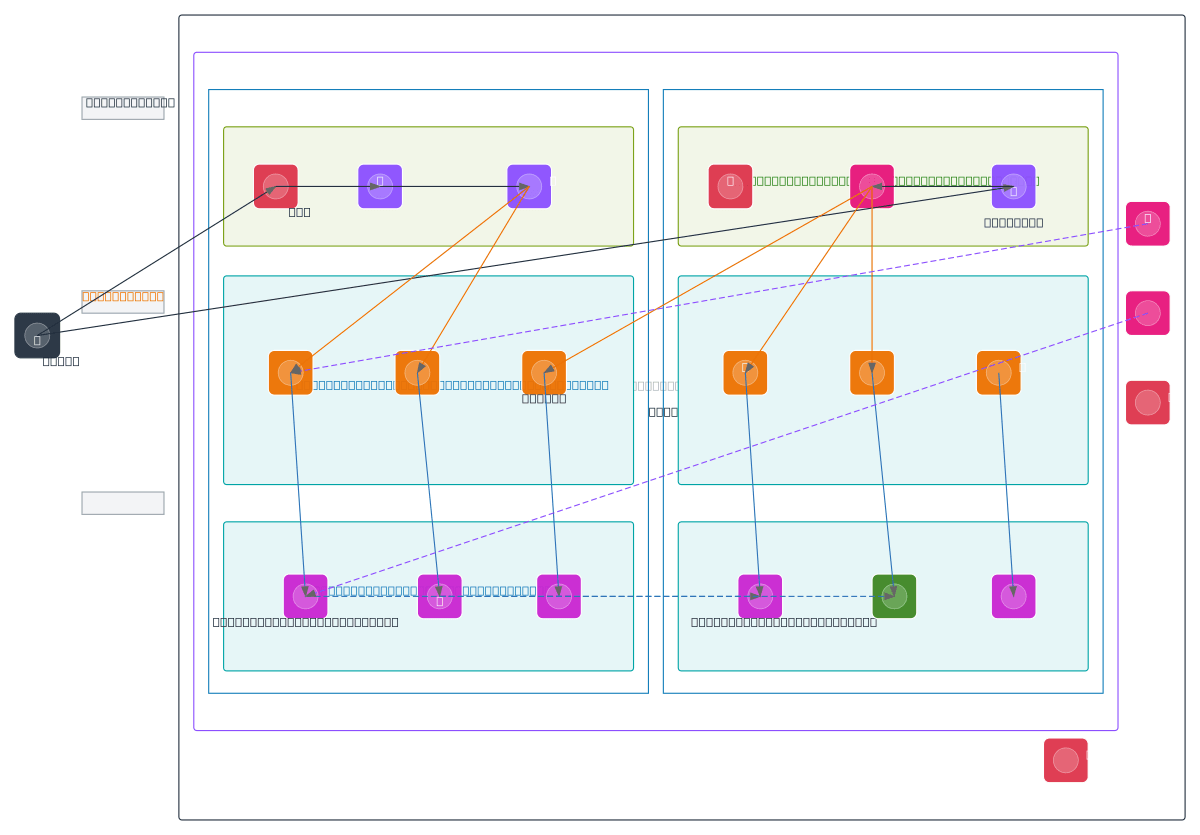
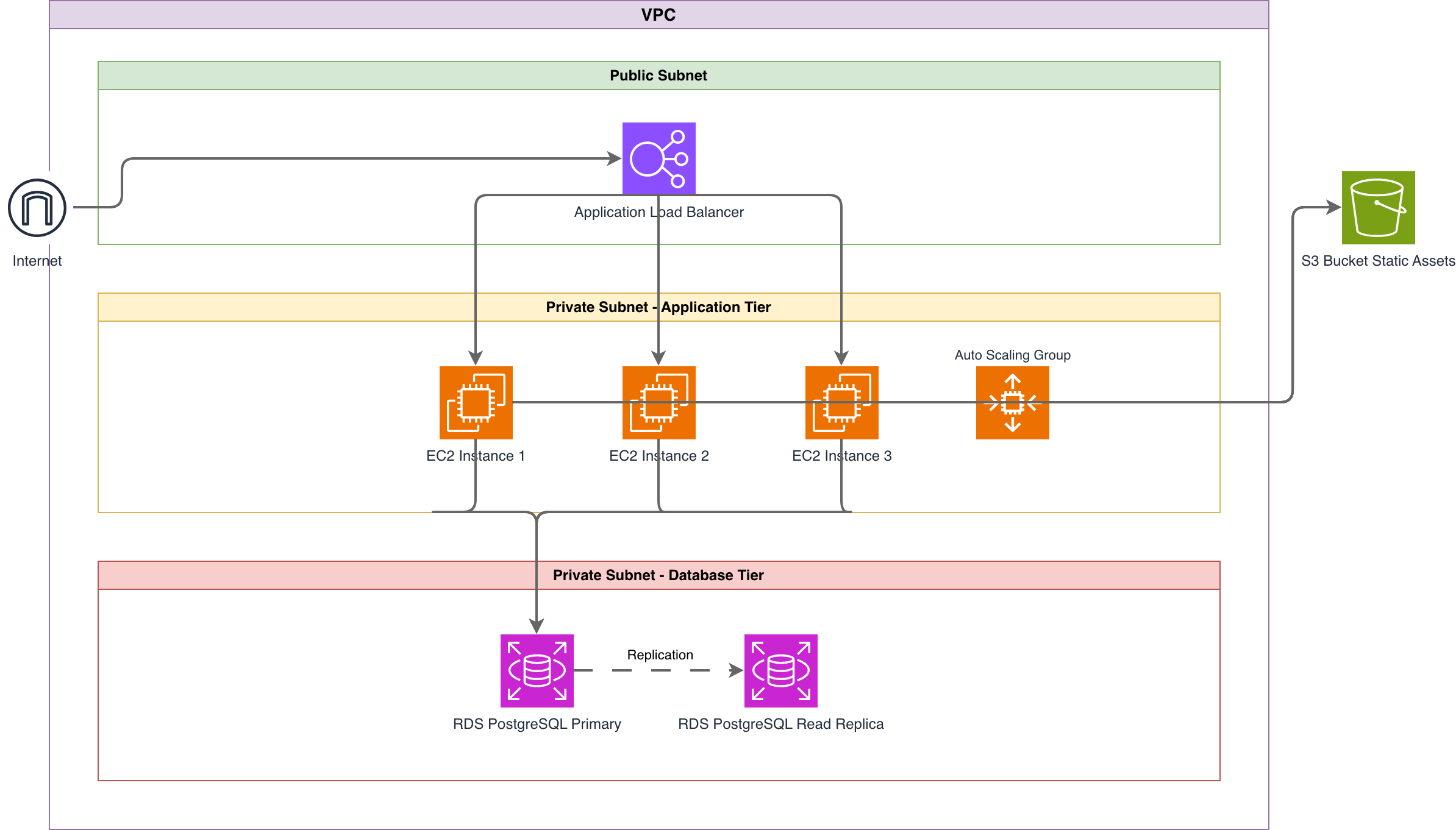
The AWS Well-Architected Framework's six pillars map directly to visual elements in architecture diagrams. Diagrams.so's architecture warnings align with the framework's risk categories. WARN-01 (single-AZ deployment) maps to the Reliability pillar's question about fault isolation across availability zones. WARN-02 (public endpoint without WAF) maps to the Security pillar's question about protecting public-facing resources. WARN-03 (database without replica) maps to Reliability's question about data backup and recovery. Generating a Well-Architected diagram starts with describing the architecture that addresses each pillar. For Reliability: 'RDS PostgreSQL Multi-AZ in private subnets with automated daily snapshots and cross-region snapshot copy.' For Security: 'ALB with WAF v2 web ACL, ACM certificate, Security Groups restricting inbound to ALB only, IAM execution roles on ECS tasks with least-privilege policies.' For Performance: 'ElastiCache Redis cluster for session caching, CloudFront distribution for static assets, Graviton3 instances for ECS Fargate tasks.' For Cost Optimization: 'Auto Scaling group with mixed instances policy using Savings Plans baseline and Spot capacity for burst.' Each of these descriptions produces specific visual elements: Multi-AZ containers for Reliability, WAF and Security Group boundaries for Security, caching layers for Performance, and Auto Scaling annotations for Cost. When you describe an architecture that covers all six pillars, Diagrams.so's warnings serve as a secondary validation. A clean warning panel means your diagram aligns with the framework's core recommendations. If WARN-01 fires, you've described a single-AZ setup that the Reliability pillar would flag. If WARN-02 fires, the Security pillar would identify the same gap. This isn't a replacement for a full Well-Architected review. The diagram captures the architectural intent. The review process validates whether the implementation matches. But starting with a diagram that triggers zero architecture warnings means you've addressed the most common high-risk issues before the review begins. Export the .drawio file and include it in your Well-Architected Tool workload documentation. The diagram gives reviewers a visual reference when answering pillar questions.
Real-world examples

Generate these diagrams with AI
Generate AWS architecture diagrams from text
Describe your AWS infrastructure in plain English. Get a valid Draw.io diagram with official AWS icons, VPC boundaries, and Multi-AZ placement.
Generate AWS Landing Zone Diagrams from Text with AI
Describe your AWS Organizations hierarchy, Control Tower guardrails, and Transit Gateway topology in plain English. Get a valid Draw.io diagram with official AWS icons.
Generate AWS Networking Diagrams from Text with AI
Describe your VPC topology, Transit Gateway attachments, Direct Connect circuits, and Route 53 DNS resolution in plain English. Get a valid Draw.io diagram with official AWS icons.
Related guides
Frequently asked questions
What is the AWS Well-Architected Framework?
The AWS Well-Architected Framework is a question-driven methodology for evaluating cloud architectures against six pillars: Operational Excellence, Security, Reliability, Performance Efficiency, Cost Optimization, and Sustainability. AWS published it in 2015 with five pillars and added Sustainability in 2021. Rather than a checklist, it uses roughly 58 questions to test whether architectural decisions meet specific quality thresholds.
When was the Sustainability pillar added to the AWS Well-Architected Framework?
AWS added Sustainability as the sixth pillar in 2021, joining the original five from 2015. It focuses on reducing the environmental impact of cloud workloads through choices like Graviton processors, which are up to 60% more energy-efficient than comparable x86 instances, right-sizing to eliminate wasted compute, and S3 Intelligent-Tiering to move cold data to lower-power storage.
What is a lens in the AWS Well-Architected Framework?
A lens adds domain-specific review questions on top of the base framework. AWS publishes official lenses for Serverless, SaaS, Machine Learning, Data Analytics, IoT, and Financial Services, and organizations can author custom ones. A Serverless lens asks about cold-start mitigation and event-driven design; an ML lens adds questions on model versioning and training-data governance that the base framework omits.
Does the AWS Well-Architected Tool check your actual infrastructure?
No. The Well-Architected Tool is a free console service that relies on honest self-assessment: you rate each question as 'None,' 'Some,' or 'All' risk addressed, and it does not verify answers against deployed resources. It then generates a dashboard of high- and medium-risk issues per pillar. Pairing it with AWS Config rules and Security Hub produces a more accurate picture.
How do I diagram an AWS architecture that aligns with the Well-Architected Framework?
Describe an architecture that addresses each pillar, such as Multi-AZ RDS for Reliability, a WAF web ACL and least-privilege IAM for Security, and caching layers for Performance. With Diagrams.so, describe it in plain English and get an editable .drawio diagram with the correct icons in seconds, and its architecture warnings flag single-AZ or unprotected-endpoint gaps before a formal review.