
Convert Mermaid to an editable .drawio diagram
Paste your Mermaid and get a native .drawio you can actually edit — real draggable shapes and connectors instead of a rendered image, ready for Draw.io.
To convert Mermaid to .drawio with Diagrams.so, paste your Mermaid definition and the AI rebuilds it as a native Draw.io diagram: each node becomes a real, draggable shape, each arrow becomes an editable connector, labels and direction are preserved, and the result downloads as a native .drawio (mxGraphModel XML) file. Unlike Mermaid's own output, which renders to a static SVG or PNG, the converted diagram stays fully editable — you can move nodes, restyle them, add components, and swap plain boxes for official AWS, Azure, or GCP icons before exporting.
What you get with Diagrams.so
Text-to-diagram
Describe or paste your source in plain English and get a diagram back in seconds.
Native .drawio export
Output is real mxGraphModel XML that opens and stays editable in Draw.io.
30+ icon libraries
Official AWS, Azure, GCP, and Kubernetes icon sets, auto-selected per service.
Architecture warnings
Best-practice checks flag issues like single-AZ or public exposure, with one-click fixes.
Community gallery
Browse, fork, and remix real architecture diagrams to start from a proven pattern.
Voice-to-diagram
Dictate an architecture out loud and watch it render — available on every plan.
How to convert Mermaid to an editable .drawio diagram
- 1
Paste your Mermaid definition
Drop in your Mermaid source — a graph/flowchart, sequenceDiagram, erDiagram, or classDiagram. There is nothing to install and no Mermaid renderer to configure; the diagram is rebuilt from the text you paste.
- 2
Nodes and edges are rebuilt as shapes
Every Mermaid node becomes a native Draw.io shape and every link becomes a real connector, so the structure you wrote is preserved as objects you can select and move rather than pixels baked into an image.
- 3
Labels, direction, and grouping are kept
Edge labels, the flow direction (TD, LR, and so on), and subgraphs are carried across so the converted diagram reads the same as the Mermaid rendered it — just on an editable canvas.
- 4
Optionally add cloud icons
Because the shapes are native, you can replace generic boxes with official AWS, Azure, GCP, or Kubernetes icons where a node represents a real service, turning a plain flowchart into a proper architecture diagram.
- 5
Edit and export the .drawio
Rearrange, restyle, or extend the diagram, then download the native .drawio file or export to PNG or SVG. It opens in Draw.io desktop, the VS Code extension, and Confluence with no conversion.
Worked example
Mermaid
graph TD
  U[User] --> LB[Load Balancer]
  LB --> A1[App Server 1]
  LB --> A2[App Server 2]
  A1 --> DB[(PostgreSQL)]
  A2 --> DB
  A1 --> C[(Redis Cache)]
  A2 --> C
Resulting .drawio
A top-down Draw.io diagram: a User shape connects to a Load Balancer, which fans out to two App Server shapes; both app servers connect down to a shared PostgreSQL datastore and a Redis cache. Every box is a native, draggable shape and every arrow is an editable connector with its label intact. From here you can swap the Load Balancer box for an official ALB icon, group the app servers, or add an S3 node — then export the whole thing as .drawio, PNG, or SVG.
Mermaid renders; .drawio lets you edit
Mermaid is a text-based diagramming language: you write a definition and a renderer turns it into an SVG or PNG. That is ideal for diagrams that live in Markdown and Git, where the source is the thing you version and small changes are quick. It is far less comfortable when you need to hand the diagram to someone who does not write Mermaid, nudge a single node without re-rendering everything, apply real cloud icons, or drop the picture into a slide with precise positioning. A .drawio file is the opposite trade-off: it is an editable canvas of objects, so anyone can open it and drag things around, but there is no terse text source to diff. Converting from Mermaid to .drawio gives you a bridge — you keep the speed of writing the first draft as Mermaid, then move to an editable canvas for the polish, the icons, and the layout work that Mermaid was never meant to do.
What converts cleanly, and what to check
Flowcharts and graphs convert most directly: nodes, the arrows between them, edge labels, node shapes such as the rounded and cylinder forms, and the overall direction all carry over as native objects. Sequence diagrams map to lifelines and messages, entity-relationship diagrams to entities and their relationships, and class diagrams to boxes with their members. A few things are worth a glance after conversion. Very dense diagrams may need a layout pass, since Mermaid's automatic spacing and Draw.io's are not identical. Heavily styled Mermaid — custom classDef colours, click interactions, or theme directives — is about structure first and cosmetics second, so re-apply any critical styling on the canvas. And if a node was meant to represent a specific cloud service, that intent lives in your head, not the Mermaid text, so that is where swapping in the right icon adds the most value. In practice the structure comes across faithfully and the editing you do afterward is enrichment, not repair.
You own the output, and can take it further
The converted file is native mxGraphModel XML, the same format Draw.io uses, so it is yours to keep and edit anywhere — the free Draw.io desktop app, the web editor, the VS Code extension, or Confluence — with no Diagrams.so account required to open it. That makes the conversion a genuine one-way upgrade rather than a lock-in: a teammate can take the .drawio and keep working. It also opens the door to things Mermaid cannot express well. Once the diagram is on an editable canvas you can add official AWS, Azure, GCP, and Kubernetes icons, draw VPC or subnet boundaries around groups of nodes, run the architecture warnings engine to sanity-check the design, and export a clean image for a deck or a runbook. If you find yourself starting more diagrams from scratch, you can also skip Mermaid entirely and describe the architecture in plain English to generate the same editable .drawio directly.
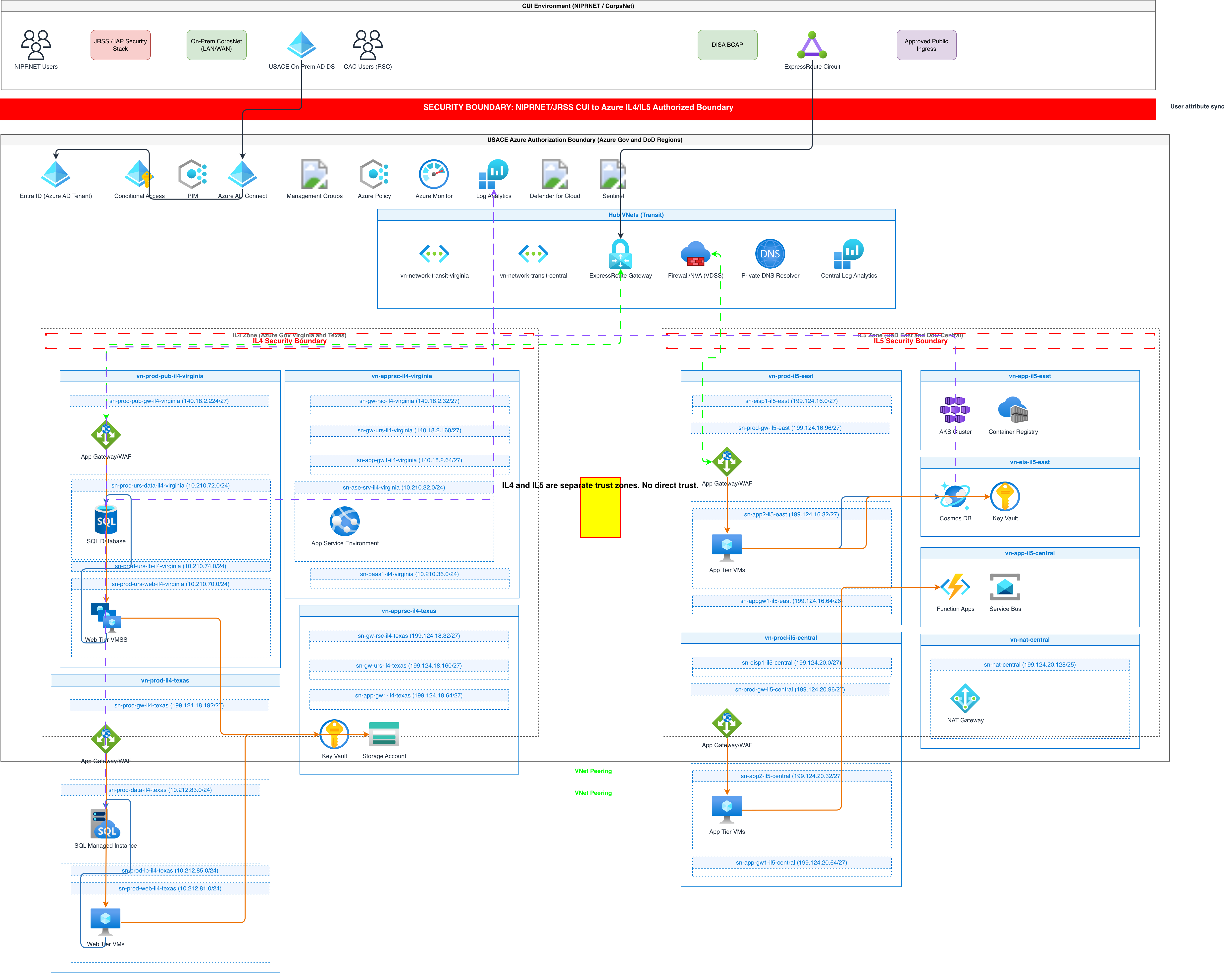
Example diagrams from the gallery



Diagrams.so vs Mermaid's own output
Mermaid is excellent at turning text into a quick rendered diagram. The difference shows up when you need to edit, brand, or enrich that diagram rather than just view it.
| Feature | Diagrams.so | Mermaid render |
|---|---|---|
| Output | Editable native .drawio shapes | Static SVG or PNG image |
| Editing | Drag-and-drop on a canvas | Edit the text and re-render |
| Cloud icons | Official AWS/Azure/GCP/K8s | Generic shapes |
| Opens in Draw.io | Yes, native format | No |
| Best for | Polishing, presenting, architecture | Docs-as-code in Git |
Frequently asked questions
Does this produce a native .drawio file or just an image?
A native .drawio (mxGraphModel XML) file. Every Mermaid node becomes a draggable shape and every link an editable connector, so you can rearrange and restyle the diagram, then export to PNG or SVG. It opens directly in Draw.io.
Which Mermaid diagram types are supported?
Flowcharts and graphs convert most directly, and sequence, entity-relationship, and class diagrams are supported too. Node shapes, edge labels, and flow direction are preserved; very dense diagrams may benefit from a quick layout pass afterward.
Can't draw.io already import Mermaid?
Draw.io can insert Mermaid, but the result is often a rendered block or basic shapes that are awkward to edit as native objects. The goal here is a clean, fully editable diagram whose nodes you can restyle and swap for real cloud icons.
Will my edge labels and direction be kept?
Yes. Edge labels, the flow direction such as TD or LR, and subgraph groupings carry across, so the converted diagram reads the same as the Mermaid did — just on an editable canvas.
Can I turn a plain Mermaid flowchart into an architecture diagram?
Yes. Once the shapes are native you can replace generic boxes with official AWS, Azure, GCP, or Kubernetes icons and add VPC or subnet boundaries, turning a structural flowchart into a proper cloud architecture diagram.
Do I need a Mermaid renderer or any setup?
No. Paste the Mermaid source and the diagram is rebuilt in the browser. There is nothing to install, and the free tier lets you try a conversion without a card.