Windows Task Scheduler Oracle Query Architecture

general · architecture diagram.

About This Architecture

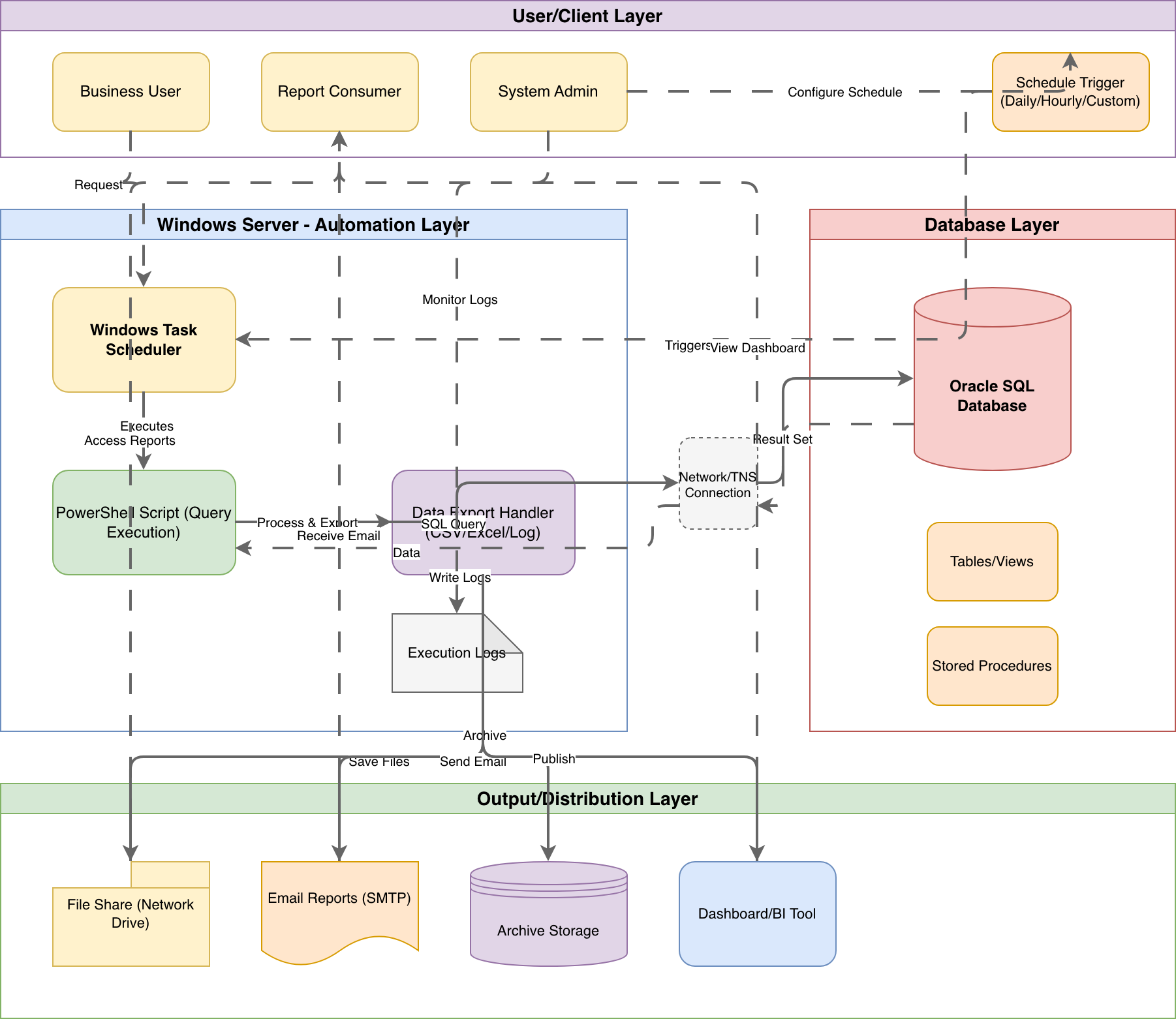
Scheduled Oracle query automation using Windows Task Scheduler and PowerShell for enterprise reporting workflows. The architecture flows from Schedule Triggers through PowerShell Script execution, connecting via TNS to Oracle SQL Database, then routing Result Sets through a Data Export Handler to File Shares, SMTP Email Reports, Archive Storage, and Dashboard/BI Tools. This pattern solves the common challenge of delivering recurring database reports to Business Users and Report Consumers without manual intervention. Fork this diagram on Diagrams.so to customize export formats, add error handling flows, or adapt the schedule triggers for your reporting cadence.

People also ask

How do I automate Oracle database queries using Windows Task Scheduler and PowerShell?

Use Windows Task Scheduler to trigger PowerShell scripts that connect to Oracle via TNS, execute SQL queries against Tables/Views or Stored Procedures, then export results through a Data Export Handler to File Shares, Email, or BI Tools.

Windows Task Scheduler Oracle Query Architecture

AutointermediateWindows Task SchedulerOracle DatabasePowerShellETL AutomationReport DistributionData Engineering
Domain: Data EngineeringAudience: Windows system administrators automating Oracle database reporting
2 views0 favoritesPublic

Created by

February 10, 2026

Updated

March 13, 2026 at 8:50 PM

Type

architecture

Need a custom architecture diagram?

Describe your architecture in plain English and get a production-ready Draw.io diagram in seconds. Works for AWS, Azure, GCP, Kubernetes, and more.

Generate with AI