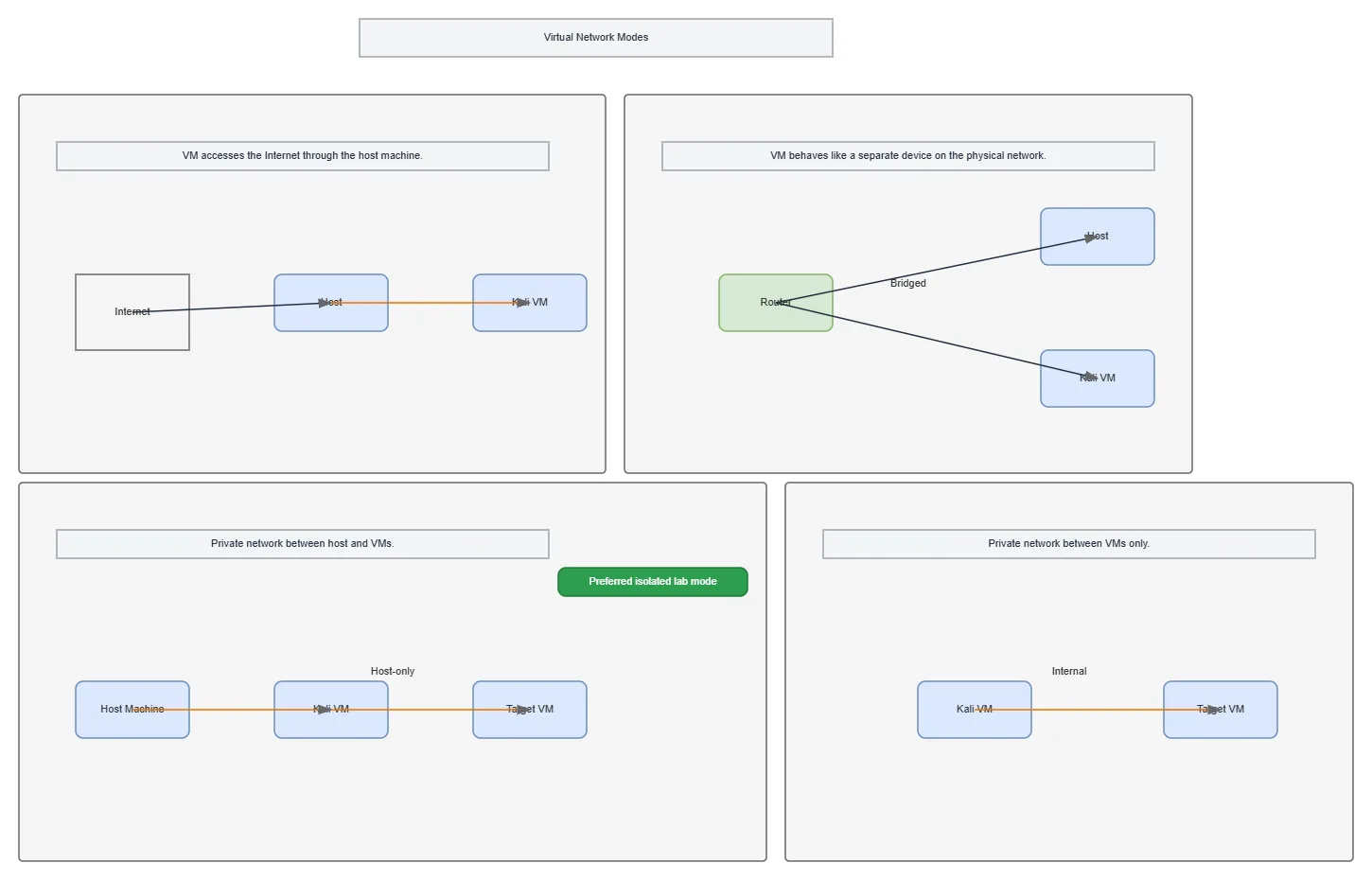
Virtual Network Modes architecture diagram

About This Architecture

Virtual network modes define how guest VMs connect to the host and external networks in hypervisor environments. NAT routes VM traffic through the host, Bridged makes VMs appear as separate devices on the physical network, Host-only creates a private network between host and VMs, and Internal isolates communication to VMs only. Host-only mode is the preferred configuration for secure, isolated penetration testing labs. Fork this diagram on Diagrams.so to customize network isolation strategies for your security testing infrastructure.

People also ask

What are the differences between NAT, Bridged, Host-only, and Internal virtual network modes?

NAT routes VM traffic through the host to access the Internet; Bridged makes VMs appear as separate devices on the physical network; Host-only creates a private network between host and VMs (preferred for secure labs); Internal isolates all VM-to-VM communication without host or external network access.

Virtual Network Modes

Autointermediatenetworkingvirtual machinesnetwork isolationpenetration testinghypervisorsecurity lab
Domain: NetworkingAudience: cybersecurity professionals and penetration testers configuring isolated lab environments
2 views0 favoritesPublic

Created by

October 8, 2026

Updated

October 21, 2026 at 12:07 AM

Type

architecture

Make your own

Need a custom architecture diagram?

Describe your architecture in plain English and get a production-ready Draw.io diagram in seconds. Works for AWS, Azure, GCP, Kubernetes, and more.

Generate with AI

AI-generated. Verify before production use. Learn more

Report this diagram