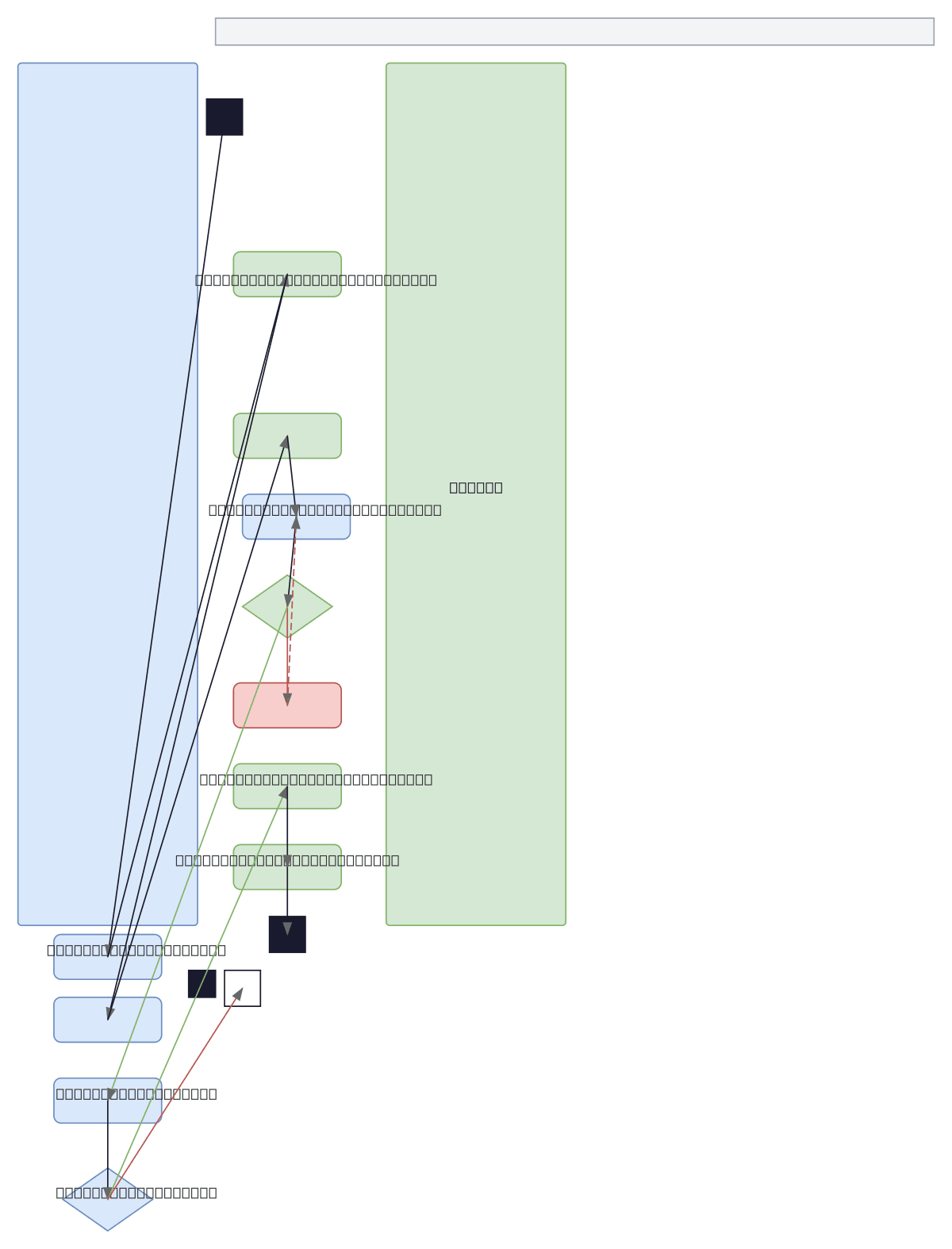
UML Activity - User Account Management
About This Architecture
UML Activity Diagram for User Account Management models the complete workflow from account access through profile updates with decision points and validation loops. The diagram flows from user login through account display, edit form rendering, input validation, and conditional save confirmation before database update. This pattern demonstrates best practices for handling user input validation, error recovery, and confirmation dialogs—critical for building robust account management interfaces. Fork this diagram on Diagrams.so to customize swimlanes, add additional actors, or extend validation rules for your specific application requirements.
People also ask
How do you model a user account management workflow in UML Activity Diagram with validation and error handling?
This UML Activity Diagram shows the complete account management flow: user clicks Manage Account, system displays account info, user selects edit, enters personal information, and validates input. If validation fails, an error message loops back to re-entry; if successful, a confirmation decision point leads to database update and success notification.
- Domain:
- Software Architecture
- Audience:
- UML modelers and software architects designing user account management workflows
Generated by Diagrams.so — AI architecture diagram generator with native Draw.io output. Fork this diagram, remix it, or download as .drawio, PNG, or SVG.