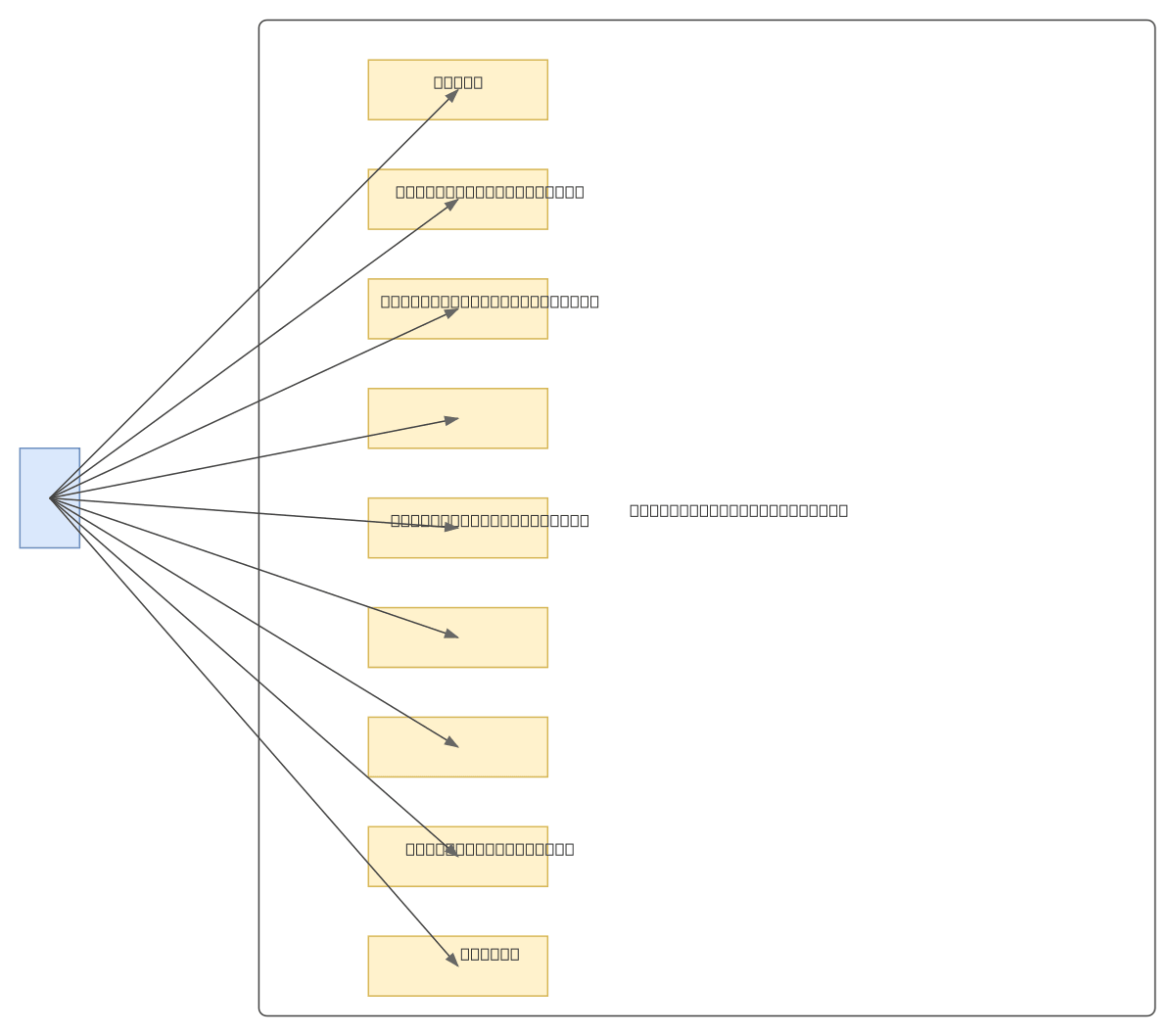
SmartSpend Use Case Diagram

GENERALOtherssimple
SmartSpend Use Case Diagram — GENERAL others diagram

About This Architecture

SmartSpend is a personal budget management application centered on user interactions with core financial workflows. The system enables users to authenticate, view budget summaries and category breakdowns, perform CRUD operations on budget categories, explore transaction details, and manage session lifecycle. This use case diagram maps nine distinct user actions—from login through logout—establishing the functional scope and user journey for budget tracking and category management. Fork this diagram on Diagrams.so to customize workflows, add new use cases like recurring transactions or budget alerts, or integrate with your product roadmap documentation. The actor-centric design makes it ideal for requirements gathering, stakeholder alignment, and sprint planning in agile finance app development.

People also ask

What are the main user interactions and workflows in a personal budget management application?

The SmartSpend use case diagram illustrates nine core user interactions: authentication (login/logout), budget overview (summary and categories), category management (add, edit, delete), and transaction exploration. This actor-centric model defines functional requirements and user journeys essential for building scalable personal finance applications.

use-case-diagrampersonal-financebudget-managementUMLproduct-designsoftware-architecture
Domain:
Software Architecture
Audience:
product managers and UX designers building personal finance applications

Generated by Diagrams.so — AI architecture diagram generator with native Draw.io output. Fork this diagram, remix it, or download as .drawio, PNG, or SVG.

Generate your own others diagram →

About This Architecture

SmartSpend is a personal budget management application centered on user interactions with core financial workflows. The system enables users to authenticate, view budget summaries and category breakdowns, perform CRUD operations on budget categories, explore transaction details, and manage session lifecycle. This use case diagram maps nine distinct user actions—from login through logout—establishing the functional scope and user journey for budget tracking and category management. Fork this diagram on Diagrams.so to customize workflows, add new use cases like recurring transactions or budget alerts, or integrate with your product roadmap documentation. The actor-centric design makes it ideal for requirements gathering, stakeholder alignment, and sprint planning in agile finance app development.

People also ask

What are the main user interactions and workflows in a personal budget management application?

The SmartSpend use case diagram illustrates nine core user interactions: authentication (login/logout), budget overview (summary and categories), category management (add, edit, delete), and transaction exploration. This actor-centric model defines functional requirements and user journeys essential for building scalable personal finance applications.

SmartSpend Use Case Diagram

Autosimpleuse-case-diagrampersonal-financebudget-managementUMLproduct-designsoftware-architecture
Domain: Software ArchitectureAudience: product managers and UX designers building personal finance applications
0 views0 favoritesPublic

Created by

April 26, 2026

Updated

April 26, 2026 at 10:05 PM

Type

others

Need a custom architecture diagram?

Describe your architecture in plain English and get a production-ready Draw.io diagram in seconds. Works for AWS, Azure, GCP, Kubernetes, and more.

Generate with AI