Project Management System - Use Case Diagram

GENERALArchitectureintermediate
Project Management System - Use Case Diagram — GENERAL architecture diagram

About This Architecture

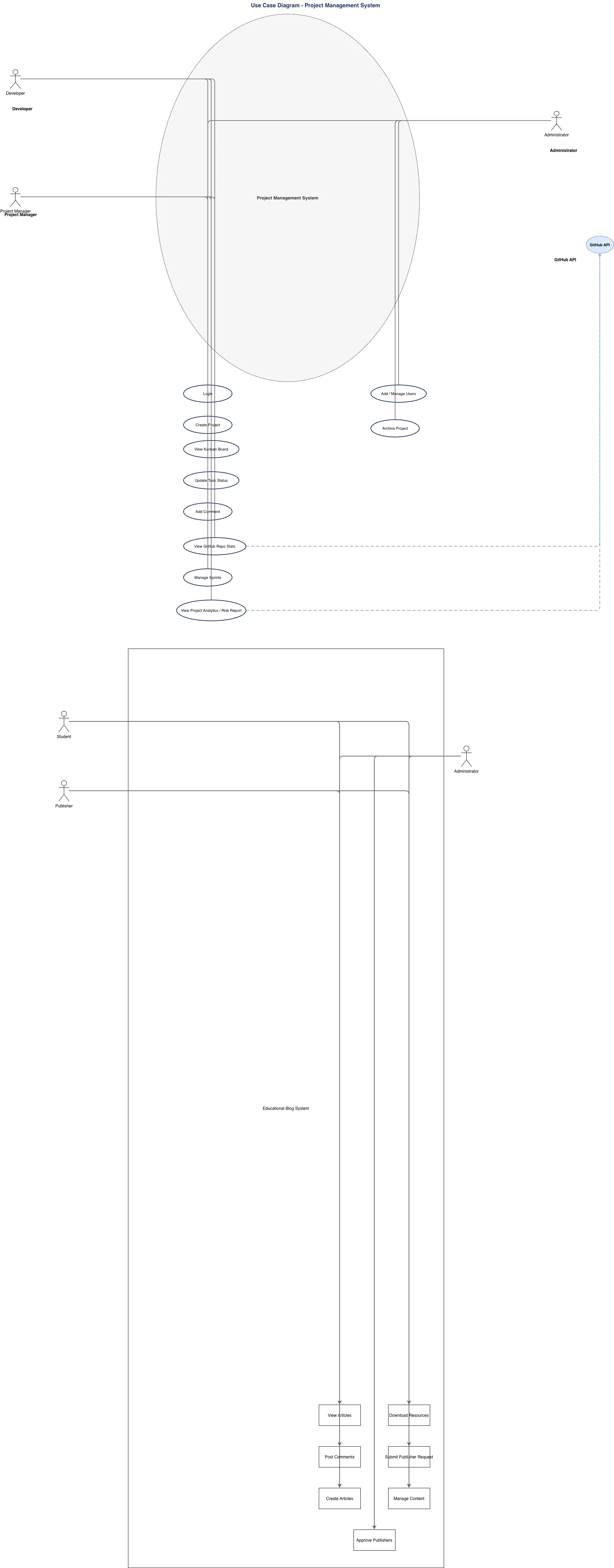
Use case diagram for a project management system with role-based access across developers, project managers, and administrators. Developers interact with login, kanban boards, task updates, comments, and GitHub repository statistics, while project managers gain additional capabilities including project creation, sprint management, and analytics reporting. Administrators oversee user management and project archival, with GitHub API integration enabling real-time repository insights across multiple user roles. This diagram demonstrates clear separation of concerns and least-privilege access patterns essential for scalable team collaboration tools. Fork and customize this diagram on Diagrams.so to align with your platform's specific workflows and role definitions.

People also ask

What are the key use cases and user roles in a project management system with GitHub integration?

This use case diagram illustrates three primary user roles—developers, project managers, and administrators—each with distinct capabilities. Developers access login, kanban boards, task updates, comments, and GitHub repository statistics, while project managers additionally create projects, manage sprints, and view analytics. Administrators handle user management and project archival, with GitHub

use case diagramproject managementrole-based accessGitHub integrationsoftware architectureteam collaboration
Domain:
Software Architecture
Audience:
software architects and product managers designing project management platforms

Generated by Diagrams.so — AI architecture diagram generator with native Draw.io output. Fork this diagram, remix it, or download as .drawio, PNG, or SVG.

Generate your own architecture diagram →

About This Architecture

Use case diagram for a project management system with role-based access across developers, project managers, and administrators. Developers interact with login, kanban boards, task updates, comments, and GitHub repository statistics, while project managers gain additional capabilities including project creation, sprint management, and analytics reporting. Administrators oversee user management and project archival, with GitHub API integration enabling real-time repository insights across multiple user roles. This diagram demonstrates clear separation of concerns and least-privilege access patterns essential for scalable team collaboration tools. Fork and customize this diagram on Diagrams.so to align with your platform's specific workflows and role definitions.

People also ask

What are the key use cases and user roles in a project management system with GitHub integration?

This use case diagram illustrates three primary user roles—developers, project managers, and administrators—each with distinct capabilities. Developers access login, kanban boards, task updates, comments, and GitHub repository statistics, while project managers additionally create projects, manage sprints, and view analytics. Administrators handle user management and project archival, with GitHub

Project Management System - Use Case Diagram

Autointermediateuse case diagramproject managementrole-based accessGitHub integrationsoftware architectureteam collaboration
Domain: Software ArchitectureAudience: software architects and product managers designing project management platforms
0 views0 favoritesPublic

Created by

April 27, 2026

Updated

April 27, 2026 at 6:59 PM

Type

architecture

Need a custom architecture diagram?

Describe your architecture in plain English and get a production-ready Draw.io diagram in seconds. Works for AWS, Azure, GCP, Kubernetes, and more.

Generate with AI