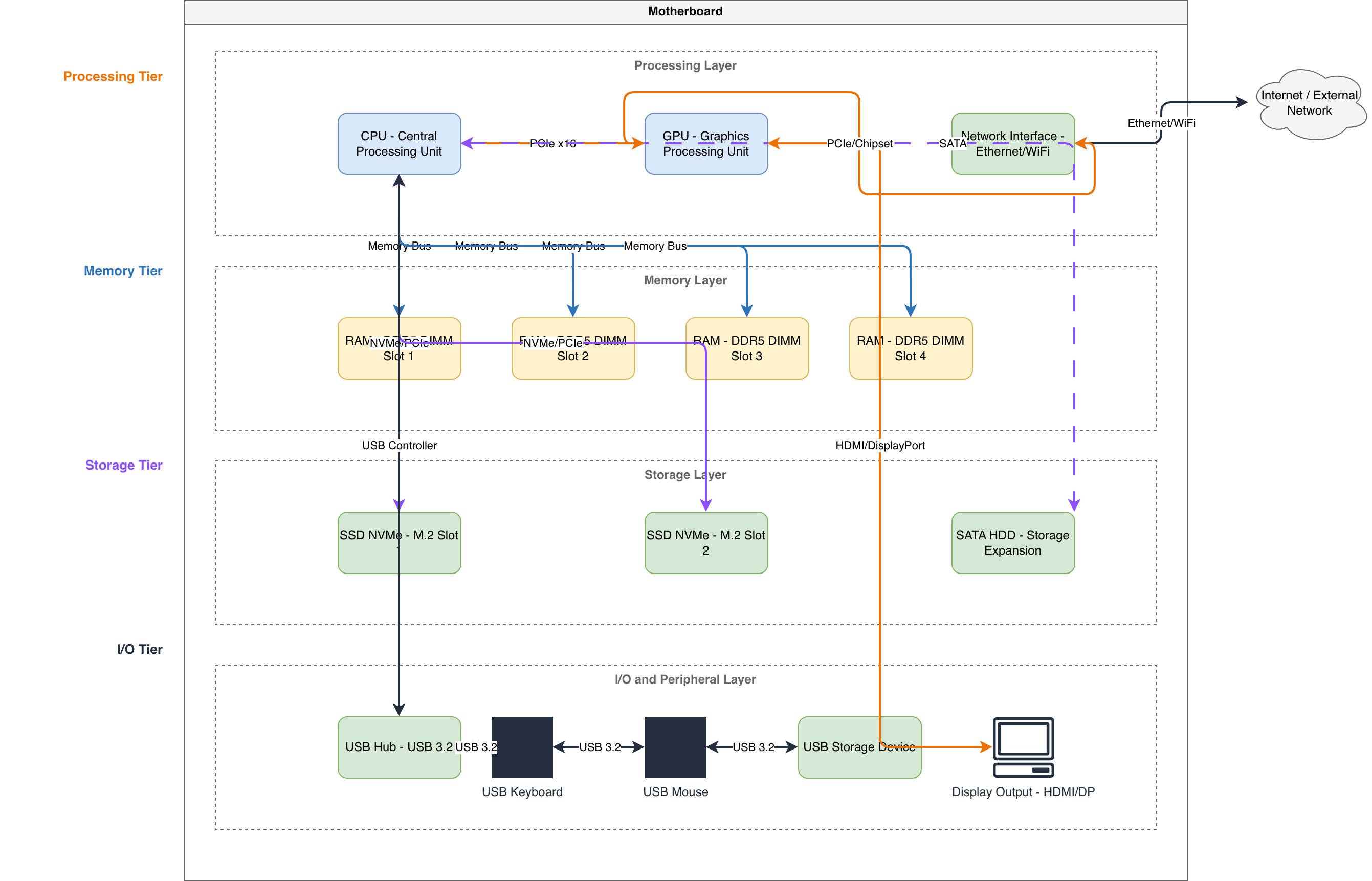
PC System Architecture - Motherboard Layout

general · architecture diagram.

About This Architecture

PC System Architecture diagram illustrates a modern motherboard layout with four functional tiers: Processing (CPU and GPU), Memory (DDR5 DIMM slots 1-4), Storage (NVMe M.2 and SATA HDD), and I/O (USB 3.2 hub with peripherals and display output). The CPU serves as the central hub, connecting directly to GPU, all memory modules, storage devices, and USB controller, while the GPU handles display output via HDMI/DP and network connectivity. This hierarchical design demonstrates how component interconnection affects bandwidth allocation, thermal management, and upgrade potential for high-performance systems. Use this diagram to plan component compatibility, visualize data flow paths, or document your build specifications before purchasing hardware. The modular tier structure helps identify bottlenecks and optimization opportunities in your system design.

People also ask

How are CPU, GPU, RAM, and storage connected on a modern PC motherboard?

This diagram shows the CPU as the central controller connecting to GPU for graphics, four DDR5 DIMM slots for memory, NVMe M.2 and SATA storage, and a USB 3.2 hub managing keyboard, mouse, and external devices. The GPU also handles display output and network connectivity, illustrating the complete data flow in a high-performance desktop system.

PC System Architecture - Motherboard Layout

AutointermediatePC architecturemotherboard layouthardware designsystem integrationcomponent connectivitydesktop computing
Domain: Mechanical EngineeringAudience: PC builders and system integrators designing custom desktop configurations
0 views0 favoritesPublic

Created by

March 7, 2026

Updated

March 7, 2026 at 2:52 PM

Type

architecture

Need a custom architecture diagram?

Describe your architecture in plain English and get a production-ready Draw.io diagram in seconds. Works for AWS, Azure, GCP, Kubernetes, and more.

Generate with AI