
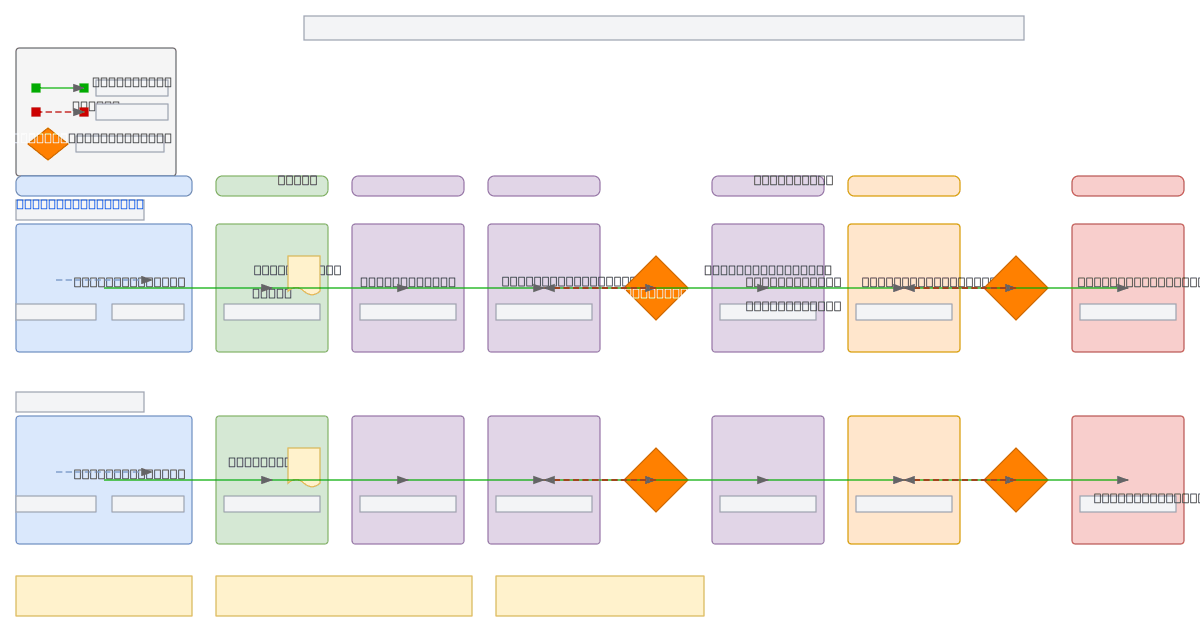
About This Architecture
Multi-version CI/CD pipeline for Dynamics 365 deployments orchestrating parallel, independent release trains for v1.x and v2.x across Dev, Test, UAT, Pre-Prod, and Production environments. Source Control branches trigger automated builds and artifacts that flow through approval gates at UAT and Production stages, with rollback paths for failure scenarios. Each version maintains its own isolated pipeline, enabling teams to deploy updates independently while maintaining consistency across environment tiers. Fork this diagram on Diagrams.so to customize approval workflows, add environment-specific configurations, or integrate with your Azure DevOps or GitHub Actions setup. The architecture demonstrates best practices for managing multiple product versions in regulated environments requiring staged approvals and audit trails.