CIT Registry and Support Tracking to Power BI

GENERALArchitectureintermediate
CIT Registry and Support Tracking to Power BI — GENERAL architecture diagram

About This Architecture

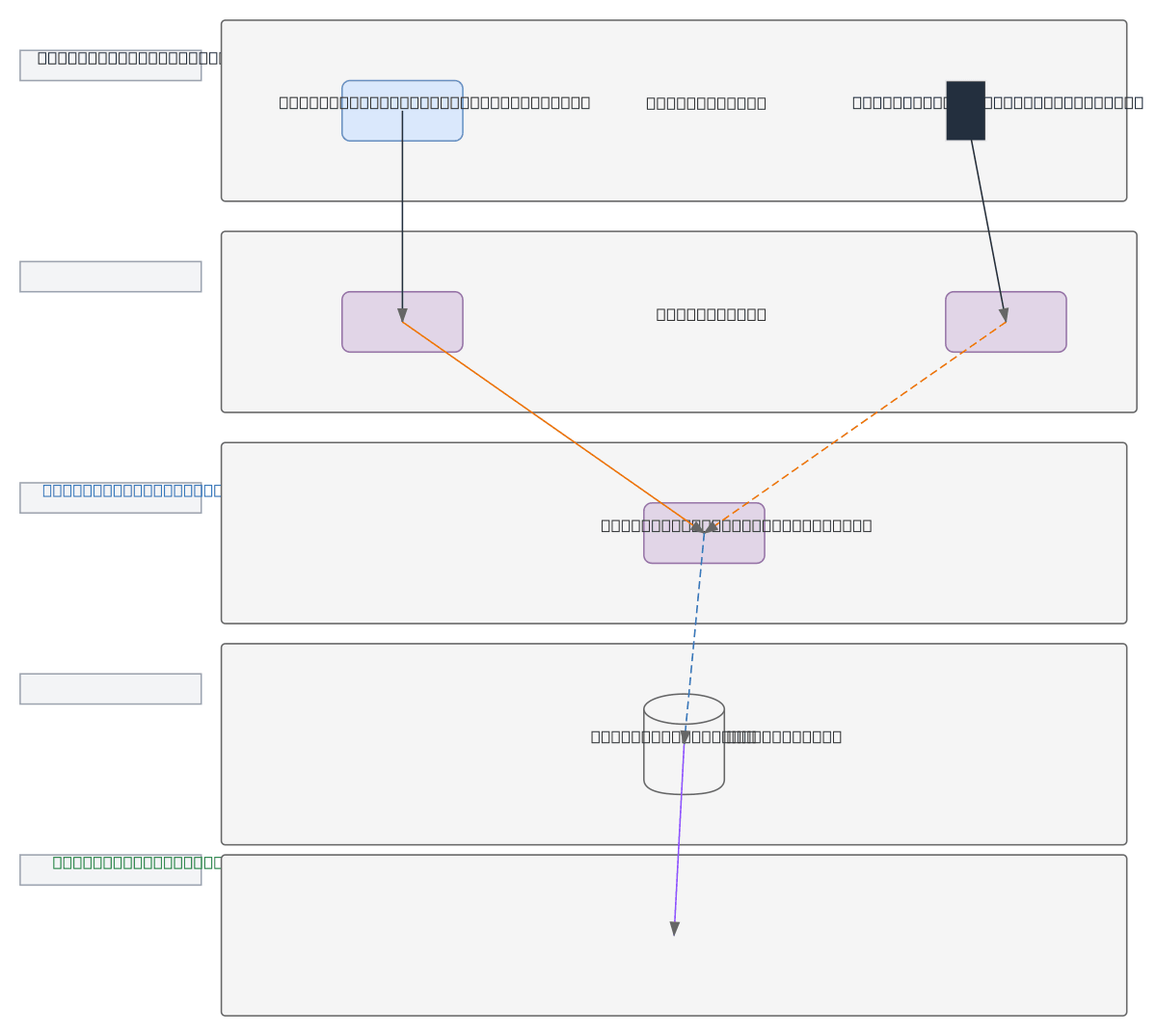
Multi-layer data integration architecture connecting Dynamics 365 CIT Registry and Support Tracking apps to Power BI dashboards via Clockify timesheet aggregation. CIT Registry feeds real-time project data through API sync while Support Tracking canvas app batches daily summaries, both converging at Clockify before SQL Database consolidation. This architecture demonstrates hybrid sync patterns—real-time APIs for transactional accuracy and batch jobs for aggregated metrics—ensuring reporting consistency across timesheet and support data sources. Fork this diagram on Diagrams.so to customize data flows, add additional connectors, or adapt sync frequencies for your organization's reporting cadence.

People also ask

How do you integrate Dynamics 365 CIT Registry and Support Tracking with Power BI reporting using Clockify?

This diagram shows a five-layer architecture where CIT Registry feeds real-time project data via API sync and Support Tracking batches daily summaries, both converging at Clockify timesheet system. Data flows through SQL Database daily sync to Power BI Reports, enabling unified dashboards combining project, support, and timesheet metrics.

Dynamics 365Power BIData IntegrationClockifySQL DatabaseAPI Sync
Domain:
Data Engineering
Audience:
Business analysts and data engineers building integrated reporting solutions with Power BI and Dynamics 365

Generated by Diagrams.so — AI architecture diagram generator with native Draw.io output. Fork this diagram, remix it, or download as .drawio, PNG, or SVG.

Generate your own architecture diagram →

About This Architecture

Multi-layer data integration architecture connecting Dynamics 365 CIT Registry and Support Tracking apps to Power BI dashboards via Clockify timesheet aggregation. CIT Registry feeds real-time project data through API sync while Support Tracking canvas app batches daily summaries, both converging at Clockify before SQL Database consolidation. This architecture demonstrates hybrid sync patterns—real-time APIs for transactional accuracy and batch jobs for aggregated metrics—ensuring reporting consistency across timesheet and support data sources. Fork this diagram on Diagrams.so to customize data flows, add additional connectors, or adapt sync frequencies for your organization's reporting cadence.

People also ask

How do you integrate Dynamics 365 CIT Registry and Support Tracking with Power BI reporting using Clockify?

This diagram shows a five-layer architecture where CIT Registry feeds real-time project data via API sync and Support Tracking batches daily summaries, both converging at Clockify timesheet system. Data flows through SQL Database daily sync to Power BI Reports, enabling unified dashboards combining project, support, and timesheet metrics.

CIT Registry and Support Tracking to Power BI

AutointermediateDynamics 365Power BIData IntegrationClockifySQL DatabaseAPI Sync
Domain: Data EngineeringAudience: Business analysts and data engineers building integrated reporting solutions with Power BI and Dynamics 365
0 views0 favoritesPublic

Created by

April 28, 2026

Updated

April 28, 2026 at 12:28 PM

Type

architecture

Need a custom architecture diagram?

Describe your architecture in plain English and get a production-ready Draw.io diagram in seconds. Works for AWS, Azure, GCP, Kubernetes, and more.

Generate with AI