
About This Architecture
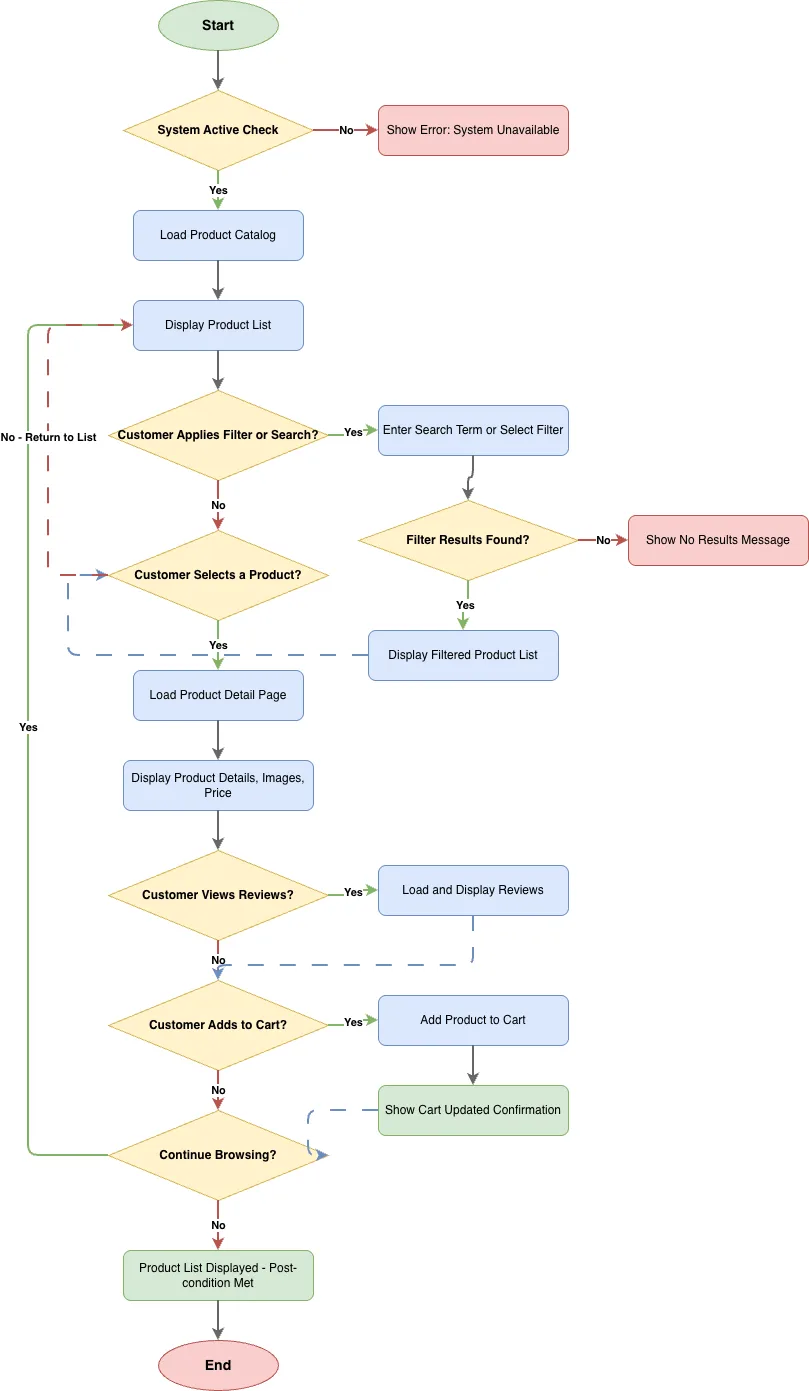
Browse Products Use Case flowchart models the complete customer journey from system availability check through product discovery, filtering, detail viewing, and cart addition. The flow begins with a System Active Check, branches into product catalog loading and display, then guides customers through optional search/filter operations with result validation before product selection. After selecting a product, customers can view detailed information including images and price, optionally load reviews, and add items to cart with confirmation messaging. The diagram captures decision points at each stage—filter results found, product selected, reviews viewed, and continue browsing—ensuring comprehensive coverage of both happy paths and error states. This use case is essential for e-commerce teams designing intuitive product discovery experiences and validating user interaction sequences. Fork this diagram on Diagrams.so to customize it for your platform's specific workflows, add swimlanes for different user roles, or extend it with additional decision branches. The flowchart demonstrates best practices in capturing conditional logic and system state checks critical to robust shopping interfaces.