# Ai Prompt — Admin User Flow (prometrica) Copy

GENERALSequenceintermediate
# Ai Prompt — Admin User Flow (prometrica) Copy — GENERAL sequence diagram

About This Architecture

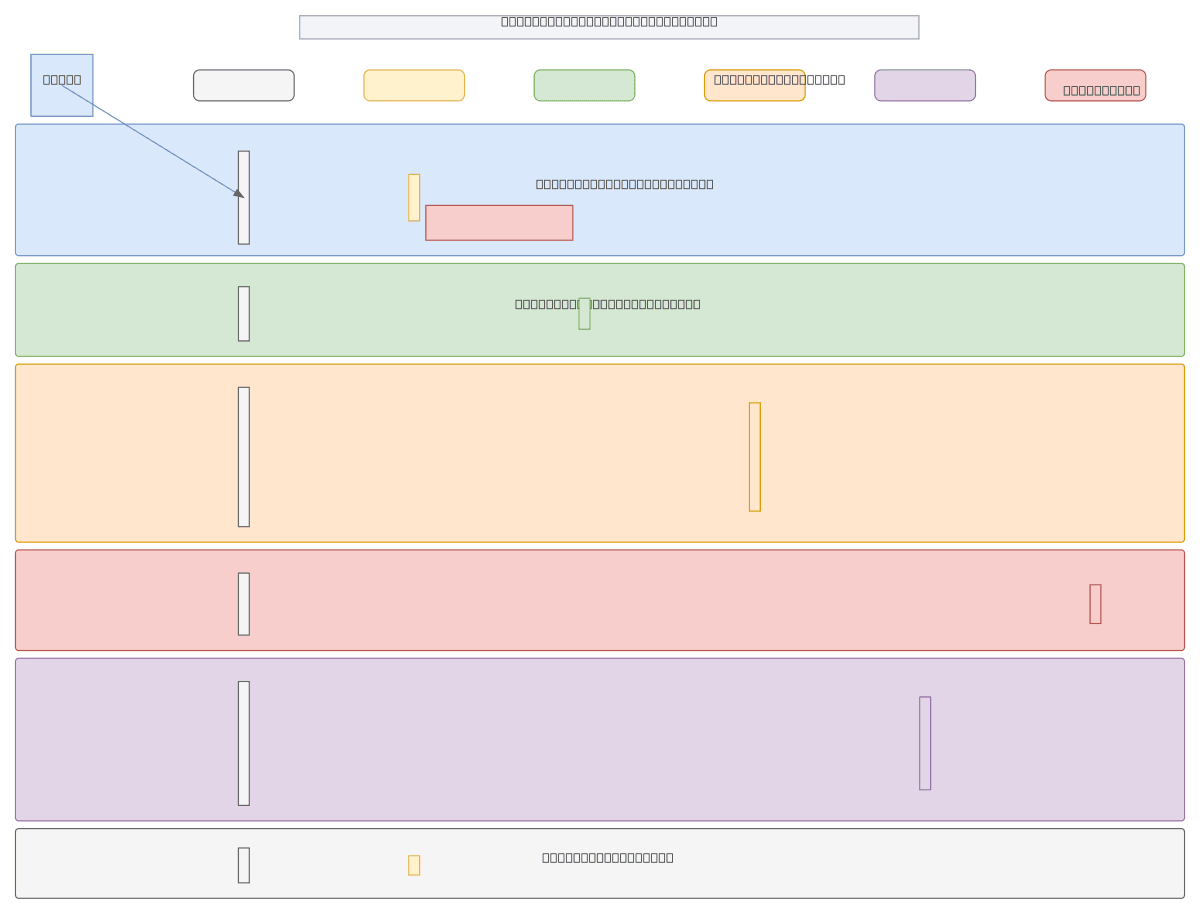
Admin user flow sequence diagram for Prometrica showing six distinct phases: authentication, dashboard access, candidate directory navigation, optional PDF export, survey oversight, and sign-out. The flow routes non-admin users to a login redirect while authenticated admins progress through the Admin Dashboard, Candidate Service, Survey Service, and PDF Export modules. This architecture demonstrates role-based access control and conditional branching patterns essential for secure, multi-tenant SaaS platforms. Fork and customize this diagram on Diagrams.so to adapt the flow for your own admin portal, adjusting service integrations and phase logic as needed.

People also ask

How should I structure an admin user flow with authentication, role-based access control, and multiple service integrations?

This diagram shows a six-phase admin workflow starting with authentication and access denial for non-admins, progressing through dashboard, candidate directory, optional PDF export, survey oversight, and sign-out. Each phase integrates with dedicated services (Auth Service, Candidate Service, Survey Service, PDF Export) to enforce least-privilege access and maintain audit trails.

sequence diagramadmin portalRBACauthenticationuser workflowSaaS architecture
Domain:
Software Architecture
Audience:
Full-stack developers and product managers building admin portals with multi-phase user workflows

Generated by Diagrams.so — AI architecture diagram generator with native Draw.io output. Fork this diagram, remix it, or download as .drawio, PNG, or SVG.

Generate your own sequence diagram →

About This Architecture

Admin user flow sequence diagram for Prometrica showing six distinct phases: authentication, dashboard access, candidate directory navigation, optional PDF export, survey oversight, and sign-out. The flow routes non-admin users to a login redirect while authenticated admins progress through the Admin Dashboard, Candidate Service, Survey Service, and PDF Export modules. This architecture demonstrates role-based access control and conditional branching patterns essential for secure, multi-tenant SaaS platforms. Fork and customize this diagram on Diagrams.so to adapt the flow for your own admin portal, adjusting service integrations and phase logic as needed.

People also ask

How should I structure an admin user flow with authentication, role-based access control, and multiple service integrations?

This diagram shows a six-phase admin workflow starting with authentication and access denial for non-admins, progressing through dashboard, candidate directory, optional PDF export, survey oversight, and sign-out. Each phase integrates with dedicated services (Auth Service, Candidate Service, Survey Service, PDF Export) to enforce least-privilege access and maintain audit trails.

# Ai Prompt — Admin User Flow (prometrica) Copy

Autointermediatesequence diagramadmin portalRBACauthenticationuser workflowSaaS architecture
Domain: Software ArchitectureAudience: Full-stack developers and product managers building admin portals with multi-phase user workflows
0 views0 favoritesPublic

Created by

April 15, 2026

Updated

April 15, 2026 at 5:41 PM

Type

sequence

Need a custom architecture diagram?

Describe your architecture in plain English and get a production-ready Draw.io diagram in seconds. Works for AWS, Azure, GCP, Kubernetes, and more.

Generate with AI