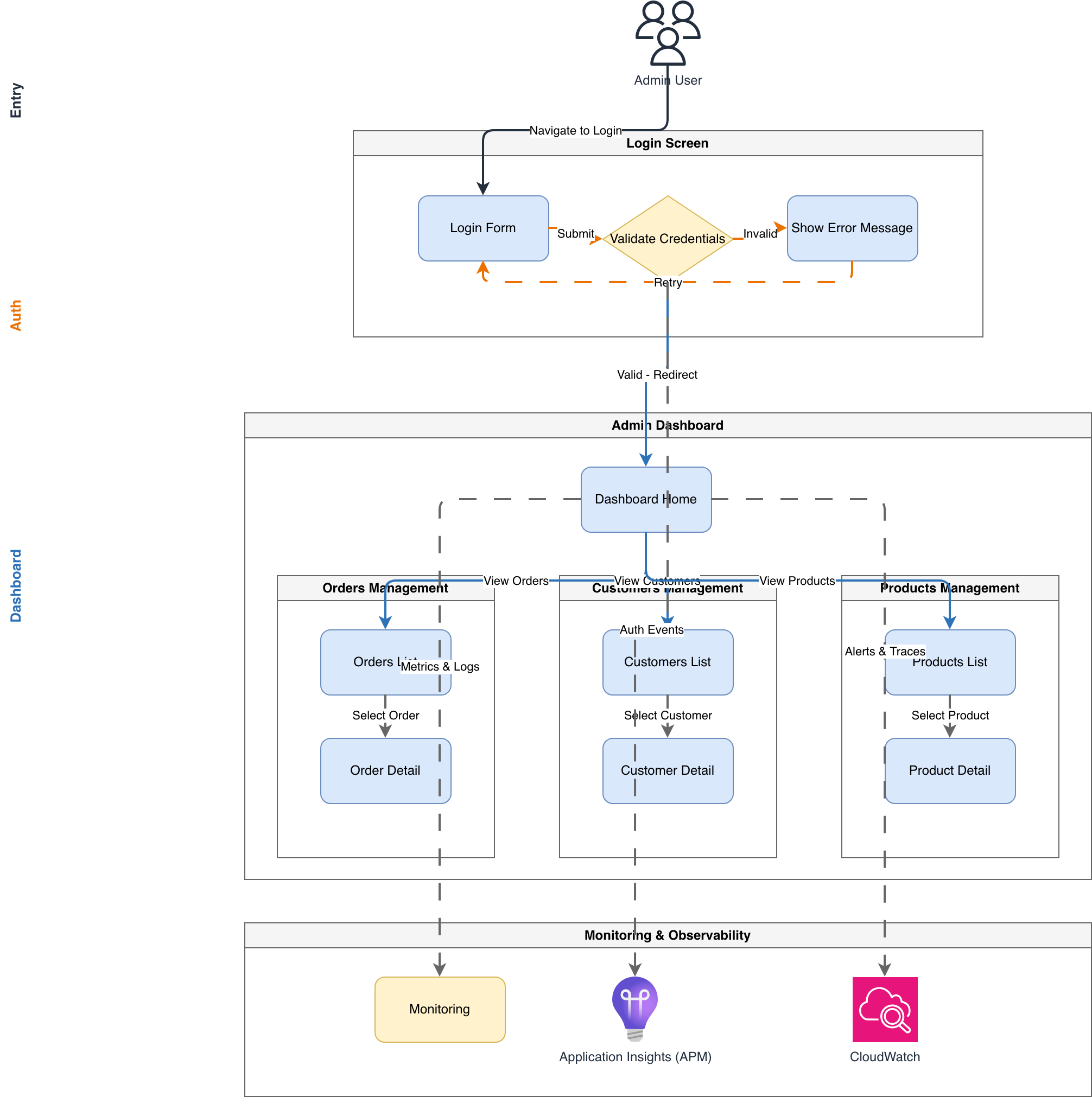
Admin Panel User Flow - Login and Dashboard

general · architecture diagram.

About This Architecture

Admin panel user flow diagram mapping authentication and multi-module dashboard navigation for e-commerce platforms. Users enter credentials via Login Form, which validates against a backend service; failed validation loops back with error messaging, while successful authentication routes to Dashboard Home. From the dashboard hub, users navigate to Orders Management, Customers Management, and Products Management modules, each offering list and detail views for CRUD operations. This flow demonstrates best-practice separation of concerns between authentication, navigation, and feature modules, reducing complexity in large admin interfaces. Fork and customize this diagram on Diagrams.so to match your specific admin panel structure, role-based access controls, or additional modules.

People also ask

How should I structure the user flow for an admin dashboard with login, error handling, and multiple management modules?

This diagram shows a complete admin panel flow: users authenticate via Login Form with Validate Credentials logic that loops back on errors or routes to Dashboard Home on success. From the dashboard hub, users navigate to Orders Management, Customers Management, and Products Management, each with list and detail views for full CRUD functionality.

Admin Panel User Flow - Login and Dashboard

Autointermediateadmin-dashboarduser-flowauthenticationUI-UXe-commercesoftware-architecture
Domain: Software ArchitectureAudience: Full-stack developers and UI/UX designers building admin dashboards
0 views0 favoritesPublic

Created by

March 10, 2026

Updated

March 10, 2026 at 2:21 AM

Type

architecture

Need a custom architecture diagram?

Describe your architecture in plain English and get a production-ready Draw.io diagram in seconds. Works for AWS, Azure, GCP, Kubernetes, and more.

Generate with AI