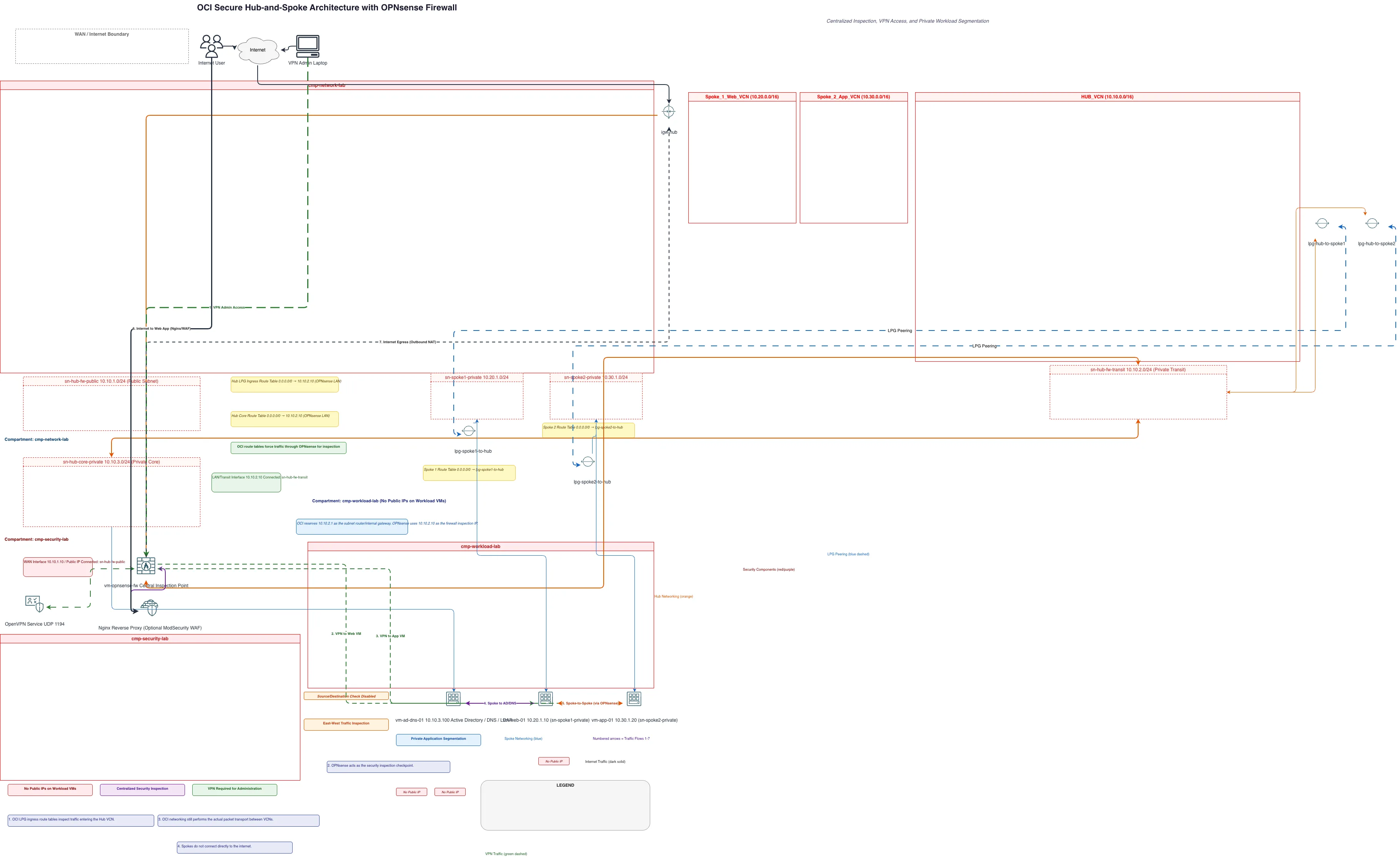
OCI Secure Hub-and-Spoke with OPNsense — OCI architecture diagram

About This Architecture

OCI secure hub-and-spoke architecture with OPNsense firewall centralizes network inspection across multiple VCNs using local peering gateways and forced routing through a transit subnet. Internet users and VPN admins connect through the hub's public subnet, while the OPNsense VM inspects all east-west and north-south traffic before it reaches private workload subnets in spoke VCNs. This design enforces zero-trust segmentation, prevents direct spoke-to-internet routing, and enables granular policy enforcement across Active Directory, web, and application tiers. Fork and customize this diagram on Diagrams.so to adapt firewall rules, add additional spokes, or integrate with OCI security services. The architecture demonstrates OCI best practices for compartmentalized security and centralized threat prevention in multi-tenant environments.

People also ask

How do I design a secure hub-and-spoke network in OCI with centralized firewall inspection and private workload segmentation?

This OCI hub-and-spoke architecture uses OPNsense firewall as a central inspection point in the hub VCN's transit subnet, with local peering gateways connecting spoke VCNs. Route tables in the hub and spokes force all traffic through OPNsense, enabling east-west inspection and preventing direct internet access from workload VMs, while VPN access via OpenVPN provides secure administration.

OCI Secure Hub-and-Spoke with OPNsense

OCIadvancedhub-and-spokenetwork-architecturefirewallsecurityOPNsense
Domain: Cloud AwsAudience: OCI network architects designing secure multi-VCN topologies with centralized inspection
12 views0 favoritesPublic

Created by

May 25, 2026

Updated

August 18, 2026 at 12:02 PM

Type

network

Need a custom architecture diagram?

Describe your architecture in plain English and get a production-ready Draw.io diagram in seconds. Works for AWS, Azure, GCP, Kubernetes, and more.

Generate with AI

AI-generated. Verify before production use. Learn more

Report this diagram