Java Notepad Login to Editor Sequence

GENERALSequenceintermediate
Java Notepad Login to Editor Sequence — GENERAL sequence diagram

About This Architecture

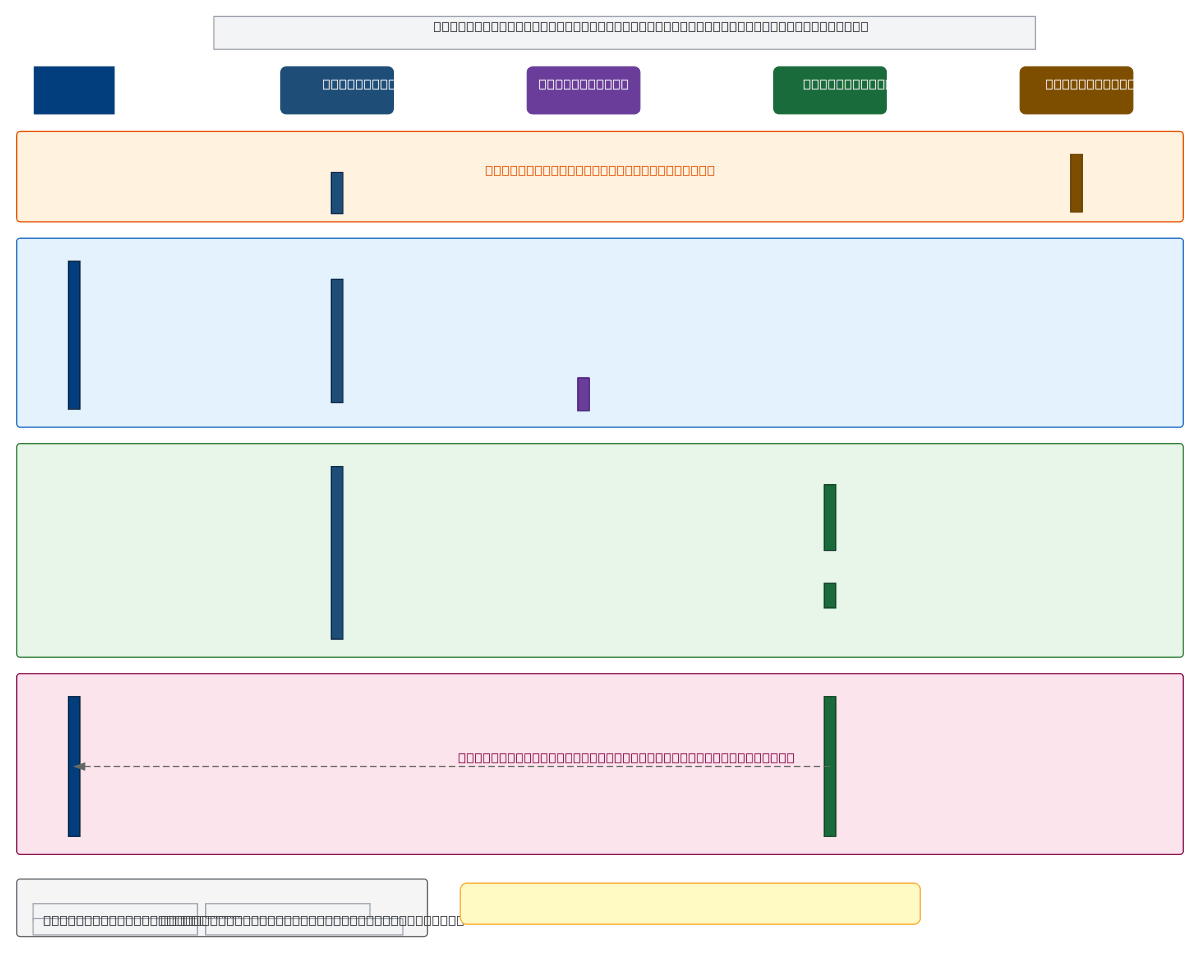
Java Notepad application implements a four-phase login-to-editor sequence where User interacts with LoginFrame, validates credentials via JOptionPane, then transitions to the active Notepad editor. The diagram traces synchronous calls (solid arrows), returns (dashed arrows), and self-calls across User, LoginFrame, JOptionPane, and Notepad components during startup, authentication, instantiation, and active editing phases. This architecture enforces LoginFrame as a mandatory authentication gateway, preventing direct access to the editor and demonstrating secure state management in Swing-based desktop applications. Fork this diagram on Diagrams.so to customize authentication logic, add database integration, or adapt the sequence for your own Java GUI projects. The constraint that LoginFrame gates editor access illustrates the principle of enforcing security boundaries before granting access to protected resources.

People also ask

How does a Java desktop application enforce login authentication before allowing access to the main editor?

This diagram shows a four-phase sequence where the User first interacts with LoginFrame, validates credentials through JOptionPane, then transitions to the active Notepad editor. LoginFrame acts as a mandatory gateway, preventing direct editor access and ensuring secure state management through synchronous calls and activation phases.

Javasequence diagramauthenticationSwing GUIdesktop applicationstate management
Domain:
Software Architecture
Audience:
Java developers building desktop applications with authentication flows

Generated by Diagrams.so — AI architecture diagram generator with native Draw.io output. Fork this diagram, remix it, or download as .drawio, PNG, or SVG.

Generate your own sequence diagram →

About This Architecture

Java Notepad application implements a four-phase login-to-editor sequence where User interacts with LoginFrame, validates credentials via JOptionPane, then transitions to the active Notepad editor. The diagram traces synchronous calls (solid arrows), returns (dashed arrows), and self-calls across User, LoginFrame, JOptionPane, and Notepad components during startup, authentication, instantiation, and active editing phases. This architecture enforces LoginFrame as a mandatory authentication gateway, preventing direct access to the editor and demonstrating secure state management in Swing-based desktop applications. Fork this diagram on Diagrams.so to customize authentication logic, add database integration, or adapt the sequence for your own Java GUI projects. The constraint that LoginFrame gates editor access illustrates the principle of enforcing security boundaries before granting access to protected resources.

People also ask

How does a Java desktop application enforce login authentication before allowing access to the main editor?

This diagram shows a four-phase sequence where the User first interacts with LoginFrame, validates credentials through JOptionPane, then transitions to the active Notepad editor. LoginFrame acts as a mandatory gateway, preventing direct editor access and ensuring secure state management through synchronous calls and activation phases.

Java Notepad Login to Editor Sequence

AutointermediateJavasequence diagramauthenticationSwing GUIdesktop applicationstate management
Domain: Software ArchitectureAudience: Java developers building desktop applications with authentication flows
0 views0 favoritesPublic

Created by

April 29, 2026

Updated

April 29, 2026 at 10:01 PM

Type

sequence

Need a custom architecture diagram?

Describe your architecture in plain English and get a production-ready Draw.io diagram in seconds. Works for AWS, Azure, GCP, Kubernetes, and more.

Generate with AI