ESP32 MPU6050 Gesture Control Flowchart

GENERALArchitectureintermediate
ESP32 MPU6050 Gesture Control Flowchart — GENERAL architecture diagram

About This Architecture

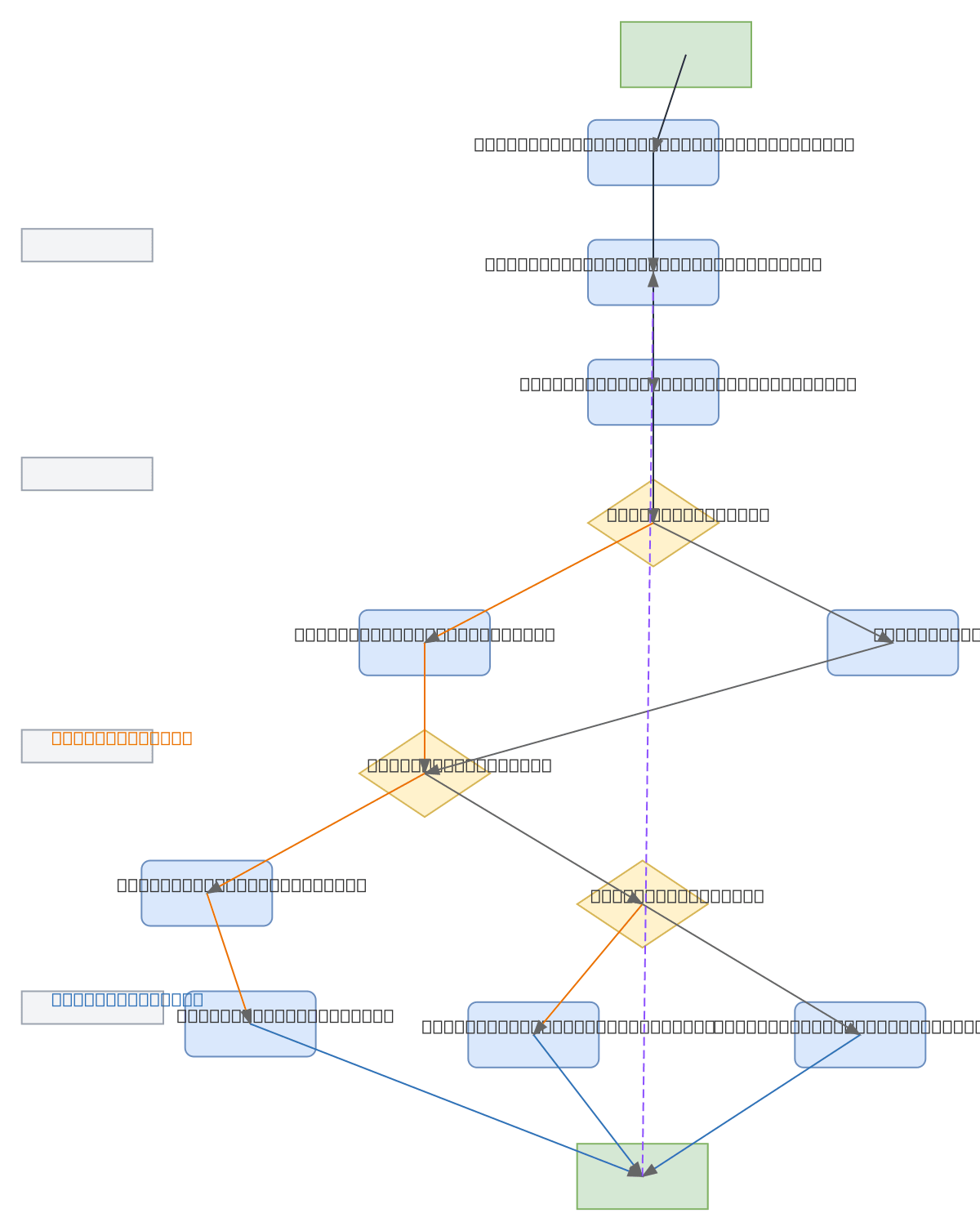
ESP32 with MPU6050 inertial measurement unit enables gesture-based control through a continuous sensor polling and motion detection loop. Raw accelerometer and gyroscope data flows through filtering and analysis stages to classify tilt gestures as left or right movements. The flowchart demonstrates a practical approach to translating physical motion into discrete commands—ideal for presentation remotes, hands-free interfaces, or motion-responsive IoT devices. Fork this diagram to customize gesture thresholds, add additional motion types, or integrate with your own microcontroller platform. This pattern scales to multi-axis gesture recognition by expanding the Identify Type of Gesture decision logic.

People also ask

How do you implement gesture control using an ESP32 and MPU6050 sensor?

Initialize the ESP32 and MPU6050 sensor, then continuously read accelerometer and gyroscope data in a loop. Filter and analyze the raw sensor values to detect tilt gestures, classify them as left or right movements, and send corresponding slide control commands. This flowchart shows the complete decision logic from sensor input through command output.

ESP32MPU6050gesture controlembedded systemsIoTmicrocontroller
Domain:
Mechanical Engineering
Audience:
embedded systems engineers and IoT developers building gesture-controlled applications with microcontrollers

Generated by Diagrams.so — AI architecture diagram generator with native Draw.io output. Fork this diagram, remix it, or download as .drawio, PNG, or SVG.

Generate your own architecture diagram →

About This Architecture

ESP32 with MPU6050 inertial measurement unit enables gesture-based control through a continuous sensor polling and motion detection loop. Raw accelerometer and gyroscope data flows through filtering and analysis stages to classify tilt gestures as left or right movements. The flowchart demonstrates a practical approach to translating physical motion into discrete commands—ideal for presentation remotes, hands-free interfaces, or motion-responsive IoT devices. Fork this diagram to customize gesture thresholds, add additional motion types, or integrate with your own microcontroller platform. This pattern scales to multi-axis gesture recognition by expanding the Identify Type of Gesture decision logic.

People also ask

How do you implement gesture control using an ESP32 and MPU6050 sensor?

Initialize the ESP32 and MPU6050 sensor, then continuously read accelerometer and gyroscope data in a loop. Filter and analyze the raw sensor values to detect tilt gestures, classify them as left or right movements, and send corresponding slide control commands. This flowchart shows the complete decision logic from sensor input through command output.

ESP32 MPU6050 Gesture Control Flowchart

AutointermediateESP32MPU6050gesture controlembedded systemsIoTmicrocontroller
Domain: Mechanical EngineeringAudience: embedded systems engineers and IoT developers building gesture-controlled applications with microcontrollers
0 views0 favoritesPublic

Created by

May 15, 2026

Updated

May 15, 2026 at 10:22 AM

Type

architecture

Need a custom architecture diagram?

Describe your architecture in plain English and get a production-ready Draw.io diagram in seconds. Works for AWS, Azure, GCP, Kubernetes, and more.

Generate with AI