Campus Network - 2-Floor Computer Laboratory

GENERALArchitectureintermediate
Campus Network - 2-Floor Computer Laboratory — GENERAL architecture diagram

About This Architecture

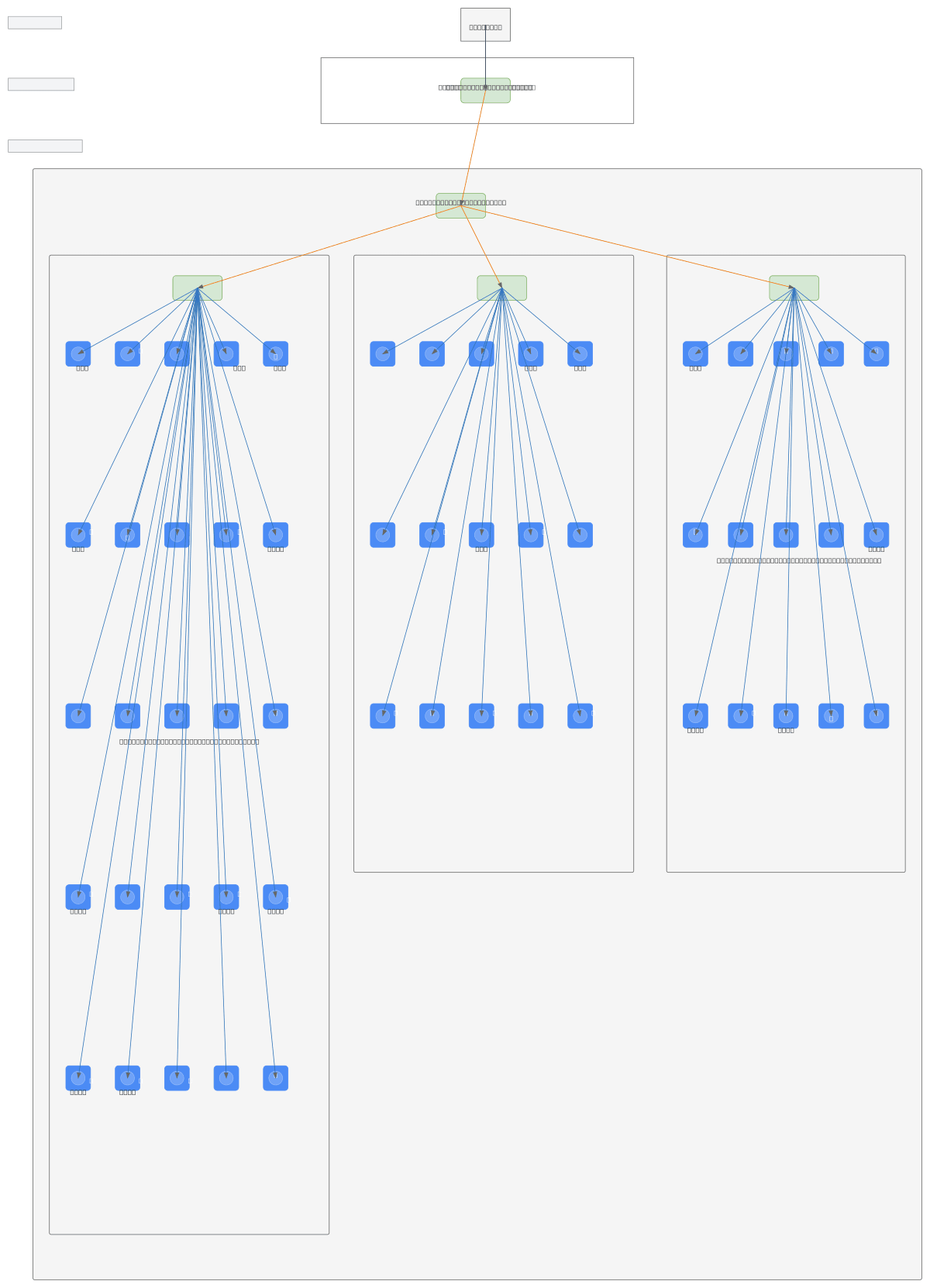
Two-tier campus network connecting a 2nd Floor Core Layer and 1st Floor Computer Laboratory across 55 PCs organized into three distinct segments. Internet traffic flows through the Main Router on the 2nd Floor, then down to the Lab Router on the 1st Floor, which distributes connectivity to Hub 1 (25 PCs), Hub 2 (15 PCs), and Router 2 (15 PCs). This hierarchical topology isolates lab traffic by section while maintaining centralized gateway control, reducing broadcast domains and improving network stability. Network administrators can fork this diagram to customize VLAN assignments, add redundancy, or scale additional lab sections. The hub-based architecture is ideal for educational environments where cost-effective connectivity matters more than enterprise-grade switching.

People also ask

How should I design a network topology for a two-floor computer laboratory with multiple PC segments?

This diagram shows a hierarchical campus network with a Main Router on the 2nd Floor Core Layer feeding a Lab Router on the 1st Floor, which then distributes to three segments: Hub 1 (25 PCs), Hub 2 (15 PCs), and Router 2 (15 PCs). This segmentation reduces broadcast domains, improves stability, and simplifies management of 55 lab computers across floors.

networkingcampus-networkcomputer-labnetwork-topologyhub-architecturenetwork-segmentation
Domain:
Networking
Audience:
Network administrators managing campus lab infrastructure

Generated by Diagrams.so — AI architecture diagram generator with native Draw.io output. Fork this diagram, remix it, or download as .drawio, PNG, or SVG.

Generate your own architecture diagram →

About This Architecture

Two-tier campus network connecting a 2nd Floor Core Layer and 1st Floor Computer Laboratory across 55 PCs organized into three distinct segments. Internet traffic flows through the Main Router on the 2nd Floor, then down to the Lab Router on the 1st Floor, which distributes connectivity to Hub 1 (25 PCs), Hub 2 (15 PCs), and Router 2 (15 PCs). This hierarchical topology isolates lab traffic by section while maintaining centralized gateway control, reducing broadcast domains and improving network stability. Network administrators can fork this diagram to customize VLAN assignments, add redundancy, or scale additional lab sections. The hub-based architecture is ideal for educational environments where cost-effective connectivity matters more than enterprise-grade switching.

People also ask

How should I design a network topology for a two-floor computer laboratory with multiple PC segments?

This diagram shows a hierarchical campus network with a Main Router on the 2nd Floor Core Layer feeding a Lab Router on the 1st Floor, which then distributes to three segments: Hub 1 (25 PCs), Hub 2 (15 PCs), and Router 2 (15 PCs). This segmentation reduces broadcast domains, improves stability, and simplifies management of 55 lab computers across floors.

Campus Network - 2-Floor Computer Laboratory

Autointermediatenetworkingcampus-networkcomputer-labnetwork-topologyhub-architecturenetwork-segmentation
Domain: NetworkingAudience: Network administrators managing campus lab infrastructure
0 views0 favoritesPublic

Created by

May 2, 2026

Updated

May 2, 2026 at 5:47 AM

Type

architecture

Need a custom architecture diagram?

Describe your architecture in plain English and get a production-ready Draw.io diagram in seconds. Works for AWS, Azure, GCP, Kubernetes, and more.

Generate with AI