
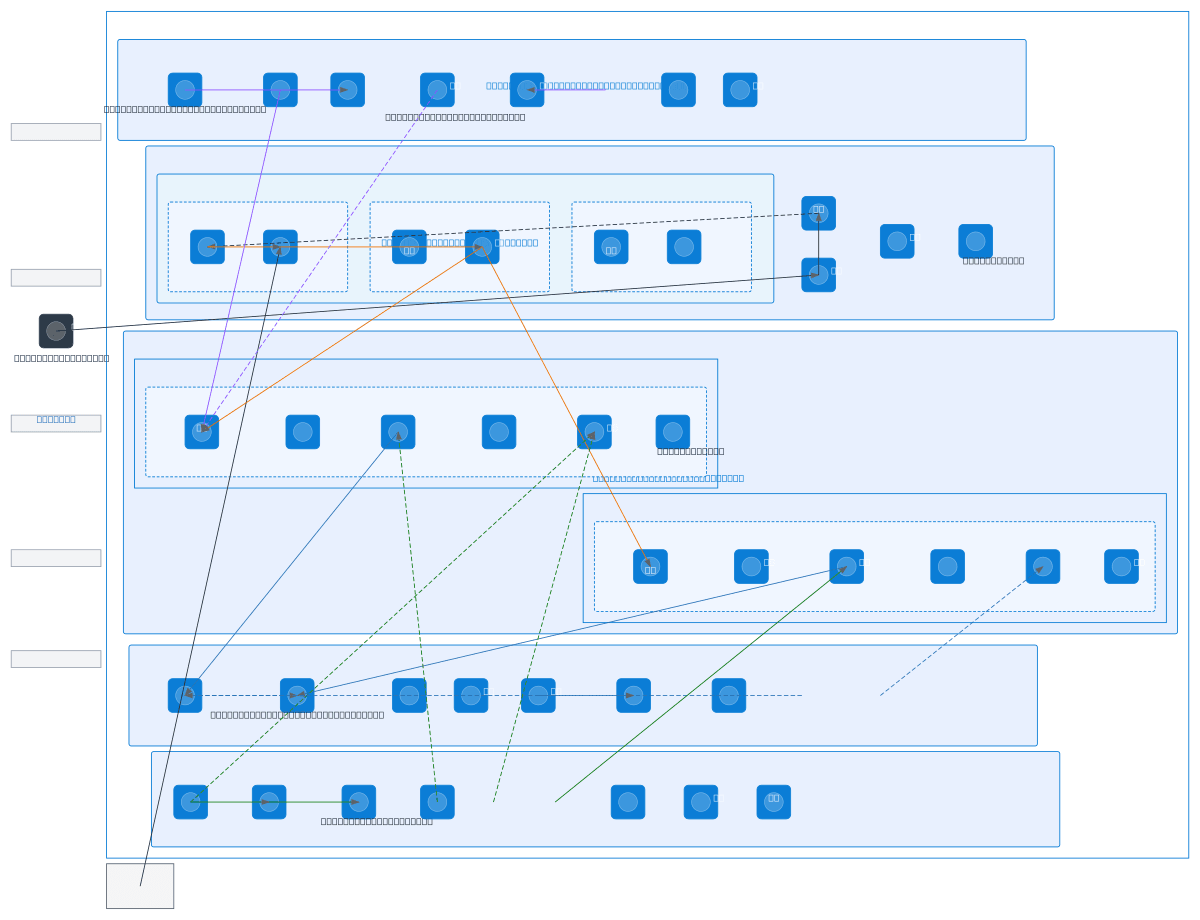
About This Architecture
Azure Landing Zone enterprise architecture spans five resource groups—Identity & Security, Networking, Compute, Data & Storage, and Management & Ops—providing a secure, scalable foundation for hybrid workloads. Identity flows through Azure Active Directory with RBAC and Managed Identity; network traffic routes via ExpressRoute (primary) and VPN Gateway (fallback) through Azure Firewall, Application Gateway, and NSGs across three subnets. Compute distributes VMs across two Availability Zones with VM Scale Sets for elasticity, while Data & Storage layers include SQL Server DB with geo-redundant secondary, SQL Managed Instance, Cosmos DB, and geo-replicated Storage Accounts backed by Azure Backup and Site Recovery. Management & Ops consolidates monitoring via Azure Monitor, Log Analytics, Application Insights, and Microsoft Sentinel for zero-trust compliance and threat detection. Fork this diagram to customize subnets, add additional resource groups, or adapt CIDR ranges for your organization's governance and compliance requirements.