Auto Parts Inventory Navigation Flow
About This Architecture
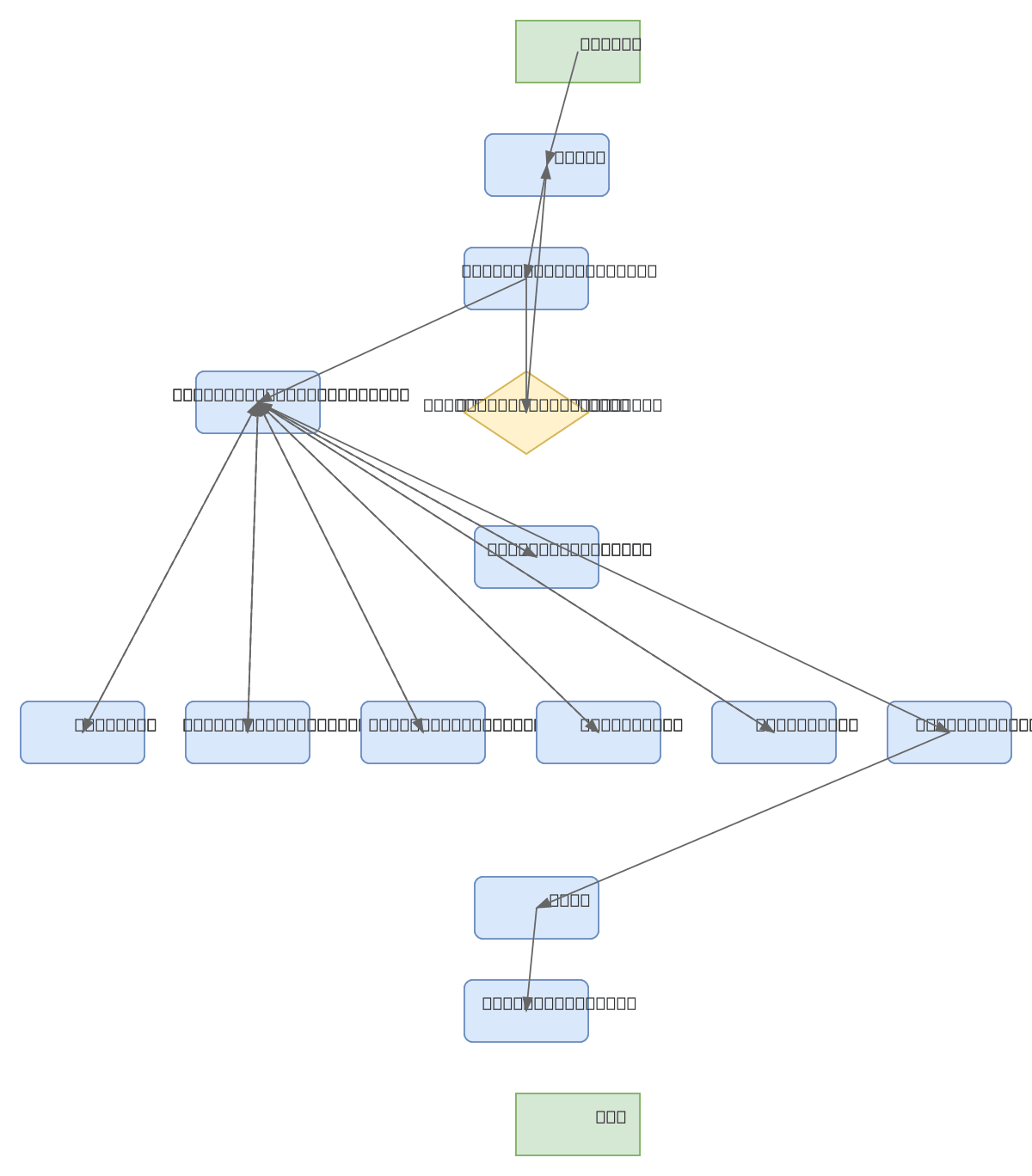
Auto parts inventory navigation flow implements a secure, hub-and-spoke application architecture with centralized authentication and modular feature access. Users authenticate through a login and credential validation phase, then access a dashboard that branches to six functional modules: Products, Product Entry, Product Exit, Inventory, Reports, and Settings. Each module returns to the dashboard, enabling seamless navigation between inventory operations while maintaining session control through logout. This pattern ensures role-based access control, audit trails, and clear separation of concerns across inventory management tasks. Fork this diagram on Diagrams.so to customize authentication flows, add role-based permissions, or integrate with your inventory database schema.
People also ask
How should I structure the navigation flow for an auto parts inventory management application?
This diagram shows a proven hub-and-spoke pattern: users authenticate via Login and Validate Credentials, access a central Dashboard, then branch to specialized modules (Products, Product Entry, Product Exit, Inventory, Reports, Settings) with all paths returning to the Dashboard. This architecture ensures secure access control, clear user workflows, and maintainable module separation for inventor
- Domain:
- Software Architecture
- Audience:
- software architects designing inventory management systems
Generated by Diagrams.so — AI architecture diagram generator with native Draw.io output. Fork this diagram, remix it, or download as .drawio, PNG, or SVG.
